
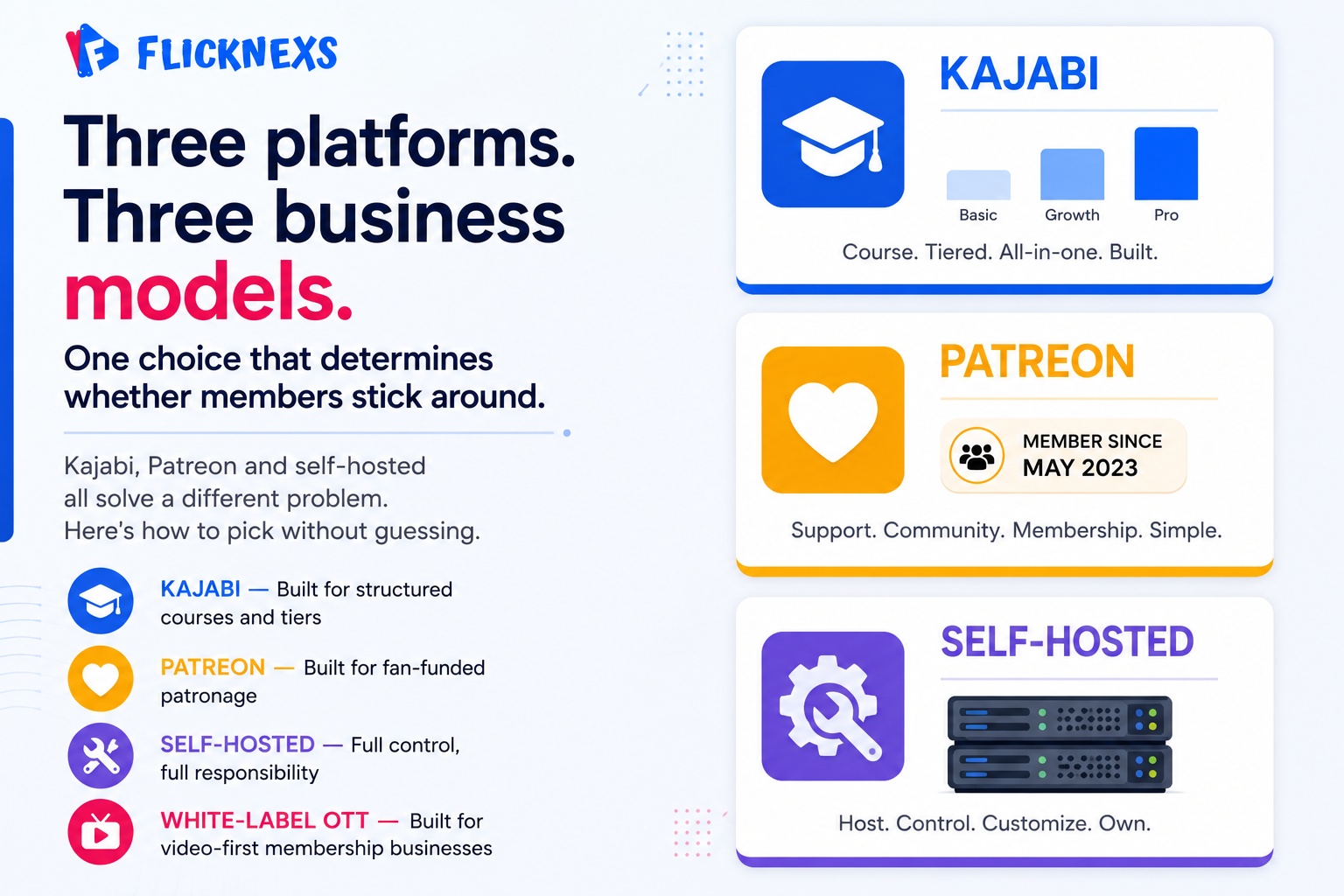
Kajabi, Patreon and self-hosted platforms each solve a different problem for video creators building membership businesses. Kajabi is built around course creation and structured learning. Patreon runs on community support and recurring patronage. Self-hosted options give you full control over everything, at the cost of having to manage everything yourself.
Key takeaways
- Kajabi works best when your primary product is structured online courses with membership tiers built around content delivery. If that’s not what you’re selling and you’re paying for features you’ll never touch.
- Patreon fits artists and creators whose audience wants to directly support their work and get something tangible back, early access, exclusive content or just a sense of belonging to something. Same reason fan clubs existed long before the internet did.
- Self-hosted platforms give you the most flexibility and customization, full stop. But that freedom comes with a real cost you need genuine technical capability to set up and maintain it properly, not just enthusiasm.
- Here’s what most people miss the right platform isn’t the one with the longest feature list. It’s the one that fits how your specific business actually makes money and serves its audience.
- And a clear membership strategy matters more than whatever platform you build it on. The best infrastructure in the world won’t save a value proposition that isn’t compelling enough to keep people paying month after month.
What are the key features of Kajabi, Patreon and self-hosted platforms?
Kajabi is built for creators selling structured content. Courses, membership tiers, analytics, all bundled into one interface that doesn’t demand technical knowledge to navigate. The catch is cost. The pricing plans are real money, and if you’re just starting out, that bill can feel steep before your revenue actually justifies it.
Patreon runs on a completely different logic. It’s community-driven, built around fans directly supporting creators they believe in. Members pay recurring amounts for exclusive content, early access or honestly just the satisfaction of backing someone whose work matters to them. Call it less of a product platform and more of a patronage relationship with infrastructure wrapped around it.
Self-hosted platforms, WordPress being the obvious example, give you complete control over everything: design, features, integrations, data. None of it belongs to a third party who can change the rules on you. What you give up is simplicity. Setup demands real technical capability and ongoing maintenance means someone, you or someone you’re paying, has to handle security, updates, and the inevitable troubleshooting.
How do they compare on pricing and revenue sharing?
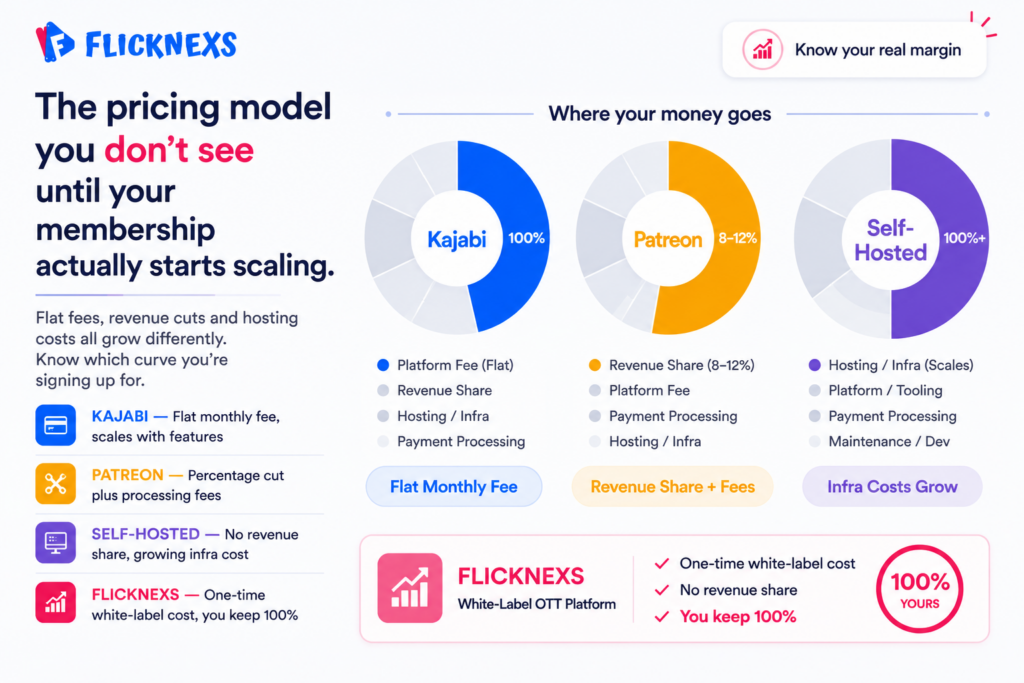
Kajabi charges a monthly platform fee that scales with the features you’re using. Patreon takes a percentage of creator earnings on top of payment processing fees and at scale, that adds up more than people expect. Self-hosted platforms skip the revenue share entirely, but hosting, themes and plugins carry their own costs and those costs grow right alongside the site.
Here’s the thing about self-hosted economics: they look great on paper until you factor in the time cost of managing everything yourself. If your actual skill is making content, not running infrastructure, that time has real value you’re spending somewhere else.
What are the advantages and disadvantages of self-hosted platforms?
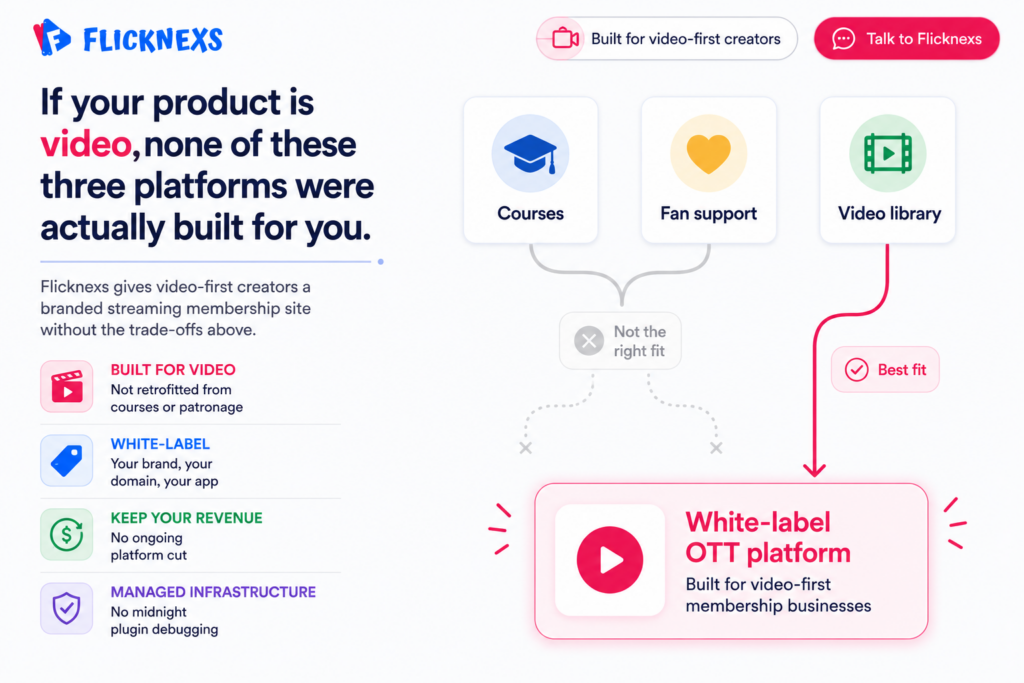
The upside is control, full stop. Your site, your rules, your data, your integrations. No platform quietly changing its fee structure or killing a feature you depend on overnight. The downside is that everything that breaks is now your problem. Customer support, technical issues, security patches, plugin conflicts, all of it lands on you. WordPress offers thousands of themes and plugins, which sounds like freedom right up until you’re debugging a conflict between two of them at midnight, the night before launch.
How can creators choose the right platform?
Match the platform to how your business actually makes money, not how you imagine it will someday. Kajabi fits creators whose primary product is structured educational content. Patreon fits creators whose audience wants to directly support their work and feel part of something. Self-hosted fits creators who genuinely need full control and have either the technical skill or the budget to manage it properly.
Beyond the platform itself, think hard about what your audience is actually paying for. A community-focused membership needs different infrastructure than a course-based one does. Someone monetizing a large video library needs different tools than someone selling access to weekly live sessions.
What role does community play?
Community is usually what separates a membership that retains people from one that loses everyone after month one. Content gets consumed and then it’s gone. Community is what keeps people coming back after they’ve already watched everything available. Patreon builds around this explicitly. Kajabi and self-hosted platforms support it through forums and discussion features, but the technology was never the hard part. The hard part is showing up consistently, responding to members and creating something people feel genuinely connected to beyond just the videos.
How does video content fit in?
Video is the product in most membership businesses, but it’s also your best promotional tool for pulling in new members. Behind-the-scenes footage, tutorials, short clips pulled from premium content and posted publicly, all of it builds the case for why someone should actually pay for more. The creators who consistently grow their membership sites are the ones treating their public video presence as a funnel, not something they post as an afterthought.
For more information on building a membership website for video content, check out our pillar post on the topic. We also have guides on how to turn Zoom recordings into a recurring video membership and how to sell online courses with video.
| Question | Short answer | What to dig into |
| What’s the best membership platform for video creators? | Depends entirely on your business model | Kajabi for courses, Patreon for community patronage, self-hosted for full control. No universal winner. |
| How do I choose between Kajabi, Patreon and self-hosted? | Match the platform to how you actually make money | Pricing structure, revenue share, features you’ll genuinely use, and how much technical maintenance you’re willing to own |
| Can I use multiple platforms at the same time? | Yes, but it adds complexity fast | Dual-platform setups work best when each serves a clearly distinct audience or revenue stream. Without a clear strategy it becomes harder to manage than it’s worth. |
What are the most important metrics to track for a membership site?
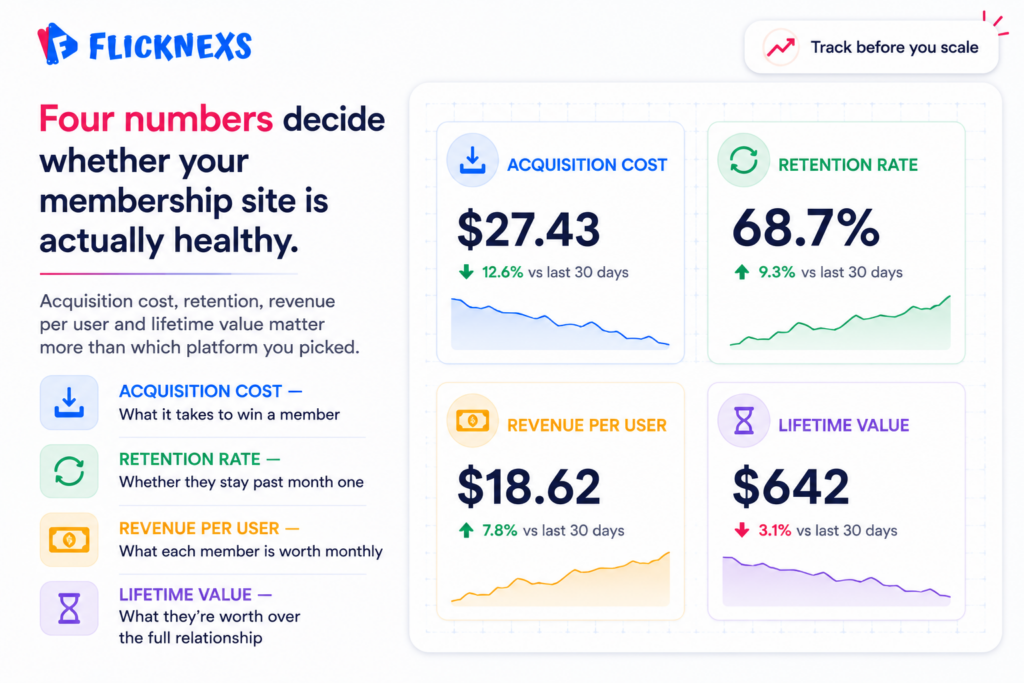
Four numbers tell you most of what you need to know about whether a membership business is actually healthy member acquisition cost, retention rate, average revenue per user and customer lifetime value. Together they answer three questions that matter more than anything else, are you bringing in the right member then are you keeping them long enough to be profitable and are you charging appropriately for what you’re actually delivering.
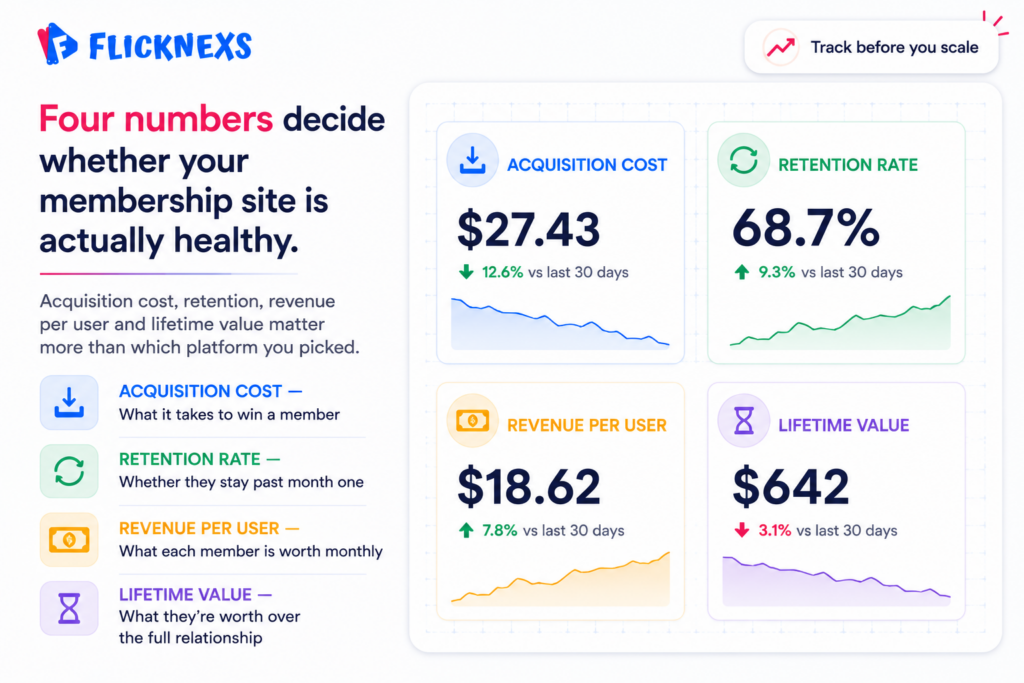
Most platforms, Kajabi, Patreon, self-hosted solutions, give you some version of these natively. For anything more granular, third-party analytics tools fill the gaps. What actually matters is having all four in one place.
How can creators optimize their membership site for better engagement and retention?
Start with the content. High-quality and relevant material that genuinely serves your specific audience that is the foundation everything else sits on. No amount of community features or clever re-engagement emails compensates for content that isn’t worth paying for. That’s not a marketing problem you can fix with better copy.
Beyond content, community infrastructure matters more than most creators invest in early. Discussion forums, live events, social sharing, anything that connects members to each other, not just to you. Members who know each other cancel less than members who only know you. That’s not a hunch, it’s just how belonging works.
Use your data to make targeted changes, not sweeping ones. If retention drops at month three specifically, that’s a specific problem with a specific cause. Find it, fix it, measure whether the fix actually worked. Optimization done this way compounds over time. Optimization done by gut instinct mostly just moves the problem somewhere else.
What are the best practices for creating and selling online courses on a membership site?
Build the course around the outcome the student is trying to reach, not around everything you happen to know about the subject. The clearer the promised result, the easier the course is to market and the more satisfied members feel once they actually finish it. Nobody buys “everything I know.” They buy “I’ll be able to do X.”
On marketing, email, social media and paid advertising each play a different role and mixing them up wastes money. Email converts the audience you already have. Social media builds the audience that doesn’t know you yet. Paid advertising accelerates both, but only once you understand your conversion rates well enough for the economics to actually make sense.
Platform choice matters in a specific way here too. Kajabi and similar course platforms are built for structured learning delivery and handle most of the technical complexity for you. The trade-off is cost, plus whatever constraints come bundled with any managed platform. Know exactly what you’re trading before you commit, because migrating a course library and its members to a different platform later is far more painful than choosing carefully the first time.
Operational Basics: Content Protection, Support, and Taxes
Protecting your content, handling support, running free trials, staying on top of taxes, these are the operational basics that don’t get talked about enough, but they’ll bite you if you ignore them.
For content protection, lean on DRM, access controls and encryption together, not just one of them. Restricting access to authorized members only isn’t optional once you’re charging money for that content.
Free trials and free content actually work in your favor here. They’re one of the most effective ways to attract new members and let people see the value of your membership before they commit to paying for it.
Customer support and technical issues need real infrastructure behind them, not just a “reply when you can” approach. Helpdesk software, solid FAQs, and community forums go a long way toward giving members timely, effective support without burning you out in the process.
And on taxes: the implications of selling memberships and online courses shift depending on your location and business structure, so there’s no universal answer here. Talk to an actual tax professional to make sure you’re meeting your obligations and not leaving deductions or credits on the table.
What are the key considerations for scaling a membership site?
Scaling isn’t something that happens by accident, it takes real planning. Start with a strong foundation solid technical infrastructure, efficient support processes and a content strategy that’s actually clear, not something you’re figuring out as you grow. Skip that groundwork and scaling just multiplies whatever problems you already have.
Community engagement and retention deserve priority here too. Discussion forums, social sharing, live events, these aren’t nice-to-haves, they’re what makes members feel like they belong to something instead of just paying for access. And let your data actually drive the strategy. Track the metrics that matter, find where things are breaking down and make targeted changes instead of guessing at what might help.
How can creators leverage user-generated content to enhance their membership site?
User-generated content is one of the most underused tools in a membership creator’s kit. Encourage members to make and share their own videos, blog posts or social updates through discussion forums, social sharing and content submission tools built right into the site.
Do this well and you get two things at once. First, real community and social proof around your membership, which makes it look more valuable to anyone considering joining. Second, less pressure on you to generate every piece of content yourself, freeing up time for the parts of the business only you can do.
What are the best practices for managing and engaging with members on a membership site?
Managing members well starts with actually understanding what they want, not assuming you already know. Build real relationships through email, social media and live events, channels that let you communicate with members directly instead of just broadcasting at them.
Support and feedback need to be a priority too, not an afterthought. Helpdesk software, clear FAQs, active community forums, all of it adds up to support that’s timely instead of reactive. Trust and loyalty are what actually drive retention and revenue long-term. A membership site that treats its members well is the one that’s still around in three years.
Frequently Asked Questions
Ready to build?
If you’re planning your next Membership project, Flicknexs handles the video infrastructure end-to-end — so you can ship in weeks, not months.
- explore Flicknexs OVP
- see pricing and plans
More on membership video
Continue exploring more on this topic across the Flicknexs blog.

