
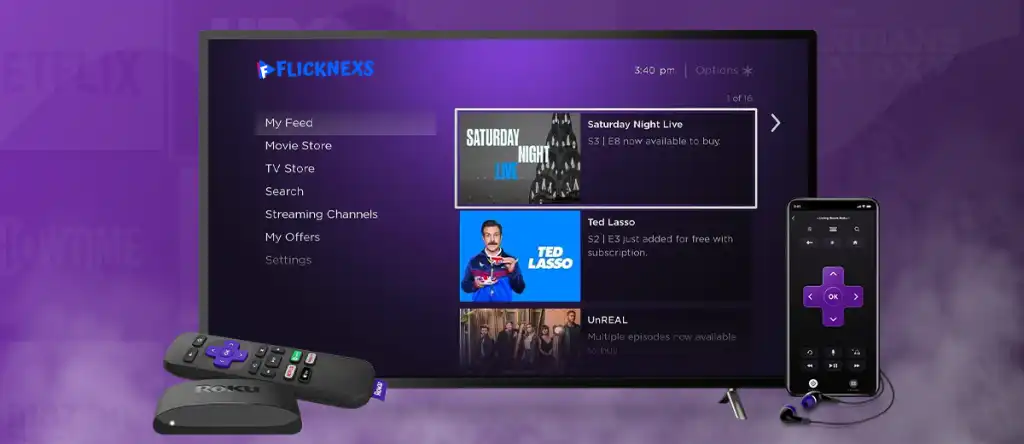
Top Guide to Create Roku Channel? Types of Roku Channel

By Jarom | Last Updated on April 21, 2026

guide to create roku channel

Creating a Roku channel is one of the most effective ways to distribute video content to a global streaming audience. With millions of active users, Roku provides a powerful opportunity for creators, businesses, and media brands to publish and monetize content directly on smart TVs.

If you are wondering how to start a Roku channel, this guide will walk you through the complete process from setup to publishing and approval.

What is Roku?

Roku is a digital streaming platform that allows users to access online content on their televisions through internet-connected devices. It supports popular streaming services like Netflix, Hulu, and Amazon Prime Video, along with thousands of independent channels.

Roku devices are simple to use and give viewers access to:

  • Free streaming channels
  • Paid subscription services
  • Live TV and sports content
  • On-demand movies and shows

For content creators, Roku offers an opportunity to build a dedicated audience through a custom Roku channel.

Start OTT Platform Free Trial

Benefits of Starting a Roku Channel

If you plan to create a Roku channel, here are some key benefits:

1. Large Audience Reach

Roku has millions of active users worldwide, allowing you to reach a massive streaming audience.

2. Monetization Opportunities

You can earn through:

  • Advertising revenue
  • Subscription models
  • Pay-per-view content

3. Brand Visibility

Having your own Roku channel helps increase brand awareness and positions your business in the streaming ecosystem.

4. Easy Content Access

Roku channels are user-friendly and make it easy for viewers to discover and consume content.

5. Viewer Analytics

Roku provides insights into viewer behavior, helping you optimize your content strategy.

Discover Flicknexs’ Capabilities

Types of Roku Channels

Before you build your own Roku channel, it is important to understand the different types available:

Streaming Services Channels

Platforms like Netflix, Hulu, and Disney+ offering subscription-based content.

Free Channels

Ad-supported channels like Tubi, Crackle, and The Roku Channel.

Live TV Channels

Offer live broadcasts including news, sports, and entertainment.

News Channels

Channels like CNN, BBC, and MSNBC that provide real-time updates.

Sports Channels

Provide live matches, highlights, and sports analysis.

Music Channels

Platforms like Spotify, Pandora, and iHeartRadio.

Educational Channels

Courses, tutorials, and documentaries for learning purposes.

Kids & Family Channels

Child-friendly content including cartoons and educational videos.

Tech & Science Channels

Content focused on innovation, gadgets, and scientific topics.

How to Start a Roku Channel

If you want to know how to make a Roku channel, follow these steps:

Step 1: Create a Roku Developer Account

Go to the Roku Developer website and sign up for a free developer account. This is required to access Roku’s publishing tools.

Step 2: Prepare Your Content

Before you create a Roku channel, organize your video content. Ensure your videos are:

  • High quality
  • Properly formatted (MP4 recommended)
  • Optimized for streaming

Step 3: Choose a Channel Type

You can choose between:

  • Public channels
  • Private channels (for testing or limited audience)

Step 4: Build Your Channel

Use Roku’s tools or SDK to:

  • Design your channel interface
  • Add branding elements (logo, images)
  • Upload and organize content

You can also use a roku channel builder or third-party platforms to simplify development.

Step 5: Test Your Channel

Roku provides a Developer Dashboard where you can test your channel before publishing. You can:

  • Preview on a Roku device
  • Fix errors or layout issues
  • Validate content playback

Step 6: Submit for Approval

Once testing is complete, submit your channel for Roku review. Roku will check:

  • Technical compliance
  • Content guidelines
  • Performance standards

Step 7: Publish Your Channel

After approval, your channel will be published on the Roku Channel Store and become available to users worldwide.

How Much Does It Cost to Start a Roku Channel?

The cost of starting a Roku channel depends on your approach:

  • DIY development: Low cost (mainly hosting + content production)
  • Using a channel builder: Subscription-based pricing
  • Enterprise development: Higher cost depending on features

In most cases, basic Roku channel creation can be done at a relatively low cost.

Choose Your Preferred Pricing Plan

Features of a Roku Channel

Roku Direct Publisher

Allows you to create a channel without coding using a web-based interface.

Live Streaming

Broadcast live content directly to your audience.

Monetization Tools

Run ads or offer paid subscriptions through your channel.

Analytics Dashboard

Track viewer engagement and performance metrics.

Explore Flicknexs OTT Platform Features

How Flicknexs Helps to Create Roku Channel
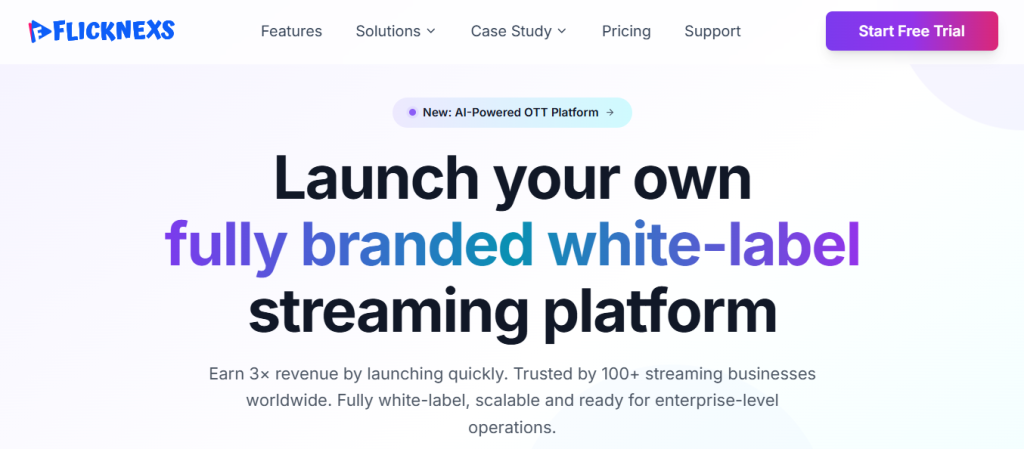
Flicknexs OTT Platform

Flicknexs simplifies Roku channel creation by providing a user-friendly platform to design, publish, and monetize your content. With Flicknexs, you can effortlessly build and manage your Roku channel, ensuring a seamless streaming experience for your audience, all within a streamlined and efficient process.

Flicknexs offers the ultimate customized Roku TV channel experience. With a curated selection of content tailored to your preferences, it delivers personalized entertainment at your fingertips. Enjoy seamless streaming and discover your favourite shows and movies effortlessly with Flicknexs on Roku.

Create Your OTT TV Channel

Conclusion

Learning how to start a Roku channel opens the door to building a powerful streaming presence. Whether you are a creator, brand, or media business, Roku provides the tools to distribute and monetize content at scale.

By following the steps above from account creation to publishing, you can successfully create a Roku channel and reach millions of viewers worldwide.

With the right strategy and platform support, building your own Roku channel becomes not only achievable but highly scalable in today’s streaming-first world.

Frequently Asked Questions

Yes, you can Create Roku channel without coding experience by using Roku’s Direct Publisher platform. This platform allows you to create a channel by simply inputting your content and branding information into pre-built templates. You can customise your channel’s layout, add videos and images, and publish it on the Roku platform without any coding knowledge.

Developing and launching a Roku channel can take anywhere from a few weeks to several months, relying at the complexity of the channel and the improvement crew’s expertise. Generally, the system entails designing the consumer interface, growing the code and functionality, growing the content and pix, and testing and optimising the channel for Roku gadgets.

To develop a Create Roku channel, you need to have a few technical requirements. These include a development computer running Windows, Mac OS X or Linux, an IDE (Integrated Development Environment) such as Eclipse or Visual Studio, a Roku device for testing, and access to the Roku Developer Dashboard for publishing the channel.

There are several ways to monetize a Roku channel. One option is to sell advertising space within your channel. You can use an ad network like Google AdSense or work directly with advertisers to display ads during or between videos. Another option is to offer subscriptions or pay-per-view content.

Yes, there are content restrictions for Roku channels. Roku has a hard and fast of recommendations that should be accompanied by way of channel creators to make certain that their content is appropriate for all audiences. Channels that contain unlawful content, hate speech, pornography, or different express fabric are not allowed at the platform.

  1. Turn on your Roku device and go to the home screen.
  2. Navigate to the Roku Channel Store.
  3. Search for “Roku Channel Name” using the search bar.
  4. Select Your Roku Channel Name from the search results.
  5. Click on “Add Channel” to install it on your Roku device.

Comments

39 responses to “Top Guide to Create Roku Channel? Types of Roku Channel”

  1. Shama

    Dear team, we are currently looking for a Roku tv application comparison to host, serve and monetize our small collection of films, can you please explain about Roku TV?

    1. Jarom
      Jarom

      Hey thankyou! Here i have given the explination of Roku TV, look on this link given https://blog.flicknexs.com/a-guide-to-create-roku-channel/

  2. Mason

    The section on content formatting is spot on! It’s crucial to optimize images, videos, and audio for Roku’s platform to deliver the best viewing experience. I’d love to learn more about recommended encoding settings or any tools that can simplify this process.

  3. Grayson

    I really like how you explained the importance of planning before diving into channel creation. It’s essential to define the target audience and content strategy to ensure the channel’s success.

  4. Amar

    I am planning to how make a tv channel service for my niche-based company. Kindly provide me the details for starting from my own service

  5. Harry
    Harry

    Hello, I am very interested in starting my own Roku tv channel to stream our media content to our audience with multiple revenue stream models to generate more set of view from various regions. Need to discuss regarding this. Thanks for the brief.

  6. Jack
    Jack

    Looking to create a online tv channel with subscription/ ad platform support for our media & entertainment business to stream our unique contents. Just starting off so will need to scale as time goes on and cost factors. Thanks

  7. Oliver
    Oliver

    Hello, interested in knowing more about pricing for starting Roku tv channel, Our business mainly focus on audiobook collection with 50 different niche. Thanks!

  8. Tim
    Tim

    I want to make our own Roku tv channel in order to release the short movie, web-series & others, With customization features and multi revenue models.

  9. Gladya
    Gladya

    Interested to know about you solution for starting an Roku tv channel with customized features and video on demand offerings and live streaming support.

    1. Jarom
      Jarom

      Yes I am glad that you will be reaching us and pls visit our website https://flicknexs.com/

  10. Isaac
    Isaac

    Hello, I am very interested in starting my own Roku tv channel to stream our media content to our audience with multiple revenue stream models to generate more set of view from various regions. Need to discuss regarding this. Thanks.

  11. Albie
    Albie

    Hi, I am interested in your solution to create an Roku tv channel with advanced features like Netflix. I would like to know more and watch a quick demo.

  12. David
    David

    These are actually great ideas for creating your own Roku tv channel. You have touched on some good points here. Anyway, keep writing.

  13. William
    William

    We would like to start an Roku TV channel like plex, with on demand and live streaming. Can you help us to create an online tv channel for our tv station?

  14. Louie
    Louie

    Hey, I am eagerly looking for a solution to create, launch and grow a internet tv channel for our tv station with inbuilt features, easy maintenance options.

  15. Evangline
    Evangline

    My team is seeking to develop & have our own roku tv app similar to twitch and YouTube. We’d like to get your assistance. I would like to see your demo and pricing for the product.

  16. Sara
    Sara

    Hi, I Want to build the roku tv application in the world. I want to start a company that will be bigger than Netflix and Amazon Prime Video. For this, I have many ideas to make my tv apps better than other online streaming Apps.

  17. Santy
    Santy

    Hello, I am curious about creating my own OTT Roku app. How much does it cost on average to set this up? And if possible, may I create sub-channels that are password protected? I manage an event management business and need a way to parse out my individual clients.

  18. Caterin
    Caterin

    I never realized how popular Roku channels are until I read this article. It’s fascinating to see the growth of streaming and how Roku has become a dominant player in the market. The statistics shared here really highlight the potential audience and reach for channel creators.

  19. Agean
    Agean

    I found this article to be an informative and practical resource for anyone considering Roku channel creation. It covers all the essential aspects and provides a solid starting point. I look forward to exploring more articles from your blog in the future!

  20. Jack

    One question I have is, can I monetize my Roku channel? It would be interesting to learn about different monetization options, such as integrating ads or offering premium content for a fee.

  21. Alosiues

    I’m impressed by the attention to detail in this guide. From explaining the differences public and private channels to discussing channel store policies, you’ve covered everything a beginner needs to know. I’m confident that with this knowledge, I’ll be able to navigate the Roku platform successfully.

  22. Sam

    This article has inspired me to start brainstorming ideas for my Roku channel immediately. I can’t wait to put all these valuable tips into action and see my channel come to life. Thank you for providing such comprehensive guidance!

  23. Hohing
    Hohing

    I had no idea that Roku had so many features! Your article really showed me the possibilities of this streaming device. I love how you explained each feature in detail, it is easy for someone like me to understand.

  24. Despard
    Despard

    Great article overall! I’d love to see more articles like this that delve into various streaming platforms and their unique offerings. Keep up the excellent work!

  25. Francies
    Francies

    This article provides a lot of information, but it could be more interesting to add a section about the past and changes in Roku over time.

  26. Loku
    Loku

    I’m impressed with the wide range of streaming services available on Roku. Do you have any tips for optimizing the app performance or ways to troubleshoot common issues users might face?

  27. Kafka
    Kafka

    I’m impressed with the wide range of streaming services available on Roku. Do you have any tips for optimizing the app performance or ways to troubleshoot common issues users might face?

  28. Richarson
    Richarson

    I had no idea creating a Roku channel could be this easy! The step-by-step guide provided in the article was super helpful. I can’t wait to try it out and share my content with a wider audience.

  29. Brunot
    Brunot

    This article covered all the basics, but I’d love to see more advanced tips for optimizing a Roku channel’s performance and getting more viewers. Maybe tips on promoting the channel or leveraging social media?

  30. Forsterik
    Forsterik

    Hey team, bit confused about the technical aspect of setting up the channel feed. Can you clarify the process for integrating an RSS feed with the Roku Direct Publisher?

  31. Byrant
    Byrant

    I enjoyed the article, but it would be great to have some real-world examples of successful Roku channels. Seeing how others have implemented these tips and achieved success would be inspiring.

  32. Hearnsberge
    Hearnsberge

    This was a fantastic read, and I appreciate the valuable insights shared in the article. Looking forward to more content like this!

  33. Shetrone
    Shetrone

    The article mentioned the importance of branding the channel. What are some effective ways to create a unique brand identity for a Roku channel? Any tips for designing eye-catching channel artwork?

  34. Eimer
    Eimer

    I appreciate the step-by-step breakdown, but do you have any examples of successful Roku channels to draw inspiration from?

  35. Stenbeck
    Stenbeck

    One thing I’d love to see in future articles is some tips on how to promote a Roku channel. Building it is one thing, but getting viewers is a whole different challenge.

  36. Kearsley
    Kearsley

    This article is really helpful! I’ve been thinking about creating my own Roku channel, and these step-by-step instructions make it seem so much more manageable. Thanks for sharing!

  37. Adams

    This article is really helpful! I’ve been thinking about creating my own Roku channel, and these step-by-step instructions make it seem so much more manageable. Thanks for sharing!

Leave a Reply to Grayson Cancel reply

Your email address will not be published. Required fields are marked *