
Quick answer: What is the Roku Channel? It’s Roku’s free, ad-supported streaming service with optional premium add-ons like HBO Max and Paramount+ watchable on Roku devices, the Roku mobile app, or any web browser. It launched in 2017 and is one of the largest free ad-supported (FAST) services in the US.
From our Roku development team: after shipping Roku channels for Flicknexs customers, the two rejection causes we see most in Roku review are incomplete metadata (titles, descriptions, genres, thumbnails) and missing closed captions not the app code. Both are listed in the requirements section below, because they’re the reason most channels stall.
Key takeaways
A live TV guide with 200+ channels is included at no extra cost
The Roku Channel is free with ads no subscription required for the core library
Premium channel subscriptions (HBO Max, Paramount+, Starz, and others) are available inside the same app
It works on Roku devices, the web, and the Roku mobile app you don’t need Roku hardware to use it
What this guide adds beyond the first-page definitions: the actual cost and timeline ranges for building your own Roku channel, the technical requirements (H.264/H.265, 640×480 minimum, adaptive bitrate) and the mistakes that get channels rejected from the Roku store.
The Roku Channel has scaled quickly since its 2017 launch. Roku reported over
90 million streaming households on its platform as of its most recent investor
update, and The Roku Channel itself is consistently ranked among the top
FAST (free ad-supported streaming TV) services in the US by streaming hours,
alongside Tubi and Pluto TV, according to Roku’s quarterly shareholder letters
(source).
What is Roku Channel?
Before diving into How to get a Roku channel, let us talk about Roku. The Roku Channel is a streaming platform and channel available on Roku streaming devices and as a standalone app on various devices.
It offers a wide range of free, ad-supported content, including movies, TV shows, news, and more.
While it primarily features older or lesser-known content, it also includes some popular titles.
The Roku Channel is known for its simplicity and ease of use, making it accessible to a broad audience.
Users can create a free Roku account to personalize their streaming experience, and it also provides a “Live TV” feature that offers a selection of live streaming channels.
The Roku Channel offers premium subscription options for services like HBO, Showtime, and others, all accessible within the app.
This platform has become a popular choice for cord-cutters and budget-conscious viewers looking for a variety of entertainment options without the need for cable or satellite TV subscriptions.
How to Get a Best Roku Channel?
- Start by selecting a niche or genre for your channel. Focus on content that appeals to your target audience.
- Ensure your content is of high quality. Invest in good production values, including video and audio quality.
- Create a unique and memorable channel name, logo, and cover art. This helps in branding and attracting viewers.
- Design an intuitive and user-friendly interface. Make it easy for viewers to navigate through your content.
- Use high-resolution images and clear text for menus and descriptions.
- Categorize your content into playlists or sections. This makes it easier for viewers to find what they’re interested in.
- Regularly update your content to keep viewers engaged. Adding fresh content keeps viewers coming back for more.
- Decide on your monetization strategy. You can offer your channel for free, charge a subscription fee, or use ads for revenue.
- Implement advertising carefully to avoid overwhelming viewers with ads.
- Promote your channel through various channels, including social media, your website, and other marketing methods.
- Pay attention to viewer feedback and reviews. Use this information to improve your channel.
- Utilize Roku’s analytics tools to track viewer engagement and make data-driven decisions.
- Keep up with Roku’s platform updates and adapt your channel as needed to stay current with new features and capabilities.
How to use your Roku Channel Device
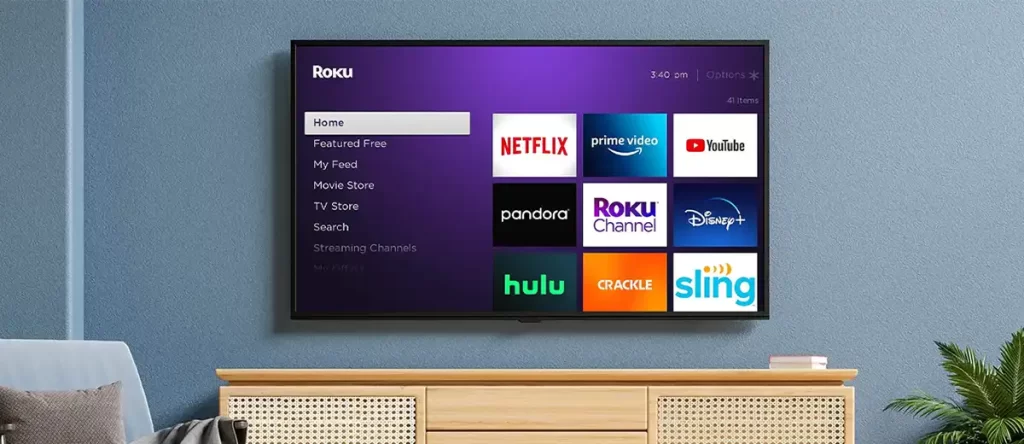
- Go to the Roku home screen by pressing the home button on your remote.
- Press the left button and select the “Streaming Channels” on the screen option.
- From there, select the “Search Channels” option and search for the live TV app you want to use. Examples include Hulu Live TV, Sling TV, and YouTube TV.
- Once you find the app, select it and add it to your Roku device.
- Follow the on-screen instructions to sign in or create an account for the app.
- Once you are signed in, you should be able to access live TV channels through the app.
Steps to Set your Roku Channel Device
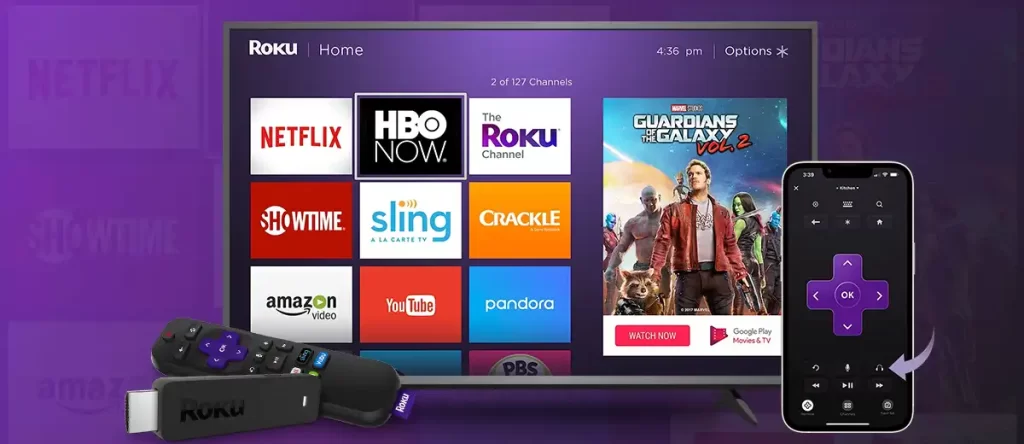
- Connect your Best Roku channel device to the HDMI port on your TV.
- Power on both your TV and Roku device.
- Using your TV remote, select the HDMI input channel that your Roku device is connected to.
- Follow the on-screen prompts to connect your Roku device to your Wi-Fi network.
- Once your Roku device is connected to your Wi-Fi network, it will automatically download any available software updates.
- Sign in to your Roku account or create a new one to access your favorite channels and content.
How to Activate Your Roku Channel Device
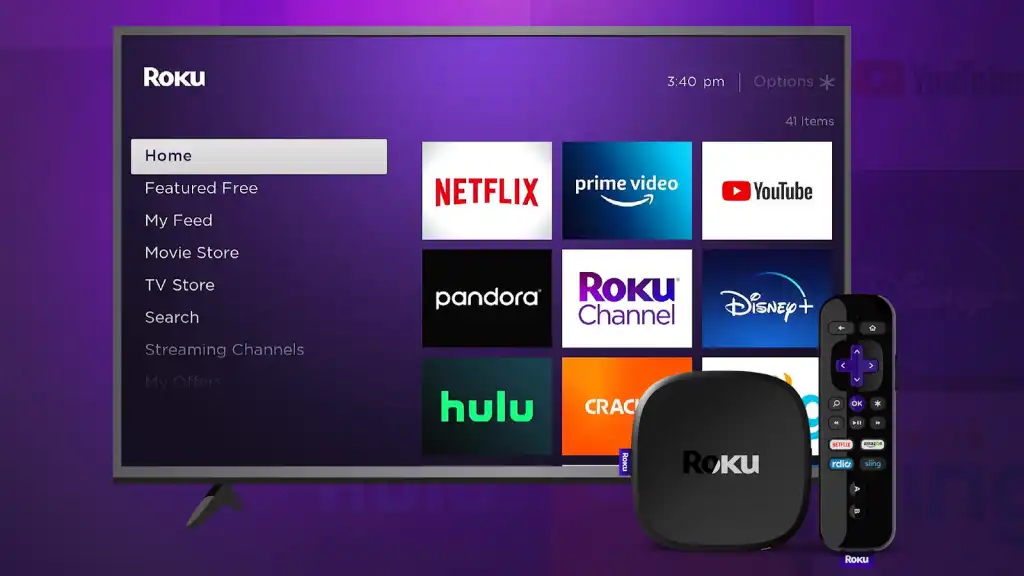
- Follow the on-screen instructions to connect your Roku device to the internet. You can choose between a wireless or wired connection.
- Once connected to the internet, your Roku device will automatically download and install the latest software updates.
- Create a Roku account if you don’t have one already. You will need to provide your payment information if you want to rent or buy movies or subscribe to channels.
- Enter the activation code displayed on your TV screen on the Roku website. Follow the instructions to complete the activation process.
- Once activated, your Roku device will display a home screen with a variety of streaming channels and apps.
Benefits of Choosing Roku Channel Channels
- It provides access to thousands of Best Roku channel and services, including popular streaming platforms like Netflix, Hulu, Amazon Prime Video, and Disney+. With a Roku channel, you can easily find and stream your favorite TV shows, movies, and other content.
- Roku’s interface is intuitive and easy to use. You can quickly navigate through different channels and find the content you want to watch.
- The devices are relatively affordable, and many channels offer free content, so you can enjoy streaming without breaking the bank.
- You can personalize your Roku channel by creating a list of favorite channels, setting up parental controls, and customizing the look and feel of the interface.
- It offers high-quality streaming with 4K, HDR, and Dolby Atmos capabilities, providing an immersive viewing experience.
- Many Best Roku channel offer live TV, so you can watch your favorite shows and events as they happen.
Get Start your Roku Channel with Flicknexs
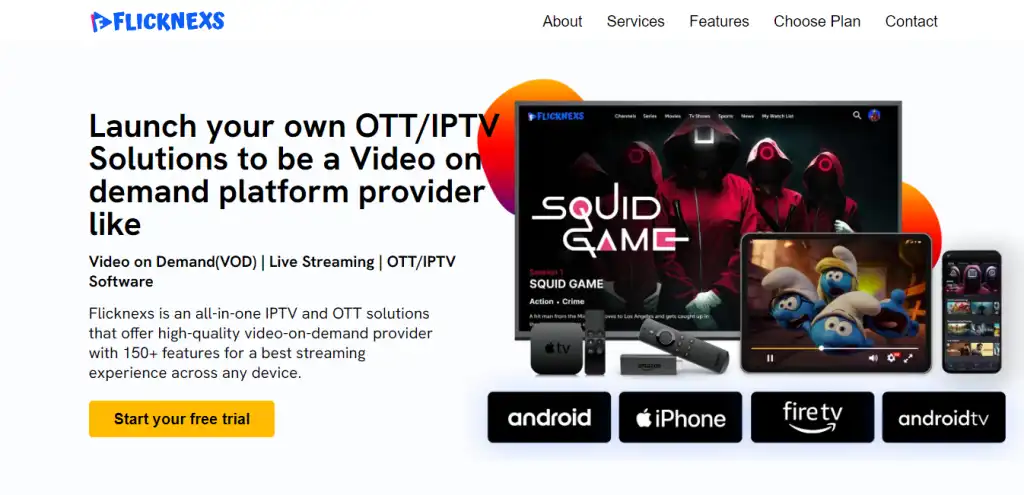
Flicknexs builds white-label OTT and Roku streaming platforms for media companies and startups you get your own branded app without building the infrastructure yourself.
Flicknexs is a popular streaming platform for developing streaming applications, and Flicknexs is also a streaming platform that allows developers to create and manage their content.
Overall, Flicknexs is a leading Roku development company that has been providing custom Roku channel development services for over a decade.
They have a team of expert developers who can create Roku channels for a variety of purposes, such as music streaming, video streaming, and live events.
Flicknexs is known for its exceptional customer support and timely delivery of projects.
Advantages of Flicknexs
- It offers an ad-free experience SVOD option, ensuring uninterrupted entertainment for users.
- It allows the users to access content across different devices, making it convenient for viewers to watch their favorite shows anytime, anywhere.
- It has a user-friendly interface, making it easy for users to browse and search for content.
- Personalized recommendations based on the user’s viewing history, enhancing their overall experience.
Ready to launch your own TV channel? Start with Flicknexs →
Content Strategy for Roku Channel
To develop a successful Roku Channel, it’s essential to have a well-planned content strategy. This involves creating a content calendar, identifying your target audience, and determining the type of content that will resonate with them. According to Roku’s own guidelines, a good content strategy should include a mix of popular and niche content to cater to different viewer preferences.
When planning your content, consider the following factors: production quality, content length, and metadata. High-quality video and audio are crucial for a good viewing experience. The length of your content will depend on your target audience and the type of content you’re creating. Metadata, such as titles, descriptions, and tags, help viewers find your content and are essential for search engine optimization.
Content Acquisition and Licensing
Acquiring content for your Roku Channel can be done through various methods, including licensing agreements with content providers, purchasing content outright, or producing original content. Licensing agreements can be complex and may involve negotiations with multiple parties. As reported by Variety, licensing fees can vary widely depending on the type of content and the terms of the agreement.
When licensing content, it’s essential to carefully review the terms of the agreement to ensure you understand your obligations and the rights you’re acquiring. This includes understanding the territory, duration, and platform restrictions, as well as any requirements for royalties or revenue sharing.
Technical Requirements for Roku Channel
To develop a Roku Channel, you’ll need to meet certain technical requirements. This includes ensuring your content is in the correct format, resolution, and bitrate. According to Roku’s developer guidelines, content should be encoded in H.264 or H.265 and have a minimum resolution of 640×480 pixels.
In addition to content requirements, you’ll also need to ensure your channel’s user interface and user experience meet Roku’s guidelines. This includes designing an intuitive and easy-to-use interface, as well as ensuring your channel is accessible on various devices and platforms.
- Content format: H.264 or H.265
- Resolution: minimum 640×480 pixels
- Bitrate: variable, depending on content type and quality
- User interface: intuitive and easy-to-use
- Accessibility: compatible with various devices and platforms
Monetization Strategies for Roku Channel
There are several monetization strategies available for Roku Channel developers, including advertising, subscription-based models, and transactional video-on-demand (TVOD). As reported by AdAge, advertising is a popular monetization strategy for streaming services, with many platforms generating significant revenue from ad sales.
If you’re evaluating which revenue model fits your own channel, see Flicknexs’s
breakdown of video monetization models
AVOD, SVOD, TVOD, and hybrid before committing to an ad-only approach.
When implementing advertising on your Roku Channel, it’s essential to balance ad load with viewer experience. Too many ads can be overwhelming and may lead to viewer churn. According to a report by eMarketer, the ideal ad load for streaming services is between 2-4 minutes per hour of content.
Marketing and Promotion for Roku Channel
Marketing and promoting your Roku Channel is crucial to attracting and retaining viewers. This can be done through various channels, including social media, email marketing, and influencer partnerships. As reported by Social Media Examiner, social media is an effective way to reach and engage with your target audience.
When promoting your Roku Channel, it’s essential to have a clear and consistent brand identity. This includes developing a unique logo, color scheme, and tone of voice. According to a report by Forbes, a strong brand identity can help differentiate your channel from competitors and build trust with viewers.
- Social media: Facebook, Twitter, Instagram, YouTube
- Email marketing: newsletters, promotional emails
- Influencer partnerships: partner with influencers in your niche
- Brand identity: unique logo, color scheme, tone of voice
Analytics and Performance Tracking for Roku Channel
Tracking the performance of your Roku Channel is essential to understanding viewer behavior and optimizing your content and marketing strategies. According to Roku’s developer guidelines, the company provides analytics tools to help developers track viewer engagement and retention.
When tracking performance, it’s essential to monitor key metrics, such as viewer engagement, retention, and revenue. According to a report by Business Insider, these metrics can help you understand how viewers are interacting with your content and identify areas for improvement.
- Viewer engagement: track time spent watching, playback location, and device type
- Retention: track viewer retention over time, including return visits and frequency
- Revenue: track revenue generated from advertising, subscriptions, and TVOD
Common Mistakes to Avoid When Developing a Roku Channel
When developing a Roku Channel, there are several common mistakes to avoid. These include poor content quality, inadequate metadata, and insufficient testing. According to Roku’s developer guidelines, these mistakes can lead to a poor viewer experience and may result in your channel being rejected or removed from the platform.
Additionally, it’s essential to ensure your channel meets all technical and content requirements, as outlined in Roku’s guidelines. Failure to meet these requirements may result in delays or rejection of your channel.
- Poor content quality: ensure high-quality video and audio
- Inadequate metadata: provide accurate and complete metadata
- Insufficient testing: test your channel thoroughly before submission
Best Practices for Roku Channel Development
When developing a Roku Channel, it’s essential to follow best practices to ensure a high-quality viewer experience. These include designing an intuitive user interface, providing high-quality content, and ensuring accessibility on various devices and platforms. According to Roku’s developer guidelines, following these best practices can help improve viewer engagement and retention.
Additionally, it’s essential to stay up-to-date with the latest platform updates and features, as reported by Roku’s blog. This includes incorporating new features and functionality, such as voice control and multi-device support, to enhance the viewer experience.
- Intuitive user interface: design an easy-to-use interface
- High-quality content: provide high-quality video and audio
- Accessibility: ensure compatibility with various devices and platforms
- Platform updates: stay up-to-date with the latest features and functionality
Implementing a Roku Channel
To implement a Roku Channel, developers need to follow a series of steps. First, they must create a Roku Developer Account, which requires providing basic information such as name, email, and password. According to Roku’s documentation, this process typically takes a few minutes to complete.
Next, developers must obtain a Roku API key, which is used to authenticate and authorize API requests. This key is provided by Roku and is unique to each developer account. Developers must also agree to Roku’s terms of service and privacy policy.
Channel Requirements
Roku has specific requirements for channels, including content, technical, and design requirements. For example, channels must provide a minimum of 10 hours of content, and all content must be categorized and tagged correctly. Channels must also meet Roku’s technical requirements, such as supporting adaptive bitrate streaming and providing closed captions for all content.
- Content requirements:
- Minimum of 10 hours of content
- Content must be categorized and tagged correctly
- Content must meet Roku’s content guidelines
- Technical requirements:
- Support for adaptive bitrate streaming
- Providing closed captions for all content
- Support for Roku’s DRM system
- Design requirements:
- Channels must have a unique and consistent visual design
- Channels must provide a clear and concise description of their content
- Channels must meet Roku’s branding guidelines
Cost Drivers
The cost of developing and maintaining a Roku Channel can vary widely, depending on factors such as the complexity of the channel, the amount of content provided, and the level of customization required. According to a report by Variety, the cost of developing a Roku Channel can range from $5,000 to $50,000 or more, depending on the scope of the project.
Some common cost drivers for Roku Channel development include:
- Content creation and acquisition costs
- Development and design costs
- Testing and quality assurance costs
- Marketing and promotion costs
Common Mistakes
There are several common mistakes that developers can make when creating a Roku Channel. One of the most common mistakes is failing to properly test the channel before launch, which can result in a poor user experience and negative reviews. Another common mistake is failing to provide clear and concise metadata for the channel’s content, which can make it difficult for users to find and work through channel.
Other common mistakes include:
- Failing to meet Roku’s technical and design requirements
- Failing to provide a unique and consistent visual design for the channel
- Failing to optimize the channel for search and discovery
Timelines
The timeline for developing and launching a Roku Channel can vary widely, depending on factors such as the complexity of the channel and the level of customization required. According to Roku’s documentation, the typical timeline for developing a Roku Channel is 2-6 weeks, although this can vary depending on the scope of the project.
Some common milestones in the Roku Channel development process include:
- Week 1-2: Planning and design
- Week 3-4: Development and testing
- Week 5-6: Launch and deployment
Requirements for Premium Subscriptions
Roku offers premium subscription options for services like HBO, Showtime, and others, all accessible within the app. To offer premium subscriptions, developers must meet certain requirements, including providing a clear and concise description of the premium content, and ensuring that the premium content meets Roku’s content guidelines.
Some common requirements for premium subscriptions include:
- Providing a clear and concise description of the premium content
- Ensuring that the premium content meets Roku’s content guidelines
- Providing a unique and consistent visual design for the premium content
Developing a Successful Roku Channel
To develop a successful Roku channel, it’s essential to understand the requirements and implementation steps involved. The Roku platform provides a comprehensive guide for developers, which outlines the necessary steps to create and publish a channel. According to the Roku Developer Guide, channels must meet specific requirements, including content quality, metadata, and branding guidelines.
Developers can choose from various options to build their channel, including using the Roku SDK, BrightScript, or third-party development tools. The choice of development tool depends on the channel’s complexity, the developer’s expertize, and the desired features. For example, the Roku SDK provides a comprehensive set of tools for building channels, while BrightScript offers a more streamlined approach to development.
Implementation Steps
The implementation steps for developing a Roku channel involve several phases, including planning, design, development, testing, and deployment. During the planning phase, developers must define their channel’s concept, target audience, and content strategy. The design phase involves creating the channel’s user interface, branding, and overall user experience.
The development phase is where the channel is built, using the chosen development tool. This phase involves integrating the channel’s content, metadata, and features, such as video playback, navigation, and search. The testing phase ensures that the channel meets the Roku platform’s requirements and functions as expected. Finally, the deployment phase involves submitting the channel for review and publication on the Roku platform.
Cost Drivers
The cost of developing a Roku channel depends on several factors, including the complexity of the channel, the development tool used, and the number of features implemented. According to a report by Variety, the cost of developing a basic Roku channel can range from $5,000 to $20,000, while more complex channels can cost upwards of $50,000 or more.
Other cost drivers include the cost of content acquisition, licensing, and royalties. Channels that offer premium content or licensed material must factor in these costs when determining their pricing strategy. Additionally, channels that use third-party development tools or services may incur additional costs, such as subscription fees or usage charges.
Common Mistakes
Developers new to the Roku platform often make common mistakes that can delay or prevent their channel’s publication. One common mistake is failing to meet the Roku platform’s content and metadata requirements. Channels must provide accurate and complete metadata, including titles, descriptions, and genres, to ensure proper discovery and navigation.
Another common mistake is inadequate testing, which can result in a poor user experience or channel malfunction. Developers must thoroughly test their channel on various Roku devices and platforms to ensure compatibility and functionality. Failure to comply with the Roku platform’s branding and guidelines can also result in rejection or removal of the channel.
Requirements
The Roku platform has specific requirements for channels, including content quality, metadata, and branding guidelines. Channels must provide high-quality video and audio content, with a minimum resolution of 640×480 pixels and a maximum bitrate of 10 Mbps. Metadata requirements include providing accurate and complete titles, descriptions, and genres, as well as thumbnails and posters.
Branding guidelines require channels to have a unique and consistent visual identity, including a logo, color scheme, and typography. Channels must also comply with the Roku platform’s terms of service and content policies, which prohibit explicit or objectionable content.
Timelines
The timeline for developing and publishing a Roku channel depends on several factors, including the complexity of the channel, the development tool used, and the number of features implemented. According to the Roku Developer Guide, the development process can take anywhere from a few weeks to several months, depending on the channel’s scope and requirements.
Once the channel is developed and tested, it must be submitted for review and approval by the Roku platform. This process can take several weeks to a few months, depending on the channel’s complexity and the Roku platform’s review schedule. After approval, the channel is published and made available to Roku users, at which point it can be marketed and promoted to attract viewers.
- Channel concept and planning: 1-3 weeks
- Design and development: 2-6 weeks
- Testing and quality assurance: 1-3 weeks
- Submission and review: 2-6 weeks
- Publishing and deployment: 1-2 weeks
Developers should also factor in ongoing maintenance and updates, which can include fixing bugs, adding new features, and refreshing content. This can be an ongoing process, requiring regular attention and resources to ensure the channel remains functional, relevant, and appealing to viewers.
Conclusion
Getting Roku channels is a straightforward process that involves accessing the Roku Channel Store from your Best Roku channel device or the Roku website, searching for the channels you want, and installing them onto your device.
You have the option to choose between free and paid channels, and you can even get channels from other companies.
Overall, By following the instructions in this guide, you can easily put new channels on your Roku device and watch lots of different shows and movies from your home.
Related
Frequently asked questions
What is the Roku Channel?
The Roku Channel is a streaming service that offers a variety of TV shows, movies, and other content to its users, available on Roku devices and other platforms.
How do I get the Roku Channel?
The Roku Channel is available on all Roku devices, as well as on the web and through select TV providers, and can be accessed by creating a free Roku account.
What content is available on the Roku Channel?
The Roku Channel offers a mix of ad-supported content, including popular titles like The Walking Dead, The Bachelor, and The Office, as well as movies from major studios like Warner Bros. and Lionsgate.
Can I customize my Roku Channel experience?
Yes, users can create a free Roku account to personalize their streaming experience, and also provides a Live TV feature that offers a selection of live streaming channels.
Are there premium subscription options available?
Yes, the Roku Channel offers premium subscription options for services like HBO, Showtime, and others, all accessible within the app.
How do I activate my Roku device?
Follow the on-screen instructions to connect your Roku device to the internet, create a Roku account, and enter the activation code displayed on your TV to start streaming content on your roku channel device.
Is the Roku Channel free?
Yes, the core Roku Channel library thousands of movies, TV shows, and live
TV channels is free and ad-supported. You only pay if you choose to add a
premium subscription like HBO Max or Starz inside the app.
Do I need a Roku device to use the Roku Channel?
No. The Roku Channel is also available as a standalone app on iOS, Android,
Amazon Fire TV, Samsung and LG smart TVs, and through a web browser at
thereokuchannel.roku.com, so you don’t need to own Roku hardware to watch it.
How is the Roku Channel different from other free streaming services?
The Roku Channel competes directly with Tubi, Pluto TV, and Freevee in the
free ad-supported (FAST) category, but its main differentiator is deep
integration with Roku’s own device ecosystem it’s pre-installed and
defaults to the home screen on every Roku player and Roku TV.
Sources
Start a free trial book a call to walk through scope and pricing.
How this guide was shared: Distributed via the Flicknexs email newsletter and the Flicknexs LinkedIn + YouTube communities on launch week.
Ready to build?
If you’re planning your next TV Apps / Roku project, Flicknexs handles the video infrastructure end-to-end — so you can ship in weeks, not months.
- build a Roku channel
- check plan pricing
More on Roku channel development
Continue exploring more on this topic across the Flicknexs blog.


Comments
10 responses to “Roku Channel: What It Is and How to Get It (2026 Guide)”
Great article! I’ve been considering getting a Roku device, and this guide provides a clear step-by-step process on how to set it up. It’s really helpful to have the screenshots along with the instructions. Thanks for sharing!
I found it helpful that the article addressed common troubleshooting tips for Roku devices. However, it would be valuable to have a separate article or section dedicated to troubleshooting more complex issues. Many users, including myself, often encounter technical difficulties, and a comprehensive troubleshooting guide would be a lifesaver.
I’ve been using Roku for a while now, but I didn’t know about the Roku Channel Store. Thanks to this article, I’ve discovered some new channels that I can add to my lineup. Can’t wait to explore them!
This is a great overview of Roku channels, but I’m curious about the streaming quality. Do different channels offer different video resolutions? It would be nice to know if I can watch my favorite shows in HD.
Thanks for mentioning the parental control features of Roku. As a parent, I’m always concerned about what my kids are watching. Can you customize the controls for each user profile?
The list of free channels is awesome, but are there any hidden costs involved? Do some channels offer premium content that requires a subscription? It would be great to have a clear picture of potential expenses.
I found the section on content strategy particularly helpful. It’s true that having a niche and understanding your target audience is crucial for success. Do you have any tips on how to conduct audience research effectively?
This article mentions monetization options briefly, but I’d love to see a more in-depth exploration of different revenue streams for Roku channels. Maybe a follow-up article on that topic?
The technical aspects of channel development can be daunting, so I’m glad you included step-by-step instructions. I’m curious about the software tools you recommend for channel development. Any personal favorites?
As someone new to Roku development, I found the troubleshooting tips valuable. It’s reassuring to know there are solutions to common issues. Are there any lesser-known challenges that creators often face?