
Quick answer
HLS (HTTP Live Streaming) is a video streaming protocol that breaks video into small segments and delivers them over standard HTTP. It supports adaptive bitrate streaming, allowing playback quality to adjust based on the viewer’s internet connection and device. A reliable setup combines secure video hosting, a video streaming platform, video CMS software for managing content, and enterprise video management for analytics, access control, and large-scale delivery.
HLS streaming (HTTP Live Streaming) is an Apple-developed protocol that delivers video to viewers across devices by breaking it into small segments served over standard HTTP. For broadcasters and OTT operators, it is the most widely supported way to reach phones, browsers, smart TVs, and connected-TV apps from a single source. To deliver HLS streaming content efficiently, many broadcasters and OTT operators rely on an effective online video platform solution.
HLS streaming is HTTP Live Streaming, a protocol Apple introduced in 2009 to deliver audio and video over the same web infrastructure that serves ordinary websites. Instead of holding one long, fragile connection open, HLS chops your video into short segments — usually two to ten seconds each — and lists them in a text file called a manifest, or . The efficient delivery of HLS streaming is closely tied to effective video content management systems for seamless playback and user experience.
Key takeaways
- HLS streaming runs over plain HTTP, so it travels through any CDN, firewall, or cache without special infrastructure.
- It uses adaptive bitrate (ABR) to switch quality on the fly, matching each viewer’s connection and reducing buffering.
- One HLS stream reaches OTT apps, smart TVs, web players, and IPTV operators at the same time, from a single encode.
- The typical pipeline is RTMP in, HLS out — encoders push RTMP to your server, which repackages it as HLS for delivery.
- The trade-off is latency — standard HLS adds a few seconds of delay compared with RTMP or low-latency variants.
What is HLS streaming, and why broadcasters rely on it
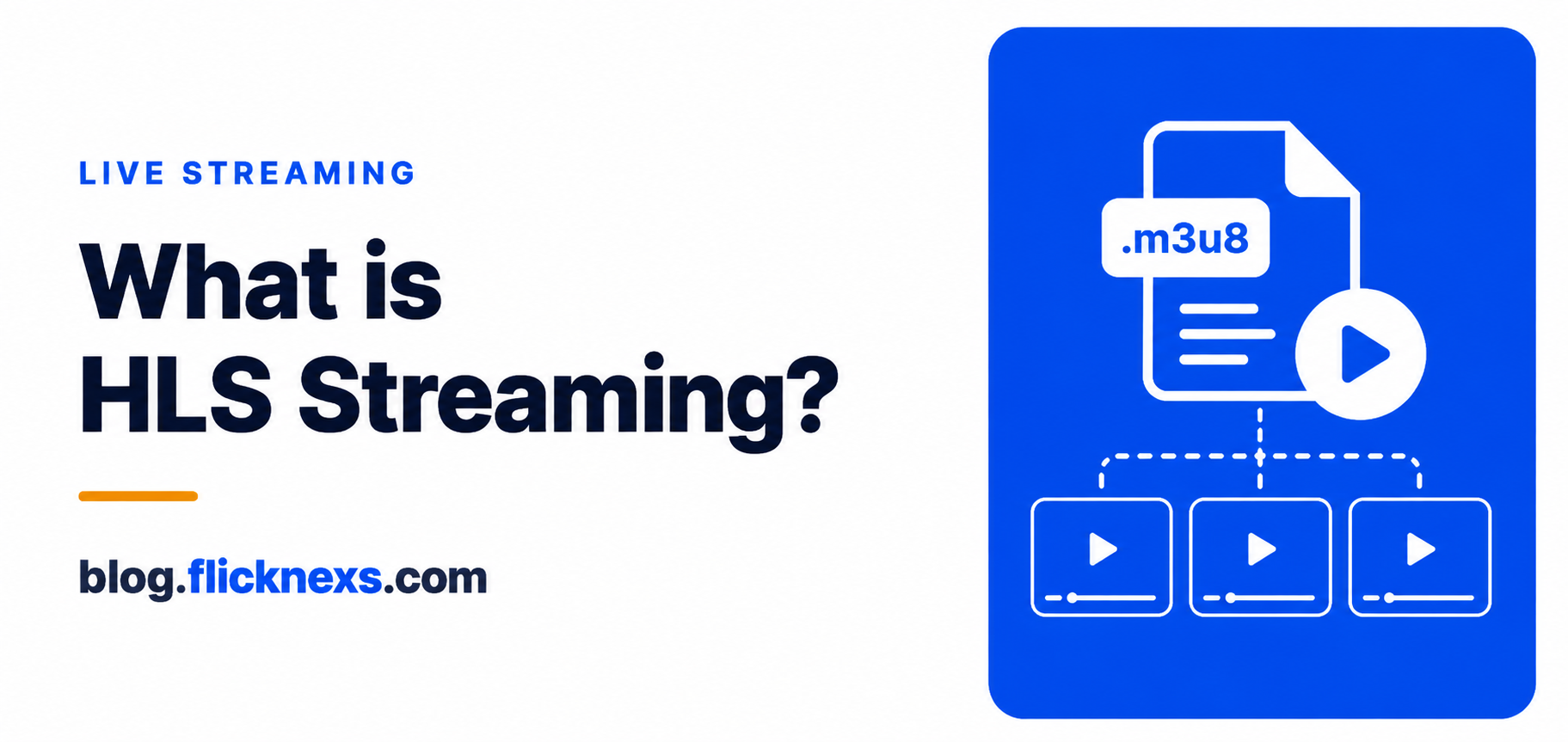
HLS streaming is HTTP Live Streaming, a protocol Apple introduced in 2009 to deliver audio and video over the same web infrastructure that serves ordinary websites. Instead of holding one long, fragile connection open, HLS chops your video into short segments — usually two to ten seconds each — and lists them in a text file called a manifest, or .m3u8 playlist.
The player downloads the manifest, then requests segments one after another, just like loading images on a page. Because every request is a normal HTTP call, your stream flows through CDNs, proxies, and caches without custom ports or plugins. That is the quiet reason HLS won: it rides on the most battle-tested delivery network on earth, the public web.
How HLS streaming moves video from encoder to screen
The journey has three stages. First, an encoder captures and compresses your source. Then a packager splits the compressed video into segments and writes the manifest. Finally, a CDN distributes those files, and the viewer’s player reassembles them into smooth playback.
Compression quality matters at the first stage, because the bitrate you choose sets the ceiling for how good the stream can look. We cover that balance in our guide to video bitrate and how it affects quality, which pairs naturally with any HLS rollout.
Adaptive bitrate: the feature that keeps viewers watching
The single biggest advantage of HLS streaming is adaptive bitrate streaming, often shortened to ABR. When you encode a stream, you produce several renditions of the same content — say 240p, 480p, 720p, and 1080p — each at a different bitrate. The manifest lists all of them.
As a viewer watches, their player measures available bandwidth and quietly swaps to the rendition that fits. A commuter on patchy mobile data drops to a lower tier and keeps watching; the moment their signal improves, the player climbs back to HD. The viewer never touches a quality menu.
This is the practical antidote to stalls and spinners. We dig into the mechanics in our breakdown of buffering solutions for a better streaming experience, and the bitrate ladder you build is exactly what ABR steps through.
One HLS stream, many destinations
Here is the positioning that matters most for operators: one HLS stream can be distributed to multiple platforms simultaneously. The same .m3u8 output that feeds your OTT app also feeds your website player, your smart-TV app, your IPTV or cable headend, and any third-party network you syndicate to.
Because the format is standardized and CDN-friendly, you are not maintaining a separate pipeline per destination. You encode once, package once, and point every endpoint at the same origin. This is what makes HLS the backbone of multi-platform distribution rather than just another playback format. We expand on this in our piece on sending one HLS feed to multiple platforms.
Where HLS streaming plays
- Mobile — native support on iOS and broad support on Android.
- Web — every major browser plays HLS through HTML5 players or JavaScript libraries.
- Smart TVs and connected devices — Roku, Fire TV, Apple TV, Android TV, and tvOS apps all consume HLS.
- OTT and IPTV — set-top boxes and operator headends ingest HLS for managed delivery.
RTMP in, HLS out: the standard live pipeline
Live workflows rarely use one protocol end to end. The contribution leg — getting video from your camera or software encoder up to the server — typically uses RTMP, because it is fast and well supported by encoding tools. The delivery leg, getting video out to thousands of viewers, uses HLS.
So a media server accepts an RTMP push, transcodes it into your bitrate ladder, and repackages the result as HLS segments and manifests. We call this RTMP in, HLS out, and it is the default shape of most live streams today. If you are new to the ingest side, our explainer on what RTMP is sets the foundation, and choosing the right hardware is covered in our guide to choosing live streaming encoders.
Transcoding into multiple renditions is compute-heavy, which is why many operators offload it to graphics hardware. Our notes on GPU transcoding for live streaming explain how that keeps the RTMP-to-HLS step fast at scale.
The trade-off: latency
HLS is not free of compromise. Because it works by writing segments to disk and having players buffer a few of them before playback, standard HLS introduces latency — commonly six to thirty seconds behind real time, depending on segment length and buffer settings.
For on-demand catalogs and most live broadcasts, that delay is invisible and irrelevant. For auctions, betting, or interactive shows, it can be a problem. Low-Latency HLS and protocols like RTMP or WebRTC close that gap, and you can weigh the options in our discussion of low latency and user experience.
| Factor | HLS streaming | RTMP / low-latency |
|---|---|---|
| Best role | Delivery to viewers | Contribution / interactive playback |
| Latency | ~6–30 seconds | ~1–5 seconds or less |
| Adaptive bitrate | Built in | Limited or manual |
| Device reach | Mobile, web, smart TV, OTT, IPTV | Narrower native support |
| CDN delivery | Standard HTTP, caches easily | Needs specialized servers |
| Scale to large audiences | Excellent | Harder and costlier |
Frequently asked questions
Ready to build?
If you’re planning your next Streaming Tech / HLS project, Flicknexs handles the video infrastructure end-to-end — so you can ship in weeks, not months.
More on HLS streaming
Continue exploring more on this topic across the Flicknexs blog.
- Read the pillar guide: Best Guide for RTMP Streaming in 2023
- One HLS Feed to Multiple Consumption Points
- HLS vs MPEG-DASH: Choosing the Right Streaming Protocol in 2026
Ready to build?
If you’re planning your next Streaming Tech / HLS project, Flicknexs handles the video infrastructure end-to-end — so you can ship in weeks, not months.
- explore Flicknexs streaming infrastructure
- get a quote
More on HLS streaming
Continue exploring more on this topic across the Flicknexs blog.
- Read the pillar guide: Best Guide for RTMP Streaming in 2023
- One HLS Feed to Multiple Consumption Points
- HLS vs MPEG-DASH: Choosing the Right Streaming Protocol in 2026
Ready to build?
If you’re planning your next Streaming Tech / HLS project, Flicknexs handles the video infrastructure end-to-end — so you can ship in weeks, not months.
- explore Flicknexs streaming infrastructure
- get a quote
More on HLS streaming
Continue exploring more on this topic across the Flicknexs blog.
- Read the pillar guide: Best Guide for RTMP Streaming in 2023
- One HLS Feed to Multiple Consumption Points
- HLS vs MPEG-DASH: Choosing the Right Streaming Protocol in 2026
Ready to build?
If you’re planning your next Streaming Tech / HLS project, Flicknexs handles the video infrastructure end-to-end — so you can ship in weeks, not months.
- explore Flicknexs streaming infrastructure
- get a quote
More on HLS streaming
Continue exploring more on this topic across the Flicknexs blog.
- Read the pillar guide: Best Guide for RTMP Streaming in 2023
- One HLS Feed to Multiple Consumption Points
- HLS vs MPEG-DASH: Choosing the Right Streaming Protocol in 2026
Ready to build?
If you’re planning your next Streaming Tech / HLS project, Flicknexs handles the video infrastructure end-to-end — so you can ship in weeks, not months.
- explore Flicknexs streaming infrastructure
- get a quote
More on HLS streaming
Continue exploring more on this topic across the Flicknexs blog.
- Read the pillar guide: Best Guide for RTMP Streaming in 2023
- One HLS Feed to Multiple Consumption Points
- HLS vs MPEG-DASH: Choosing the Right Streaming Protocol in 2026
Ready to build?
If you’re planning your next Streaming Tech / HLS project, Flicknexs handles the video infrastructure end-to-end — so you can ship in weeks, not months.
- explore Flicknexs streaming infrastructure
- get a quote
More on HLS streaming
Continue exploring more on this topic across the Flicknexs blog.
- Read the pillar guide: Best Guide for RTMP Streaming in 2023
- One HLS Feed to Multiple Consumption Points
- HLS vs MPEG-DASH: Choosing the Right Streaming Protocol in 2026
Ready to build?
If you’re planning your next Streaming Tech / HLS project, Flicknexs handles the video infrastructure end-to-end — so you can ship in weeks, not months.
- explore Flicknexs streaming infrastructure
- get a quote
More on HLS streaming
Continue exploring more on this topic across the Flicknexs blog.
- Read the pillar guide: Best Guide for RTMP Streaming in 2023
- One HLS Feed to Multiple Consumption Points
- HLS vs MPEG-DASH: Choosing the Right Streaming Protocol in 2026
Ready to build?
If you’re planning your next Streaming Tech / HLS project, Flicknexs handles the video infrastructure end-to-end — so you can ship in weeks, not months.
- explore Flicknexs streaming infrastructure
- get a quote
More on HLS streaming
Continue exploring more on this topic across the Flicknexs blog.
- Read the pillar guide: Best Guide for RTMP Streaming in 2023
- One HLS Feed to Multiple Consumption Points
- HLS vs MPEG-DASH: Choosing the Right Streaming Protocol in 2026
Ready to build?
If you’re planning your next Streaming Tech / HLS project, Flicknexs handles the video infrastructure end-to-end — so you can ship in weeks, not months.
- explore Flicknexs streaming infrastructure
- get a quote
More on HLS streaming
Continue exploring more on this topic across the Flicknexs blog.
- Read the pillar guide: Best Guide for RTMP Streaming in 2023
- One HLS Feed to Multiple Consumption Points
- HLS vs MPEG-DASH: Choosing the Right Streaming Protocol in 2026
Ready to build?
If you’re planning your next Streaming Tech / HLS project, Flicknexs handles the video infrastructure end-to-end — so you can ship in weeks, not months.
- explore Flicknexs streaming infrastructure
- get a quote
More on HLS streaming
Continue exploring more on this topic across the Flicknexs blog.
- Read the pillar guide: Best Guide for RTMP Streaming in 2023
- One HLS Feed to Multiple Consumption Points
- HLS vs MPEG-DASH: Choosing the Right Streaming Protocol in 2026
Ready to build?
If you’re planning your next Streaming Tech / HLS project, Flicknexs handles the video infrastructure end-to-end — so you can ship in weeks, not months.
- explore Flicknexs streaming infrastructure
- get a quote
More on HLS streaming
Continue exploring more on this topic across the Flicknexs blog.
- Read the pillar guide: Best Guide for RTMP Streaming in 2023
- One HLS Feed to Multiple Consumption Points
- HLS vs MPEG-DASH: Choosing the Right Streaming Protocol in 2026
Ready to build?
If you’re planning your next Streaming Tech / HLS project, Flicknexs handles the video infrastructure end-to-end — so you can ship in weeks, not months.
- explore Flicknexs streaming infrastructure
- get a quote
More on HLS streaming
Continue exploring more on this topic across the Flicknexs blog.
- Read the pillar guide: Best Guide for RTMP Streaming in 2023
- One HLS Feed to Multiple Consumption Points
- HLS vs MPEG-DASH: Choosing the Right Streaming Protocol in 2026
Ready to build?
If you’re planning your next Streaming Tech / HLS project, Flicknexs handles the video infrastructure end-to-end — so you can ship in weeks, not months.
- explore Flicknexs streaming infrastructure
- get a quote
More on HLS streaming
Continue exploring more on this topic across the Flicknexs blog.
- Read the pillar guide: Best Guide for RTMP Streaming in 2023
- One HLS Feed to Multiple Consumption Points
- HLS vs MPEG-DASH: Choosing the Right Streaming Protocol in 2026
Ready to build?
If you’re planning your next Streaming Tech / HLS project, Flicknexs handles the video infrastructure end-to-end — so you can ship in weeks, not months.
- explore Flicknexs streaming infrastructure
- get a quote
More on HLS streaming
Continue exploring more on this topic across the Flicknexs blog.
- Read the pillar guide: Best Guide for RTMP Streaming in 2023
- One HLS Feed to Multiple Consumption Points
- HLS vs MPEG-DASH: Choosing the Right Streaming Protocol in 2026
Ready to build?
If you’re planning your next Streaming Tech / HLS project, Flicknexs handles the video infrastructure end-to-end — so you can ship in weeks, not months.
- explore Flicknexs streaming infrastructure
- get a quote
More on HLS streaming
Continue exploring more on this topic across the Flicknexs blog.
- Read the pillar guide: Best Guide for RTMP Streaming in 2023
- One HLS Feed to Multiple Consumption Points
- HLS vs MPEG-DASH: Choosing the Right Streaming Protocol in 2026
Ready to build?
If you’re planning your next Streaming Tech / HLS project, Flicknexs handles the video infrastructure end-to-end — so you can ship in weeks, not months.
- explore Flicknexs streaming infrastructure
- get a quote
More on HLS streaming
Continue exploring more on this topic across the Flicknexs blog.
- Read the pillar guide: Best Guide for RTMP Streaming in 2023
- One HLS Feed to Multiple Consumption Points
- HLS vs MPEG-DASH: Choosing the Right Streaming Protocol in 2026
Ready to build?
If you’re planning your next Streaming Tech / HLS project, Flicknexs handles the video infrastructure end-to-end — so you can ship in weeks, not months.
- explore Flicknexs streaming infrastructure
- get a quote
More on HLS streaming
Continue exploring more on this topic across the Flicknexs blog.
- Read the pillar guide: Best Guide for RTMP Streaming in 2023
- One HLS Feed to Multiple Consumption Points
- HLS vs MPEG-DASH: Choosing the Right Streaming Protocol in 2026
Ready to build?
If you’re planning your next Streaming Tech / HLS project, Flicknexs handles the video infrastructure end-to-end — so you can ship in weeks, not months.
- explore Flicknexs streaming infrastructure
- get a quote
More on HLS streaming
Continue exploring more on this topic across the Flicknexs blog.
- Read the pillar guide: Best Guide for RTMP Streaming in 2023
- One HLS Feed to Multiple Consumption Points
- HLS vs MPEG-DASH: Choosing the Right Streaming Protocol in 2026
Ready to build?
If you’re planning your next Streaming Tech / HLS project, Flicknexs handles the video infrastructure end-to-end — so you can ship in weeks, not months.
- explore Flicknexs streaming infrastructure
- get a quote
More on HLS streaming
Continue exploring more on this topic across the Flicknexs blog.
- Read the pillar guide: Best Guide for RTMP Streaming in 2023
- One HLS Feed to Multiple Consumption Points
- HLS vs MPEG-DASH: Choosing the Right Streaming Protocol in 2026
Ready to build?
If you’re planning your next Streaming Tech / HLS project, Flicknexs handles the video infrastructure end-to-end — so you can ship in weeks, not months.
- explore Flicknexs streaming infrastructure
- get a quote
More on HLS streaming
Continue exploring more on this topic across the Flicknexs blog.
- Read the pillar guide: Best Guide for RTMP Streaming in 2023
- One HLS Feed to Multiple Consumption Points
- HLS vs MPEG-DASH: Choosing the Right Streaming Protocol in 2026
Ready to build?
If you’re planning your next Streaming Tech / HLS project, Flicknexs handles the video infrastructure end-to-end — so you can ship in weeks, not months.
- explore Flicknexs streaming infrastructure
- get a quote
More on HLS streaming
Continue exploring more on this topic across the Flicknexs blog.
- Read the pillar guide: Best Guide for RTMP Streaming in 2023
- One HLS Feed to Multiple Consumption Points
- HLS vs MPEG-DASH: Choosing the Right Streaming Protocol in 2026
Ready to build?
If you’re planning your next Streaming Tech / HLS project, Flicknexs handles the video infrastructure end-to-end — so you can ship in weeks, not months.
- explore Flicknexs streaming infrastructure
- get a quote
More on HLS streaming
Continue exploring more on this topic across the Flicknexs blog.
- Read the pillar guide: Best Guide for RTMP Streaming in 2023
- One HLS Feed to Multiple Consumption Points
- HLS vs MPEG-DASH: Choosing the Right Streaming Protocol in 2026
Ready to build?
If you’re planning your next Streaming Tech / HLS project, Flicknexs handles the video infrastructure end-to-end — so you can ship in weeks, not months.
- explore Flicknexs streaming infrastructure
- get a quote
More on HLS streaming
Continue exploring more on this topic across the Flicknexs blog.
- Read the pillar guide: Best Guide for RTMP Streaming in 2023
- One HLS Feed to Multiple Consumption Points
- HLS vs MPEG-DASH: Choosing the Right Streaming Protocol in 2026
Ready to build?
If you’re planning your next Streaming Tech / HLS project, Flicknexs handles the video infrastructure end-to-end — so you can ship in weeks, not months.
- explore Flicknexs streaming infrastructure
- get a quote
More on HLS streaming
Continue exploring more on this topic across the Flicknexs blog.
- Read the pillar guide: Best Guide for RTMP Streaming in 2023
- One HLS Feed to Multiple Consumption Points
- HLS vs MPEG-DASH: Choosing the Right Streaming Protocol in 2026
Ready to build?
If you’re planning your next Streaming Tech / HLS project, Flicknexs handles the video infrastructure end-to-end — so you can ship in weeks, not months.
- explore Flicknexs streaming infrastructure
- get a quote
More on HLS streaming
Continue exploring more on this topic across the Flicknexs blog.
- Read the pillar guide: Best Guide for RTMP Streaming in 2023
- One HLS Feed to Multiple Consumption Points
- HLS vs MPEG-DASH: Choosing the Right Streaming Protocol in 2026
Ready to build?
If you’re planning your next Streaming Tech / HLS project, Flicknexs handles the video infrastructure end-to-end — so you can ship in weeks, not months.
- explore Flicknexs streaming infrastructure
- get a quote
More on HLS streaming
Continue exploring more on this topic across the Flicknexs blog.
- Read the pillar guide: Best Guide for RTMP Streaming in 2023
- One HLS Feed to Multiple Consumption Points
- HLS vs MPEG-DASH: Choosing the Right Streaming Protocol in 2026
Ready to build?
If you’re planning your next Streaming Tech / HLS project, Flicknexs handles the video infrastructure end-to-end — so you can ship in weeks, not months.
- explore Flicknexs streaming infrastructure
- get a quote
More on HLS streaming
Continue exploring more on this topic across the Flicknexs blog.
- Read the pillar guide: Best Guide for RTMP Streaming in 2023
- One HLS Feed to Multiple Consumption Points
- HLS vs MPEG-DASH: Choosing the Right Streaming Protocol in 2026
Ready to build?
If you’re planning your next Streaming Tech / HLS project, Flicknexs handles the video infrastructure end-to-end — so you can ship in weeks, not months.
- explore Flicknexs streaming infrastructure
- get a quote
More on HLS streaming
Continue exploring more on this topic across the Flicknexs blog.
- Read the pillar guide: Best Guide for RTMP Streaming in 2023
- One HLS Feed to Multiple Consumption Points
- HLS vs MPEG-DASH: Choosing the Right Streaming Protocol in 2026
Ready to build?
If you’re planning your next Streaming Tech / HLS project, Flicknexs handles the video infrastructure end-to-end — so you can ship in weeks, not months.
- explore Flicknexs streaming infrastructure
- get a quote
More on HLS streaming
Continue exploring more on this topic across the Flicknexs blog.

