
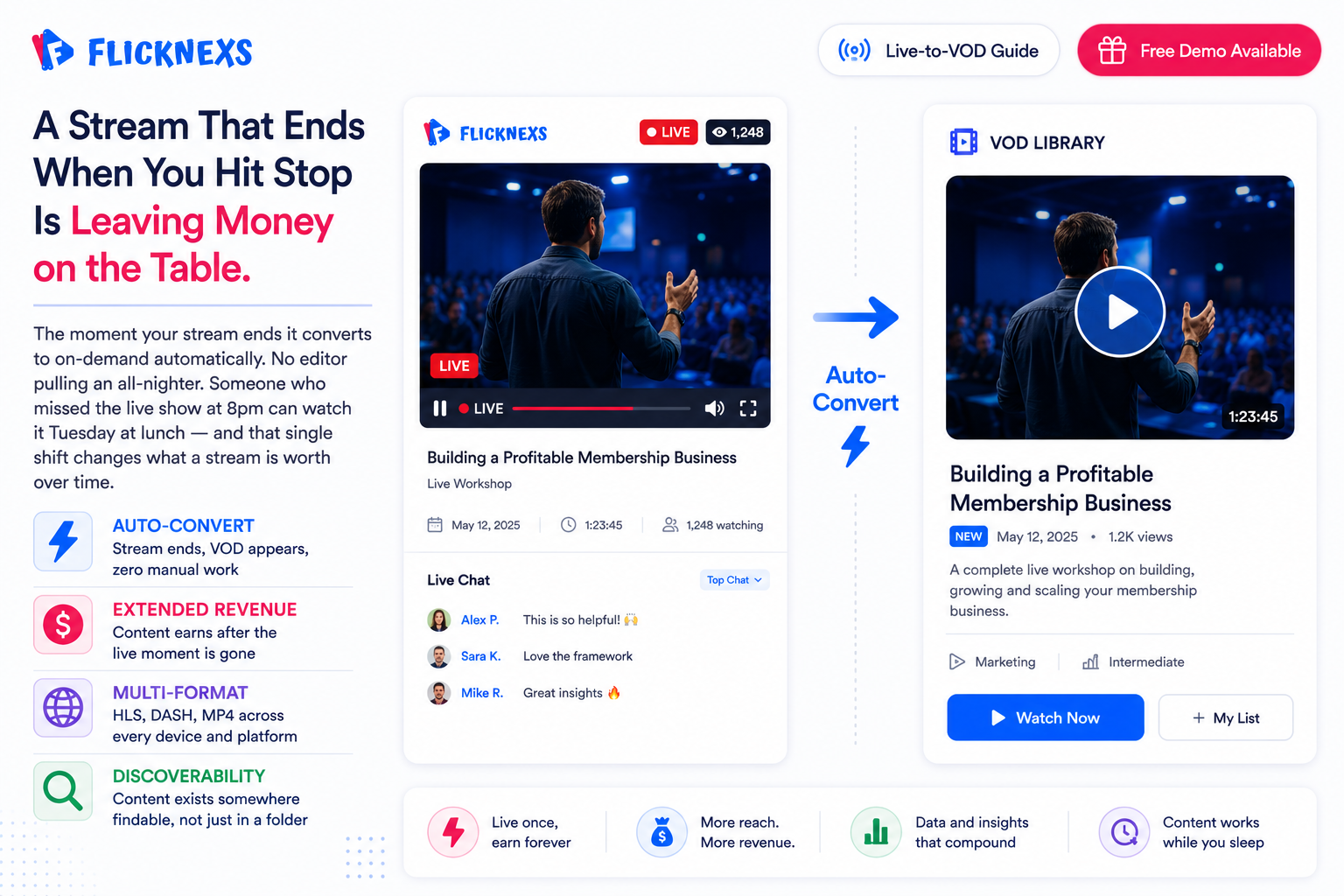
Quick answer: Live-to-VOD is the automatic conversion of a live stream into an on-demand video the moment the broadcast ends — no manual editing required. Flicknexs handles this through automated recording, transcoding (HLS/DASH/HTML5), and CMS tagging, so the video is watchable and searchable within minutes of the live event finishing. The automated recording and transcoding process is seamlessly integrated with our video content management system for efficient video distribution and organization.
Live-to-VOD used to be a nice-to-have. It isn’t anymore. A live event that just ends when the stream stops is leaving money on the table for weeks afterward and most operators still haven’t caught up to that.
Here’s how it actually works: the moment your stream ends, it gets converted into an on-demand video automatically. No editor pulling an all-nighter to cut it down. Someone who missed the live show at 8pm can watch it Tuesday at lunch instead and that single shift changes how much a stream is actually worth to you over time.
Key takeaways
- Streams convert to on-demand video the second they end. Nobody’s touching it manually.
- Content keeps earning after the live moment is gone, so engagement and revenue don’t just die when you hit stop.
- Post-production editing costs, the kind that used to eat hours of someone’s week, mostly disappear.
- Viewers can actually find and access the content later instead of it vanishing.
- Works across HLS, DASH and HTML5, so you’re not stuck rebuilding this for every platform separately.
What Is Live-to-VOD and How Does It Work?
Live-to-VOD, or live-to-video-on-demand, takes a live stream and turns it into an on-demand video without anyone lifting a finger. That’s the whole point: viewers stop being tied to whatever time you happened to broadcast and can just watch whenever it actually works for them. Under the hood, it’s automated recording, transcoding and a content management system working together to capture, process and hand off the live stream as something people can watch on their own schedule.
Here’s how that actually happens, step by step.
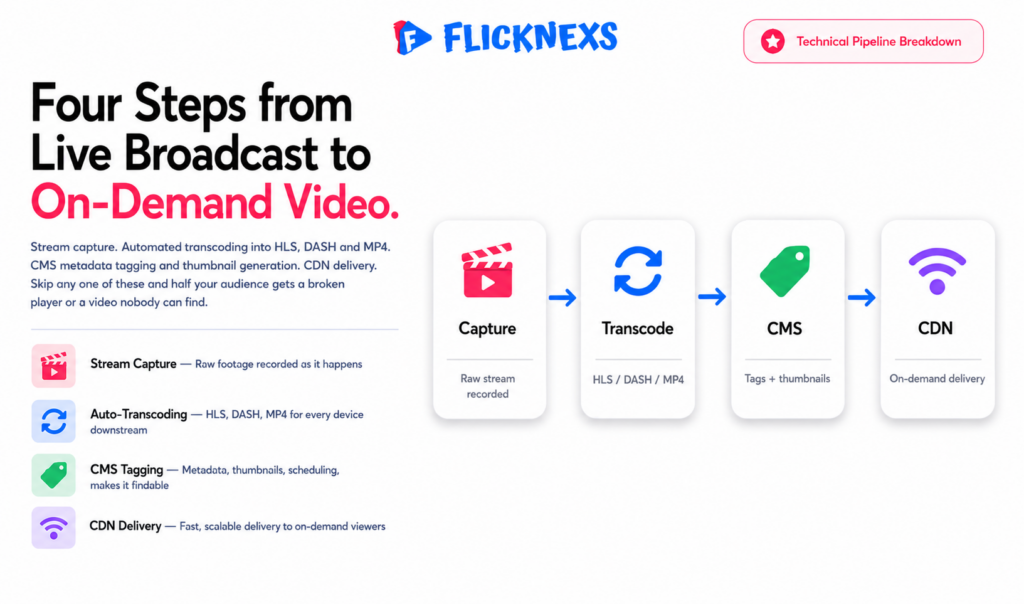
- First, live stream capture. A video encoding device or software records the stream as it’s happening, nothing complicated yet, just getting the raw footage down.
- Second, automated transcoding. That recorded stream gets converted into multiple formats, HLS, DASH, MP4, so it plays correctly across whatever device or platform someone’s watching on. Skip this step and half your audience gets a broken player.
- Third, content management. The transcoded videos get organized through a content management system, which handles the unglamorous but necessary stuff, metadata tagging, thumbnail generation, scheduling. This is what makes the video findable later instead of just sitting in a folder somewhere.
- Fourth, video on-demand delivery. The finished on-demand video gets pushed out through a CDN or a video streaming platform like Flicknexs, Muvi, VPlayed, or Uscreen and that’s what actually gets it in front of viewers.
How Does Live-to-VOD Benefit Streaming Services?
Live-to-VOD pays for itself in ways that aren’t always obvious upfront. Viewer engagement goes up because people aren’t locked into a broadcast window anymore. Manual labor goes down because nobody’s cutting and uploading every stream by hand. And content discoverability improves simply because the video actually exists somewhere findable after the live moment ends, instead of vanishing the second you hit stop. Put those together and you’re pulling in a bigger audience, which means more revenue whether that’s through advertising, subscriptions, or pay-per-view.
It also plays well with basically everything you’re already running. HLS, DASH, HTML5, all supported, so you’re not rebuilding your delivery stack device by device. That extends to the platforms too: Vimeo OTT and Kaltura both work with it natively, so you’re not stuck choosing between live-to-VOD and whatever tech stack you’ve already committed to.
What Are the Technical Requirements for Live-to-VOD?
What you actually need depends on your content type, your audience and how much quality you’re willing to pay for. But a few things show up on almost every serious setup.
Video encoding and transcoding need to be genuinely high-quality, this isn’t the place to cut corners, since it determines how the video looks on every device downstream. Your content management system has to be reliable and scalable, not something that buckles once your library grows past a few hundred titles. Your CDN needs to be fast and efficient, because a slow delivery network undoes all the quality work upstream. And you need support for multiple formats and platforms, HLS, DASH, HTML5, so you’re not locked out of half your potential audience.
Beyond the core stack, a few things separate a smooth workflow from a shaky one. Latency and buffering matter more than people think, minimize both or you’ll lose viewers before they even get invested. Video quality has to stay consistent, since that’s what actually keeps people engaged and satisfied session after session. And scalability isn’t optional. Your system needs to handle real traffic spikes and grow with demand, not just work fine in a demo and fall over the first time a stream actually goes viral.
How Does Live-to-VOD Compare to Other Video Streaming Technologies?
Live-to-VOD doesn’t work in isolation, it’s one piece of a bigger streaming tech stack that includes CDNs, transcoding and encoding and video analytics. Put those pieces together properly and you get a viewing experience that’s genuinely high-quality, engaging, and personalized, not just functional.
Where it really pulls ahead of other approaches comes down to a few things. Content conversion happens automatically, so you’re not paying someone to manually cut and upload every stream after the fact. Discoverability improves because that content actually exists somewhere findable once the live moment passes, instead of disappearing the second you hit stop. And it plays nicely across formats and platforms, which means you’re not rebuilding delivery for every device your audience happens to be using.
How Can Streaming Services Implement Live-to-VOD Technology?
Getting live-to-VOD running takes real infrastructure. Video encoding devices, transcoding software, a content management system, a CDN. All of it has to work together and that’s not a small ask. You’ve basically got two options. Build it yourself. Or partner with a provider like Flicknexs, who’s already worked through most of these problems and can get you live a lot faster.
Either way, a few things deserve real thought before you commit to one path.
Scalability comes first. Traffic spikes are real, not theoretical and a system that only holds up in a demo isn’t actually ready. Video quality can’t slip either. That’s the thing keeping people watching in the first place.
Then there’s latency. Minimize it wherever you can, because lag kills a viewing experience faster than almost anything else. And compatibility matters just as much. Your system needs to work across the actual devices your audience is using, not the handful you found easiest to test on.
That are the best practices for optimizing live-to-VOD content?
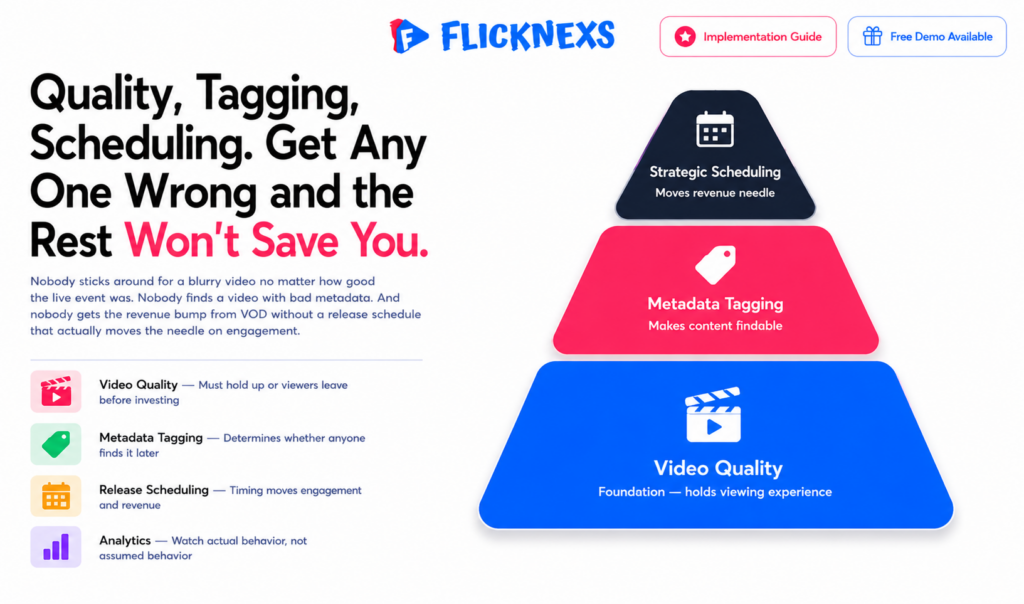
Optimizing this content comes down to three things that actually matter: video quality, metadata tagging and scheduling. Get any one of these wrong and the rest doesn’t save you.
Quality has to hold up. Nobody sticks around for a blurry or stuttering video, no matter how good the original live event was. Tagging needs to be accurate, since that’s what determines whether someone actually finds this video later or it just sits buried in your library. And timing matters more than people assume. Schedule your VOD releases well and you can genuinely move the needle on both engagement and revenue.
Beyond these three, lean on analytics. Watch how viewers actually behave, not how you assumed they would and let that shape where you go next.
How can streaming services monetize live-to-VOD content?
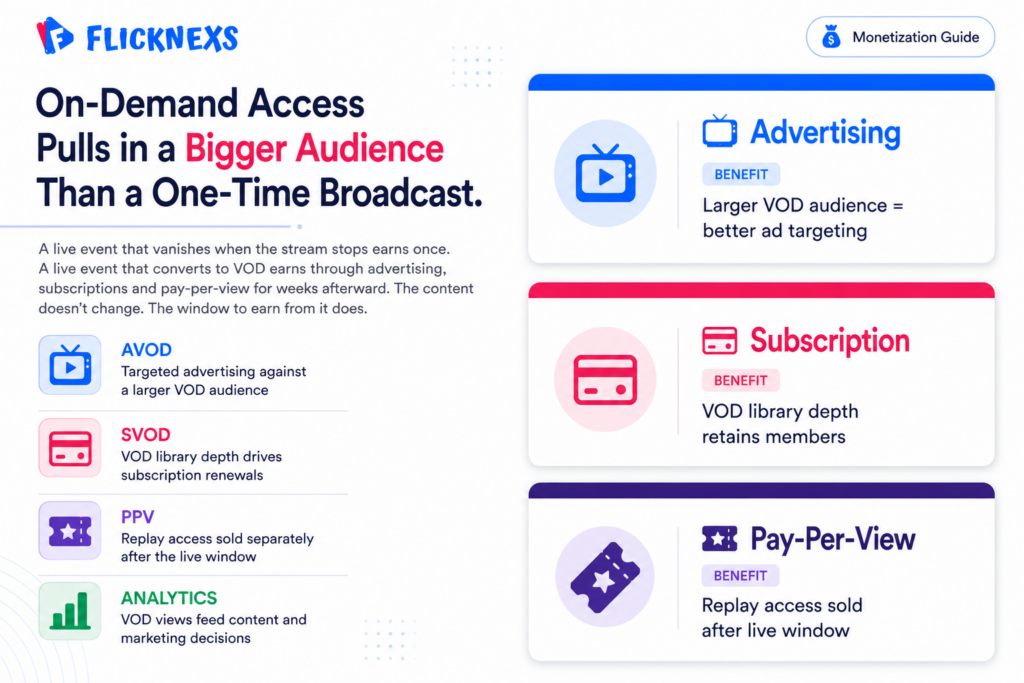
Advertising, subscriptions, pay-per-view, take your pick, or run a mix of all three. The common thread is simple: on-demand access pulls in a bigger audience than a one-time live broadcast ever could and a bigger audience means more paths to revenue.
Data analytics sharpens all of this further. Understand your audience well enough and your advertising gets more targeted, which means it actually converts instead of just showing up.
What are the challenges of implementing live-to-VOD technology?
This isn’t plug-and-play, especially if you’re working with limited resources. Video quality and low latency both need to hold steady under real conditions, not just in testing. Traffic spikes need handling gracefully, not causing the whole system to buckle. Multiple formats and platforms need supporting simultaneously. And security matters just as much as any of the above, since content integrity isn’t optional once you’re actually running a business on this.
Most teams facing these challenges end up partnering with a provider like Flicknexs rather than solving all of it from scratch.
How does live-to-VOD technology impact viewer engagement?
Pair it with the right tools, video analytics, a solid CDN and the impact on engagement is real, not marginal. Viewers get access whenever suits them, and that alone tends to boost both satisfaction and loyalty over time.
There’s a second benefit that’s easy to overlook: the data itself. Every VOD view generates insight into what viewers actually want, which then feeds back into better content and marketing decisions down the line.
What is the future of live-to-VOD technology?
This space is moving fast and AI, machine learning and cloud computing are the reasons why. Expect video quality and latency to keep improving. Expect content discoverability and personalization to get sharper. And expect support to expand into newer formats like VR and AR as they mature.
Staying ahead here usually means two things: investing in your own R&D, or partnering with a provider who’s already doing that investing for you.
What are the technical requirements for implementing live-to-VOD technology?
At minimum, you need video encoding and transcoding, a content management system and a CDN, all functioning reliably together. High-quality encoding matters. So does a management and delivery system that scales instead of buckling under load.
Beyond that core stack, latency, compatibility and security all need real attention. Nail these and viewers get a smooth experience regardless of what device they’re on.
How does live-to-VOD technology compare to other video streaming technologies?
It’s one piece of a bigger tech stack, alongside CDNs, video analytics and DRM. What sets it apart specifically is the combination it offers: stronger engagement, less manual labor and better discoverability than a live-only approach ever provides.
Against other providers in this space, Muvi, VPlayed, Uscreen, Flicknexs stands out for infrastructure that’s actually built to scale, stronger video encoding and transcoding and integration that doesn’t fight the rest of your stack.
What are the best practices for promoting live-to-VOD content?
Promotion here isn’t one channel, it’s several working together: social media, email, SEO. Skip any one of these and you’re leaving reach on the table.
And don’t just launch a promotion strategy and walk away from it. Track what’s actually working with analytics and adjust as you go. Done well, this is what turns occasional viewers into a genuinely loyal audience.
Frequently Asked Questions
Ready to build?
If you’re planning your next VOD project, Flicknexs handles the video infrastructure end-to-end — so you can ship in weeks, not months.
- start a video-on-demand service
- check plan pricing
More VOD guides
Continue exploring more on this topic across the Flicknexs blog.

