
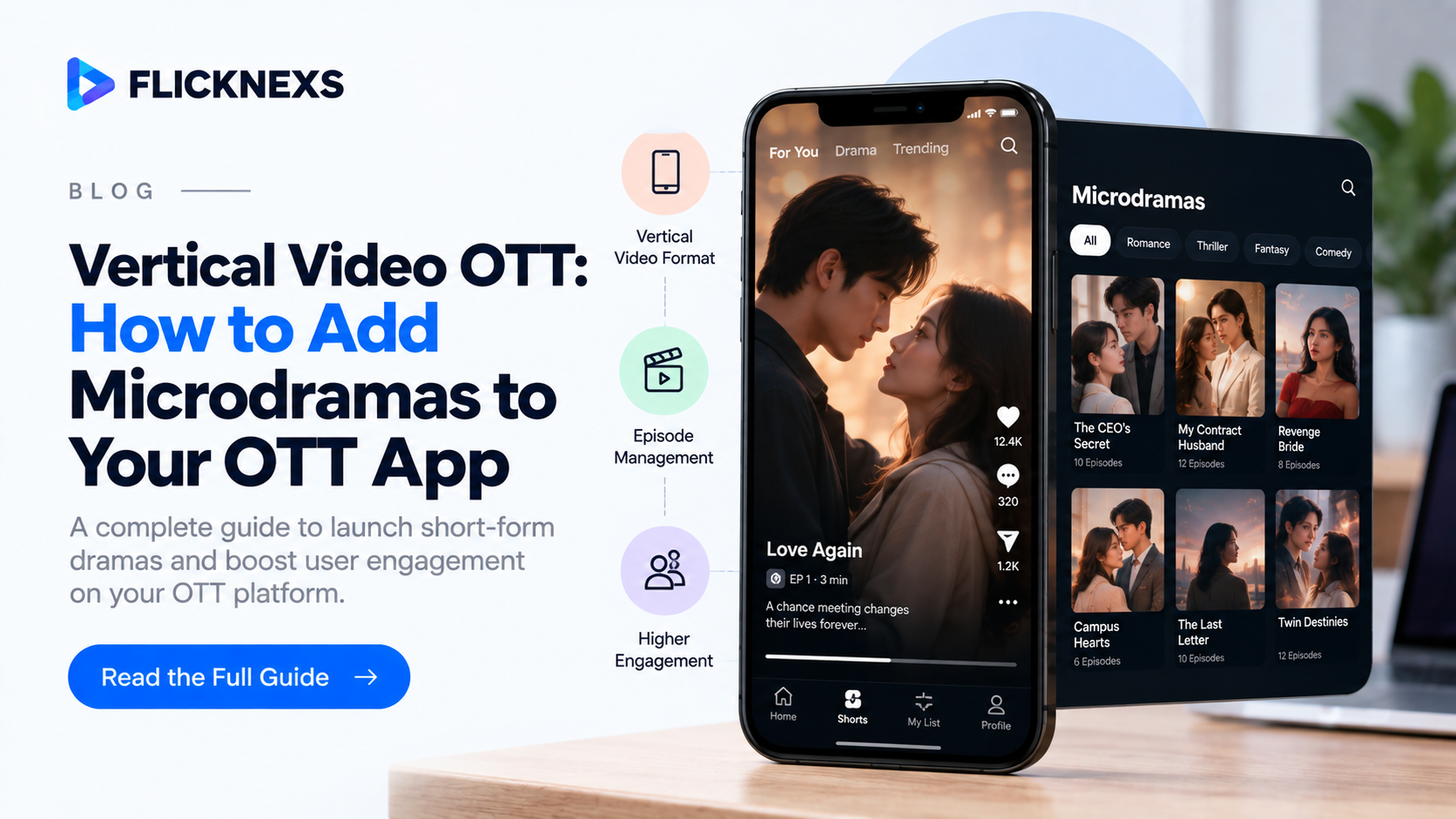
Vertical video OTT is more than a player that accepts 9:16 files. When you add microdramas to an existing OTT app, your encoding, CMS, playback, paywall, ads and analytics all assume long 16:9 titles, and each one fails differently when 90-second vertical episodes arrive. This guide walks through each layer of an existing OTT stack, names what breaks, gives the fix and ends with a rollout order.
Quick answer: To add vertical video microdramas to an OTT app, build five things: a vertical encoding ladder, a Series to Episode CMS model with per-episode access rules, swipe-to-next playback with segment prefetch, a paywall placed at the episode level, and analytics that measure next-episode conversion. Then decide how 9:16 video looks on TV. In short, most OTT stacks need changes in all five layers, not only the player.
Key Takeaways
- Check phone rotation metadata at ingest, then encode a dedicated 9:16 ladder instead of pillarboxing into 16:9.
- Put access type and price on each episode record, with defaults on the series.
- Prefetch the next episode’s first segments and DRM license so every swipe starts from cache.
- Place ad breaks between episodes and make the free-episode boundary editable per series.
- Track next-episode conversion for every episode. It explains both drop-off and paywall performance.
- On TV, pair the vertical video with a remote-navigable episode list.
Who is this guide for?
This guide is for operators who already run an OTT service and want a microdrama catalog next to their movies and series. New to the format? Start with what a micro drama is. Building a standalone app from zero? Read the DramaBox-style short drama app guide instead, because the architecture decisions differ.
What changes when an OTT platform adds microdramas?
| Property | Long-form OTT title | Microdrama episode |
| Duration | 20 to 150 minutes | Usually 1 to 3 minutes |
| Aspect ratio | 16:9 | 9:16, sometimes 16:9 or 1:1 |
| Episodes per series | 6 to 24 | Often 50 or more |
| Unit of monetization | Subscription or title | Often the single episode |
| Navigation | Browse, then play | Play, then swipe |
| Key metric | Watch time per title | Next-episode conversion |
The last two rows cause most of the work. A 60-episode series of 2-minute clips creates as many catalog records as 60 movies. Your CMS, search index and analytics carry that record volume even though the runtime totals about two hours.
The result is a platform that handles many small objects instead of a few large ones. Every per-record cost in your stack, from metadata entry to thumbnail generation to license requests, is multiplied by the episode count.
Why does encoding need a vertical ladder?
What breaks: Transcoding presets often assume a 16:9 frame. A 9:16 source then gets pillarboxed into 1920×1080 with black bars, squashed to fill the frame, or shipped sideways.
The sideways case is the one teams miss. Phones often store the frame in landscape plus a rotation flag in the file metadata. Your laptop player respects the flag, so the file looks correct during review. A transcoder that ignores the flag ships the episode on its side, and nobody notices until viewers do. The FFmpeg project’s ffprobe documentation describes how to read stream side data, where this rotation value appears, so your ingest step can check it before encoding.
The fix:
- Read orientation after applying rotation metadata, not from raw stored width and height.
- Encode a dedicated vertical ladder: 1080×1920 for Wi-Fi and large phones, 720×1280 as the mobile default, 540×960 for weak networks and 360×640 as the floor.
- Keep segments short, around 2 seconds, with keyframes aligned to segment boundaries. A long first segment makes a 90-second episode feel slow to start, and the start is where viewers leave.
- Package as HLS and DASH and deliver through your existing CDN. CMAF lets one set of segments serve both formats. Apple’s HLS Authoring Specification for Apple Devices covers keyframe alignment across renditions, and the DASH Industry Forum publishes the matching interoperability guidelines for DASH.
- Generate a poster frame from a chosen timestamp, not the first frame. First frames of vertical episodes are often a black fade or a title card.
Bottom line: keep your delivery path and CDN as they are, and change only the ingest check and the rendition ladder.
How should the CMS model series and episodes?
What breaks: Long-form CMSs attach access rules to a title or season, such as “this season is premium”. Microdrama monetization needs the rule on each episode, for example “episodes 1 to 10 free, 11 onward locked”. A season-level flag cannot express that.
The fix: use a hierarchy of Genre, Series, optional Season and Episode, and put these fields on every episode record:
- Episode number as a sortable integer, not only a title string
- Access type: free, ad-supported, subscription or unlock
- Unlock price in coins or currency
- Duration, rating, language and subtitle tracks
- Availability window and regions
- Artwork in three shapes
Artwork is the field teams underestimate. Make three shapes mandatory at upload: a 9:16 cover for the swipe feed, a 16:9 tile for TV and web rails, and a 2:3 poster if your app has poster rows. Without them, TV rails fill with auto-cropped faces.
Support bulk import as well. Uploading 80 episodes one form at a time is where microdrama catalogs stall. Accept CSV or JSON metadata matched to files by episode number, and validate the batch before publishing: missing episode numbers, duplicate numbers and gaps in the sequence should block the release.
Add series-level fields too: completion status (ongoing or complete), release cadence, content warnings and the default free-episode boundary. Episode records inherit these unless an editor overrides them.
Bottom line: the access rule and the price belong on the episode, while the defaults belong on the series.
How do you make vertical playback feel instant?
What breaks: Long-form players expect a deliberate start: open the title page, press play and accept a second of buffering. In a microdrama feed the viewer swipes, and a spinner at the swipe breaks the chain.
The fix:
- Prefetch the manifest and first one or two segments of the next episode while the current one plays. This is the largest perceived-speed gain you can make.
- Prefetch the next DRM license too. Protected episodes that request a Widevine, FairPlay or PlayReady license at swipe time add their own delay. Request the next license during playback, or use a series-scoped license where your DRM setup allows it.
- Replace the long “next episode” countdown built for TV series with a short countdown or an immediate advance in the full-screen feed.
- Save progress at every episode boundary, not only on exit. Short sessions often end when the viewer locks the phone, and the exit event never fires.
- Keep swipe-back cheap. Viewers often return to the previous episode to rewatch a cliffhanger, so keep its segments in the player cache for a short window.
Continue watching should point to the exact episode and position, such as “Love Beyond Time, Episode 18”.
Bottom line: every swipe should start from cache, which means the player works one episode ahead of the viewer.
Where should the paywall and ads go?
Most microdrama services mix revenue models, so your platform should allow a different mix per series:
| Model | How it works | Platform requirement |
| Subscription | A recurring fee unlocks the premium library | Entitlement check on each episode |
| Ad-supported | Free episodes carry ads | Ad slots between episodes |
| Episode unlock | Pay per episode or per batch | Per-episode price and receipt |
| Coins | Buy a wallet, spend per unlock | Wallet ledger, top-ups and refunds |
Two decisions matter more than the model itself.
Where the free episodes end. The unlock prompt works best right after a cliffhanger, when the viewer wants the next episode most. Let editors move the free and paid boundary per series without an app release, so you can test episode 8 against episode 12 and keep the better one.
Where the ads go. A mid-roll inside a 90-second episode interrupts the only scene there is. Run breaks between episodes, every few episodes, with frequency caps. Your ad server has to count episode boundaries, not only minutes watched. The IAB Tech Lab’s VAST standard defines the ad request and response format most video ad servers use, so treat each inter-episode break as its own VAST request with its own cap.
Coins need accounting discipline. The wallet is a ledger, not a counter: record every top-up, spend, refund and failed payment as its own entry, so support can explain any balance to a viewer. Decide early whether unlocked episodes stay unlocked forever or expire, because changing that rule later means reconciling every existing wallet.
For pricing models in depth, see our micro drama monetization guide.
Bottom line: make the paywall position and the ad frequency editable settings, because both will be tuned per series after launch.
Which analytics metric matters most for microdramas?
What breaks: Title-level dashboards report total views for a series. That number hides whether viewers watched episode 1 and left or finished everything.
The fix: build next-episode conversion first. For any episode, divide the starts of the following episode by the completions of this one, then plot the result across the whole series. The dips show where the story loses people. The dip at your paywall episode is your unlock rate.
Also capture these events with series ID, episode number and access type attached:
- Drop-off second within each episode
- Unlock prompt shown, accepted or dismissed
- Coin top-ups triggered by an unlock prompt
- Ad impressions per session
- Revenue per series and per episode
Track entry points separately. Viewers who arrive mid-series from search or a shared link make later episodes look stronger than they are, and can push the ratio above one.
Share the episode curve with the content team, not only the product team. A drop at the same episode across several series usually points to a product problem, such as the paywall or an ad break. A drop at one episode of one series usually points to the story.
Bottom line: one ratio per episode, plotted across the series, tells you more than any title-level total.
How should viewers discover and search microdramas?
A vertical feed suits lean-back viewing and fails when someone wants a specific show, so build both surfaces.
Mobile feed surfaces:
- Continue watching, with episode and position
- Trending series
- New episodes of followed series
- An “almost finished” row for series the viewer is close to completing
Search filters: series, actors, genre, language, orientation and completion status. Many viewers only want completed series so they never wait for new episodes, so index completion status on the series record.
For recommendations, weight completion behavior alongside genre, cast and language. A viewer who finishes series is a different audience from one who samples first episodes, and they respond to different suggestions.
Bottom line: the feed drives sessions and search drives return visits, so neither can replace the other.
How should you handle languages and regions?
Keep subtitles and dubbed audio as tracks on one episode record. One episode can carry English, Spanish, Portuguese and Hindi subtitles without becoming four records. Separate records multiply your catalog and split your analytics across copies of the same content.
Short episodes create a sync risk at volume. A subtitle file offset by half a second is barely noticeable in a two-hour film and very noticeable in a 90-second scene. Add an automated timing check to the batch import, and spot-check the first and last episode of every series by hand.
Set availability windows per region at series level, with episode-level overrides for staggered releases.
Bottom line: one record per episode, with languages as tracks and regions as rules.
How should 9:16 video look on a 16:9 TV?
A full-height vertical video covers roughly a third of a TV screen’s width. Black bars around it look broken, and cropping to landscape ruins the framing. Three layouts work:
- Video centered, with a side panel for the episode list or up-next info.
- A blurred, scaled copy of the video filling the background. Cheap to build, but decorative only.
- Video on the left third, with a remote-navigable episode grid on the right.
Option 3 suits microdramas best: on TV the episode list replaces the swipe. On desktop web, use the same layout with arrow keys for next and previous episode.
Test on the devices your viewers actually own. Smart TV platforms differ in how they handle aspect ratio, overlays and remote focus, and a layout that works on one can clip on another.
Bottom line: design the TV screen around the episode list, because the remote cannot swipe.
How do you protect short episodes from piracy?
Short episodes are easy to screen-record and repost, and a cliffhanger clip travels fast. Three controls help:
- DRM on every locked episode, with licenses tied to the viewer’s entitlement
- Session-based forensic watermarking on premium episodes, so a leaked clip can be traced to an account
- Tokenized, short-lived playback URLs, so a copied manifest link stops working
Free episodes usually need less protection, since reposts of them act as marketing. Apply the heavier controls where the paywall starts.
Bottom line: protect the locked episodes hard and let the free ones travel.
How do content operations change at episode scale?
A 60-episode drop is 60 sets of files, subtitles, artwork and metadata that all have to be correct on the same day. Plan the operations before the first series arrives:
- Ingest checks: rotation, resolution, duration range, audio loudness and missing files, run automatically on the whole batch.
- Metadata validation: episode numbering, access types, prices and regions checked against the series defaults.
- Artwork review: all three shapes present and legible at small sizes.
- Subtitle timing: automated offset check plus manual spot checks.
- Scheduled release: the whole series, or the first block of episodes, published at one time so the feed never shows episode 1 without episode 2.
Assign one owner per series release. When 60 episodes go live together, a single owner catches the gap that five people each assume someone else checked.
Bottom line: at microdrama volume, the release checklist is part of the platform, not a spreadsheet beside it.
What costs grow when you add a vertical catalog?
Microdramas change the shape of your costs more than the size of any single line. Budget for these drivers before launch, using your own vendor rates:
- Transcoding jobs. Cost scales with job count as well as minutes. A 60-episode series is 60 jobs, each with its own overhead for probing, packaging and thumbnail generation.
- Storage objects. Short segments across four renditions and several subtitle tracks create a very large number of small files. Some storage and CDN pricing includes per-request charges, which matter more at this object count.
- CDN egress from prefetch. Prefetching the next episode spends bandwidth on segments some viewers never watch. Limit prefetch to the first one or two segments to keep that waste small.
- DRM license requests. Per-episode licenses multiply request volume compared with one license per film. Check whether your DRM vendor bills per license and whether series-scoped licensing is available.
- Payments. Small, frequent coin top-ups carry proportionally higher processing fees than monthly subscriptions. Offer coin packs large enough that fees stay a small share of each purchase.
- Localization. Subtitle cost is per minute, but review cost is per file. More, shorter files mean more review passes.
Bottom line: model costs per episode and per request, not per hour of content, or the budget will undercount.
How do you test the vertical experience before launch?
Test the chain, not the single video. A player that plays one 9:16 file perfectly can still fail on the fifth swipe, on a weak network or after the phone wakes from sleep. Build a short test plan around real viewing sessions:
| Test | What to check | Pass condition |
| Swipe run | Watch 10 episodes in a row by swiping | No spinner at any swipe on a normal mobile network |
| Weak network | Repeat the swipe run on a throttled connection | Playback drops to the lower renditions instead of stalling |
| Lock and resume | Lock the phone mid-episode, unlock after a few minutes | Playback resumes at the same episode and position |
| Paywall boundary | Reach the first locked episode as a free user | Unlock prompt appears once, and purchase unlocks the right episode |
| Refund path | Refund a coin purchase in the payment sandbox | Wallet ledger shows the refund and the balance matches |
| Ad break | Watch across several ad-eligible boundaries | Breaks appear between episodes only, within the frequency cap |
| Rotation | Upload a phone-recorded file with rotation metadata | Episode plays upright on every rendition |
| TV layout | Open a vertical series on each supported TV platform | Video and episode list both visible, remote focus works |
Run the swipe and weak-network tests on low-end Android devices as well as flagship phones. Low-end devices expose memory and decoding limits that prefetching can make worse.
Log every test session with the same analytics events you plan to use in production. If the test sessions don’t produce a clean next-episode conversion curve, the production data won’t either.
Bottom line: a vertical OTT launch is ready when a viewer can swipe through ten episodes, lock the phone and come back without noticing the platform.
What mistakes do operators make after launch?
The same problems appear repeatedly once a vertical catalog goes live:
- Treating the feed as a rail. Putting 9:16 covers into a horizontal rail with a play button turns microdramas into ordinary titles and removes the swipe that drives episode chains.
- A fixed paywall position. Hard-coding the free-episode count in the app means every paywall test needs a release. Keep it in the CMS.
- Measuring views instead of chains. A series with high first-episode views and weak next-episode conversion looks like a hit on a title dashboard and is a problem in reality.
- Mid-roll ads copied from long-form. Ad rules built for 40-minute episodes break 90-second ones. Rebuild the ad rules around episode boundaries.
- Launching half a series. Releasing episodes 1 to 5 of a 60-episode story with no schedule for the rest trains viewers to leave. Release in large blocks and show the release date for the next block.
- Ignoring TV until complaints arrive. If your app already runs on TV, vertical titles will show up there. Decide the TV layout before launch, even if it is simply hiding vertical series on TV at first.
Bottom line: most post-launch problems come from reusing long-form rules, so review each rule against a 90-second episode.
What should you build first?
You do not need every layer on day one. A workable sequence:
- Phase 1, mobile pilot: vertical ladder, episode CMS fields, prefetch playback, progress saving and next-episode conversion tracking. Launch a small catalog free or ad-supported.
- Phase 2, monetization: per-episode paywall, editable free boundary, inter-episode ad breaks and, if needed, a coin wallet.
- Phase 3, scale: bulk import, completion-status search, recommendations using completion behavior, and more languages.
- Phase 4, big screen: TV and web layouts for 9:16, tested per device platform.
Measure next-episode conversion from Phase 1. It gives you a baseline before any paywall exists, so you can see the paywall’s real effect in Phase 2.
Bottom line: launch on mobile with measurement in place, then add money, scale and screens in that order.
Retrofit checklist
- Transcoder applies rotation metadata and has a 9:16 ladder
- Segments around 2 seconds with aligned keyframes
- Per-episode access type and price in the CMS
- Three artwork shapes required on upload
- Bulk episode import by CSV or JSON with validation
- Next-episode segment and DRM license prefetch
- Progress saved at every episode boundary
- Paywall boundary editable per series without a release
- Ad breaks between episodes with frequency caps
- Coin wallet built as a ledger with refunds and failed payments
- Next-episode conversion tracked per episode
- Completed-series filter indexed
- Watermarking and tokenized URLs on locked episodes
- 9:16 TV layout tested on real devices
If more than four boxes are unchecked, treat microdramas as a platform project with its own timeline, not a content upload.
What should you decide before you build?
- How many series at launch, and how many added each month?
- Average episodes per series?
- All 9:16, or mixed aspect ratios?
- How many free episodes per series?
- Which mix of subscription, ads, unlocks and coins?
- Is TV needed at launch or later?
- Which countries and payment methods?
- Which languages, and who supplies subtitles?
- Which analytics events are required?
- A tab inside your current app, or a separate app?
Question 10 decides the rest. A tab reuses your users, billing and DRM. A separate app gets a feed-first design but needs its own user acquisition. For producing the episodes themselves, see the micro drama scriptwriting and production guide.
Conclusion: build your vertical video OTT service with Flicknexs
In summary, adding microdramas is a platform change across encoding, CMS, playback, monetization, analytics and TV design, not a new upload category. Flicknexs provides a white-label OTT platform, built by Webnexs, for launching branded streaming services, and develops micro-drama apps for operators adding vertical catalogs. See what the Flicknexs microdrama platform service includes.
CTA button (paste as HTML):
<a href=”https://flicknexs.com/micro-drama-app-development” id=”cta-microdrama-bottom” class=”gtm-cta” data-event=”cta_click” data-cta-location=”blog_microdrama_bottom”>Book a demo of micro-drama app development</a>
FAQ
Keep the FAQ at the end of the post, after the CTA. The gate’s content-flow check requires that order. Use the Q:/A: format, which the gate’s FAQ parser detected.
Q: Can I add microdramas to an existing OTT app, or do I need a new app? A: Both work. A tab inside your existing app reuses accounts, billing and DRM but needs a swipe feed beside browse rails. A separate app gives a cleaner feed-first experience but needs its own user acquisition.
Q: Do I need a special player for vertical video? A: Most modern HLS and DASH players can play 9:16 video. What you add is behavior: next-episode prefetch, swipe navigation, short countdowns and progress saved at each episode boundary.
Q: What resolution should vertical microdrama episodes use? A: Use a vertical ladder such as 1080×1920, 720×1280, 540×960 and 360×640 with short segments. Do not pad vertical video into a 1920×1080 frame.
Q: Why do some vertical videos play sideways after transcoding? A: The phone stored the frame in landscape with a rotation flag, and the transcoder ignored the flag. Read orientation after applying rotation metadata at ingest.
Q: Where should ads go in microdrama episodes? A: Between episodes, not inside them. Use frequency-capped breaks every few episodes.
Q: How many free episodes should a microdrama series have? A: There is no fixed number. Place the paywall right after a strong cliffhanger, then test different boundaries per series.
Q: What is the most important microdrama metric? A: Next-episode conversion: starts of the next episode divided by completions of the current one. It shows where viewers leave and how well the paywall converts.
Q: How should vertical microdramas display on smart TVs? A: Center the video and use the empty space for an episode list or series details that viewers navigate with the remote. Avoid cropping to landscape.
Q: Should translated versions be separate content records? A: No. Attach subtitles and dubbed audio as tracks on one episode record so analytics and catalog management stay in one place.
Q: What should I build first? A: Start with a mobile pilot: vertical encoding, episode CMS fields, prefetch playback and next-episode tracking. Add the paywall, ads and TV layouts after you have a baseline.

