
TL;DR
- OTT platforms deliver video content directly over the internet across web, mobile and smart TV apps1.
- Businesses use OTT to build branded streaming services and generate recurring digital revenue.
- Core monetization models include SVOD, AVOD, TVOD, PPV and hybrid strategies.
- Choosing an OTT platform is mainly a decision between SaaS simplicity, enterprise scalability or custom flexibility.
- SaaS platforms enable fast launches but offer limited customization and control.
- Enterprise OTT solutions balance scalability, monetization and operational ease.
- API/framework-based platforms provide maximum control but require strong technical resources and longer deployment time.
- Essential OTT infrastructure includes video hosting, transcoding, CDN delivery, DRM security, analytics and multi-device apps.
- Platform costs extend beyond licensing to bandwidth, app maintenance and operational management.
- Deployment timelines vary from weeks (SaaS) to several months (custom builds) depending on complexity.
- Vendor selection should align with business goals, technical capability, budget and growth plans.
- Flicknexs is positioned as a white-label, enterprise-ready OTT solution offering customization without full custom development complexity.
- Long-term OTT success depends on scalability, monetization flexibility, user experience and reduced operational burden.
- The best OTT platform is not the most feature-rich, but the one that matches launch speed, control needs and future scalability.
The OTT industry is revolutionizing how we consume content, enabling users to stream movies, TV shows and live events directly over the internet, bypassing traditional cable or satellite TV. For businesses, these platforms provide a powerful way to engage customers with on-demand content and create new revenue streams.
Let’s comprehensively compare various OTT platform software providers and guide you to choose the best platform for your enterprise needs.
As demand for streaming grows, choosing the right solution is key. Companies need platforms that are scalable, flexible and easy to manage.
What Is OTT?
Short Definition
OTT (Over-The-Top) is a way of delivering movies, TV shows and other content directly through the internet without using cable TV or satellite services.
Simple Explanation
Before, if you wanted to watch movies or TV shows, you needed cable TV.
The cable company decided:
- Which channels you received
- What time shows were broadcast
Now, you don’t need a cable operator at all.
You simply open an app like Netflix, Disney+, Amazon Prime Video or YouTube on your phone, smart TV, laptop or tablet.
You press play.
You start watching instantly.
No cable box.
No satellite dish.
No fixed schedule.
That system is called OTT.
Why Is It Called “Over-The-Top”?
It is called “Over-The-Top” because the content goes over the internet, instead of going through traditional cable or satellite TV networks.
It removes the middleman and delivers content directly to the viewer.
Use Cases
- Media & Broadcasting
Launch branded OTT platforms for global video streaming, enabling large-scale content distribution with flexible monetization (SVOD, AVOD). - Telecom Providers
Integrate OTT services with internet plans, offering consumers on-demand content with reliable streaming and subscription options. - Educational Institutions
Stream courses, live lectures and training sessions globally while ensuring secure content delivery and integration with LMS platforms. - Sports Broadcasting
Deliver live sports events and on-demand content with low latency and monetization opportunities through ads and pay-per-view. - Corporate Communications
Enable internal video streaming for training, company-wide announcements and corporate events, with secure access and minimal overhead. - Content Providers
Monetize large video libraries with flexible monetization options like SVOD, TVOD and AVOD, while managing content efficiently. - Religious Organizations
Stream religious content and live events globally, offering accessible and affordable solutions with community engagement features. - OTT Startups Scaling to Enterprise
Launch regional OTT services and scale globally with flexible platforms that support various monetization models and rapid growth. - E-Learning Providers
Deliver on-demand and live training videos, certifications and courses with secure video delivery and monetization options for educational content.
Comparison of Top 10 OTT Video Platforms in 2026
| Provider | Best For | Deployment Model | Monetization | Ease of Launch | Best Value Tier |
| Flicknexs | Hybrid OTT brands | SaaS + configurable | SVOD/TVOD/AVOD | Moderate | Mid-enterprise |
| Brightcove | Enterprise/FAST/AVOD | Managed enterprise | SVOD/AVOD hybrid | Slow | Large enterprise |
| Kaltura | Telecom/Customized | API/Framework | Full flex | Slow | Custom enterprise |
| JW Player | Publisher monetization | Cloud + SDK | Strong AVOD | Moderate | Mid enterprise |
| Zype | API-centric backend | API-first | Hybrid | High | Tech teams |
| Muvi | Turnkey OTT SaaS | SaaS | Full hybrid | Fast | SMB → enterprise |
| VPlayed | Flexible OTT stack | SaaS/On-Prem | Full hybrid | Moderate | Mid enterprise |
| Dacast | Live + VOD focus | Managed | SVOD/TVOD | Fast | Events/Live OTT |
| Vimeo OTT | Creator/Subscription | SaaS | SVOD/TVOD | Very fast | Creators/SMB |
| Uscreen | Membership OTT | SaaS | SVOD/TVOD | Very fast | Niche/SaaS |
Pricing Summary of the OTT Software Platform Providers
| Provider | Estimated Pricing |
| Flicknexs | Custom enterprise pricing with potential one-time licensingoptions. |
| Brightcove | $150K – $500K annually for mid-to-large enterprises,up to $1M+ annually for large-scale deployments. |
| Kaltura | Starts around $200K annually for moderate enterprises. |
| JW Player | $50K – $200K+ annually, based on video plays, bandwidthusage and feature modules. |
| Zype | Estimated $60K – $250K+ annually, depending on the scale,Modules and infrastructure needs. |
| Muvi | $1,000 – $10,000+ per month, with enterprise pricing models. |
| VPlayed | $15,000 – $100,000+ annually or one-time licensing in somecases. |
| Dacast | $10,000 – $100,000+ annually, with pricing based on bandwidth,storage and event frequency. |
| Vimeo OTT | $1,000 – $5,000+ per month, with additional charges for appdevelopment, payment gateways and revenue-sharing models. |
| Uscreen | Estimated $100 – $500+ per month, with higher-tier servicesfor advanced integrations and custom apps. |
Flicknexs
1. Core Positioning in the Market
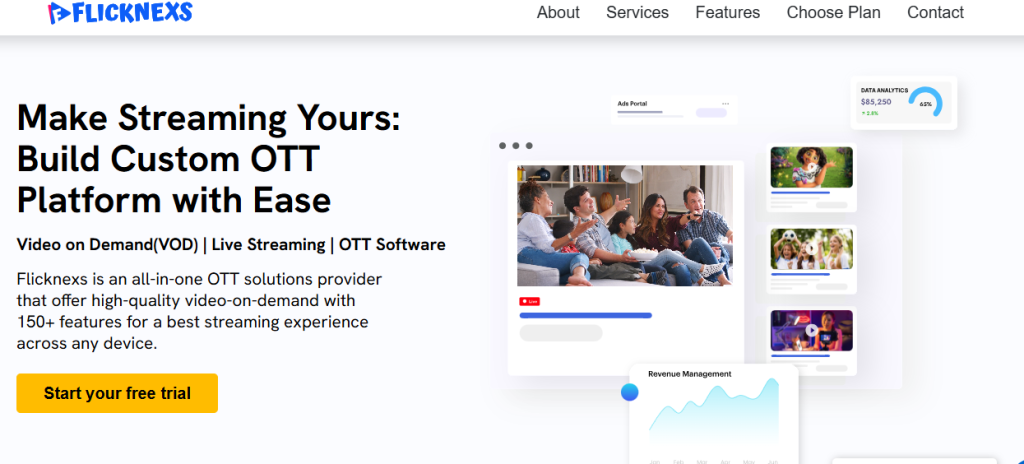
Flicknexs positions itself as a configurable OTT SaaS platform designed to eliminate infrastructure complexity while preserving operator control.
It is not:
- A barebones video host
- A creator-only plug-and-play tool
- A heavy API-first framework requiring deep engineering teams
Instead, it occupies the strategic middle ground:
A white-label OTT solution that abstracts OTT infrastructure engineering while allowing operational flexibility.
Built around real-world OTT challenges, Flicknexs directly addresses the lessons many builders discover too late:
- Multi-CDN architecture reduces regional streaming complaints
- Built-in DRM avoids license server engineering complexity
- Hybrid monetization models prevent revenue rigidity
- Pre-engineered native OTT apps reduce device fragmentation
- Subscription workflows handle real-world billing edge cases
OTT is not just video hosting. It is infrastructure engineering.
Flicknexs abstracts that engineering layer.
2. What Exactly You Get When You Buy Flicknexs
Flicknexs delivers an end-to-end OTT video platform stack built from real deployment experience.
Advanced Transcoding Pipeline
- Multi-resolution encoding
- Optimized bitrate ladders
- Adaptive bitrate streaming
- Storage optimization
Problem solved: Transcoding cost overruns and inefficient encoding stacks.
Integrated DRM Support
- Widevine
- FairPlay
- Multi-DRM compatibility
- License management abstraction
Problem solved: Avoids building and maintaining license servers internally.
Multi-CDN Architecture
- Regional performance optimization
- Reduced edge-node inconsistencies
- Improved streaming reliability in India & SEA
- Failover support
Problem solved: Buffering and region-based playback failures.
Monetization Engine
- SVOD
- TVOD
- AVOD
- Hybrid models
- Coupons & trials
- Regional pricing
- Tax handling
Problem solved: Subscription system edge-case complexity.
Native OTT Apps Framework
- Android TV
- Roku
- Fire TV
- iOS
- Android
- Web
Problem solved: Eliminates device-by-device development burnout.
White-Label Branding Control
- Fully branded UI
- Theming flexibility
- Content layout control
- Admin dashboard
Problem solved: Operators want branding flexibility more than feature overload.
Analytics & Retention Tools
- Watch time
- Drop-off analysis
- Play rate
- Engagement tracking
- Resume watching
- Autoplay
- Recommendation modules
Problem solved: Retention optimization without custom analytics engineering.
3. What You Must Purchase Separately
While Flicknexs covers core OTT infrastructure, enterprise expansion may require:
- Custom UI engineering
- Enterprise SSO integration
- Advanced CRM synchronization
- Payment gateway transaction fees
- AI-driven personalization layers
- Dedicated infrastructure environments
- Business intelligence integrations
However, unlike API-only frameworks, most OTT-critical components are already pre-integrated.
4. Setup Timeline
Typical deployment timeline:
- 2–4 weeks for branded OTT web platform
- 4–8 weeks for multi-device deployment
Timeline depends on:
- App store approvals
- Branding depth
- Monetization complexity
- Content migration volume
Compared to custom OTT software development, risk and launch time are significantly reduced.
5. Effort Required from Buyer
Effort Level: Low to Moderate
Internal team typically includes:
- Content lead
- Marketing manager
- Monetization strategist
- QA
- Optional light technical oversight
No heavy DevOps team required because:
- DRM is integrated
- Multi-CDN managed
- Transcoding optimized
- App framework pre-built
Infrastructure engineering is offloaded.
6. Pricing Reality
Flicknexs operates under:
- SaaS subscription structure
- Potential one-time licensing options
- Custom enterprise pricing tiers
- Add-on scaling modules
Cost advantages vs building from scratch:
- No DRM license server engineering
- No custom multi-CDN setup
- No independent transcoding infrastructure
- No OTT app development team required
Capital intensity is dramatically reduced compared to DIY OTT builds.
7. Infrastructure: Included vs External
Included
- Encoding & transcoding
- Adaptive bitrate streaming
- Multi-CDN delivery
- DRM integration
- Monetization engine
- Payment integrations
- OTT apps framework
- Analytics dashboard
- Admin control panel
External / Optional
- CRM systems
- Enterprise data warehouses
- AI personalization engines
- Custom feature engineering
- Dedicated infrastructure tiers
Flicknexs is a configurable OTT software solution, not bare infrastructure and not rigid no-code.
8. Hosting & Server Considerations
Flicknexs operates on managed cloud architecture.
Benefits:
- No internal server management
- Traffic auto-scaling
- CDN redundancy
- Regional latency optimization
- Failover support
For high-scale enterprises:
- Dedicated environments possible
- Multi-CDN resiliency reduces single-point failures
9. Ongoing Operational Cost Considerations
Operational expenses include:
- SaaS licensing
- Payment processing fees
- App store developer fees
- Content acquisition
- Marketing
- Customer support
- Optional infrastructure scaling
Compared to DIY builds:
- No license server maintenance
- No CDN troubleshooting cycles
- No transcoding optimization overhead
- No repeated multi-device rebuilds
Operational burden is significantly lower.
10. Future-Proofing
Flicknexs is aligned with evolving OTT realities:
- Multi-device ecosystem support
- Hybrid monetization flexibility
- DRM compliance
- Multi-CDN resilience
- Configurable workflows
- Scalable SaaS model
Unlike rigid no-code platforms, it supports operational flexibility.
Unlike API-heavy OTT software development stacks, it does not require internal infrastructure engineering teams.
Future-readiness is centered around:
- Performance stability
- Monetization adaptability
- Multi-device consumption
- Branding ownership
11. Vendor Risk & Stability
Vendor evaluation depends on:
- Product maturity
- Infrastructure partnerships
- CDN redundancy
- DRM integrations
Strength profile:
- Built around real OTT deployment lessons
- Designed to reduce engineering burnout
- Focused exclusively on OTT ecosystem delivery
Compared to early-stage tools:
Lower operational risk.
Compared to global enterprise giants:
More flexible, less bureaucratic.
12. Ideal Enterprise Use Case
Flicknexs is best suited for:
- Media companies launching branded OTT platforms
- Regional OTT networks
- Enterprises targeting India & Southeast Asia
- Businesses requiring hybrid monetization
- Operators seeking branding control
- Organizations avoiding infrastructure engineering
- Companies transitioning away from failed DIY builds
Not ideal for:
- Telecom-grade global broadcast networks
- Organizations requiring fully custom infrastructure frameworks
- Highly regulated private-hosted compliance ecosystems
Brightcove
1. Core Positioning in the Market
Brightcove is not positioned as a lightweight SaaS OTT builder.
It is a video-first enterprise infrastructure company designed to support large-scale streaming operations with strong emphasis on monetization, performance and reliability.
Brightcove is built for:
- Tier-1 broadcasters
- Media conglomerates
- Global publishers
- Sports streaming operators
- Enterprises prioritizing AVOD / FAST monetization
- Corporate video platforms operating at scale
Where Kaltura emphasizes modular architecture control, Brightcove emphasizes:
- Managed enterprise streaming reliability
- Advertising monetization depth
- Multi-CDN performance optimization
- Operational stability
Brightcove competes on:
- Performance
- Monetization sophistication
- Enterprise reliability
- Video delivery optimization
It is closer to a managed enterprise OTT infrastructure provider than a customizable framework.
2. What Exactly You Get When You Buy Brightcove
Brightcove provides a structured enterprise ecosystem built around its Video Cloud platform.
Included in Standard Enterprise Deployment:
- Video Cloud CMS
- Cloud-based hosting
- Multi-CDN architecture
- Adaptive bitrate streaming
- Multi-DRM (Widevine, FairPlay, PlayReady)
- Server-Side Ad Insertion (SSAI)
- Advanced analytics & engagement metrics
- Player technology
- OTT app frameworks (web, mobile, connected TV)
- API access
- Security & content protection tools
You are purchasing:
A managed enterprise streaming infrastructure with deep ad-tech integration.
Not:
A DIY OTT builder requiring full assembly.
Brightcove’s value lies in reducing delivery complexity at large scale.
3. What You Must Purchase Separately
Even at the enterprise tier, not everything is bundled.
Depending on deployment complexity, you may need:
- Custom OTT app UI/UX development
- Smart TV certification and publishing management
- Third-party personalization engines
- CRM integrations
- Advanced marketing automation integrations
- Dedicated cloud environment upgrades
- Advanced AI-based recommendation engines
- Additional CDN redundancy (for extreme scale)
Brightcove provides the foundation, but enterprise OTT ecosystems often require integration layers.
Complex deployments require engineering collaboration.
4. Setup Timeline
Brightcove deployments are structured and guided.
Typical rollout timelines:
- 8–12 weeks for mid-sized enterprise OTT
- 12–16+ weeks for broadcaster-grade or FAST channel deployments
- Longer for multi-region or complex ad stack integration
Why it takes time:
- App QA & certification
- CDN load optimization
- SSAI configuration
- Payment gateway integrations
- Compliance audits
- Data governance setup
- Multi-device testing
It is not instant, but faster than modular framework builds.
5. Effort Required from Buyer
High, but less architectural burden than Kaltura.
You will need:
- Product owner
- Technical integration team
- Ad operations team (for AVOD/FAST)
- DevOps oversight
- QA team
- Legal/compliance team
Brightcove reduces infrastructure complexity, but operational governance remains enterprise-level.
It is not plug-and-play for large deployments.
6. Pricing Reality
Brightcove does not publish pricing publicly.
Enterprise deployments typically range:
- $150K – $500K annually for mid-to-large enterprise
- $500K+ for broadcaster-grade operations
- Can exceed $1M annually at massive scale
Pricing depends on:
- Bandwidth consumption
- Ad monetization volume
- User concurrency
- SLA tier
- Global distribution footprint
- Custom integrations
Total cost scales with performance and monetization ambition.
7. Infrastructure Included vs External
Included:
- Cloud hosting
- Multi-CDN distribution
- DRM management
- Video processing & encoding
- Core analytics
- Ad-tech integration (SSAI)
- Security compliance features
Often External / Custom:
- Dedicated infrastructure environments
- AI recommendation engines
- CRM systems
- Marketing automation tools
- Advanced business intelligence dashboards
- App design customization
Brightcove centralizes delivery infrastructure but allows integration with external enterprise systems.
8. Hosting & Server Considerations
Brightcove operates primarily as a cloud-based managed infrastructure.
Enterprises do not need to manage:
- Core video hosting
- Encoding pipelines
- CDN routing
However, enterprises may choose:
- Dedicated cloud instances
- Additional CDN contracts for redundancy
- Hybrid integration with internal systems
Unlike Kaltura, Brightcove does not typically emphasize on-premise deployment.
It is optimized for cloud-first enterprise streaming.
9. Ongoing Operational Cost Considerations
Beyond licensing, enterprises must budget for:
- Bandwidth overages
- Ad server integrations
- App store renewal fees
- DevOps personnel
- Compliance & data governance
- Feature expansion requests
- API integration maintenance
- Monitoring & security tools
Operational costs scale with audience growth and monetization complexity.
Total cost of ownership includes people, not just platform fees.
10. Future-Proofing
Very High.
Brightcove invests heavily in:
- FAST channel infrastructure
- Server-side ad insertion evolution
- AI-driven metadata enrichment
- Multi-CDN performance optimization
- Advanced analytics
- Video commerce integrations
Brightcove is positioned strongly for:
- AVOD expansion
- FAST ecosystem growth
- Global ad-driven OTT models
Vendor stability is strong with low enterprise risk.
11. Vendor Risk & Stability
- Brightcove is a long-standing publicly traded company.
- Low vendor disappearance risk.
- Established enterprise contracts worldwide.
- Strong partner ecosystem.
- Lower architectural risk compared to smaller SaaS OTT providers.
12. Ideal Enterprise Use Case
Choose Brightcove if:
- You prioritize monetization sophistication
- You operate AVOD or FAST models
- You need enterprise-grade scalability
- You want managed infrastructure
- You prefer reduced backend complexity
- You need reliable global distribution
Avoid Brightcove if:
- You want extreme backend customization
- You prefer on-premise deployment
- You lack enterprise budget
- You want rapid low-cost OTT launch
Kaltura
1. Core Positioning in the Market
Kaltura is not a traditional “plug-and-play OTT SaaS platform.”
It is a modular, API-first video platform infrastructure designed for organizations that want maximum architectural control.
Kaltura is built for:
- Telecom operators
- Tier-1 broadcasters
- Large media networks
- Educational institutions (large-scale deployments)
- Enterprises requiring hybrid or on-premise control
Where Brightcove emphasizes managed enterprise OTT, Kaltura emphasizes customizable video ecosystem architecture.
Kaltura competes on:
- Flexibility
- Modularity
- Developer control
- Deployment configurability
It is closer to a video platform framework than a boxed OTT product.
2. What Exactly You Get When You Buy Kaltura
Kaltura provides the building blocks, not a fixed SaaS shell.
Included in Standard Enterprise Deployment:
- Video management backend (CMS framework)
- OTT app SDKs and templates
- API-first architecture
- Multi-device OTT compatibility
- Monetization support (SVOD, AVOD, TVOD)
- DRM support (Widevine, FairPlay, PlayReady)
- Adaptive bitrate streaming
- Workflow automation tools
- Analytics engine
- Cloud or hybrid deployment options
You are buying:
A configurable video infrastructure framework.
Not:
A ready-made Netflix clone UI.
3. What You Must Purchase Separately
This is where many enterprises underestimate the effort.
Depending on deployment complexity, you may need:
- CDN contracts (Akamai, CloudFront, etc.)
- Dedicated DevOps team
- Custom OTT front-end development
- Infrastructure scaling configuration
- UI/UX design customization
- Personalization engines
- Advanced ad stack integrations
- Cloud hosting upgrades (if self-managed)
Kaltura is highly customizable, but customization requires engineering investment.
4. Setup Timeline
Because Kaltura is modular, setup time depends heavily on scope.
Typical enterprise rollout:
- 12–16 weeks for mid-scale OTT
- 20+ weeks for telecom or broadcaster-grade platform
- 6–9 months for highly customized deployments
Why longer?
Because Kaltura implementations often involve:
- Architecture planning
- Backend configuration
- API integrations
- App development
- CDN optimization
- DevOps scaling
- Multi-region deployment setup
This is rarely a “quick launch” system.
5. Effort Required from Buyer
Very High.
You will need:
- Internal product owner
- Dedicated engineering team
- DevOps management
- Integration specialists
- QA & compliance team
- Possibly external system integrators
Kaltura is best suited for companies that already have:
- Technical maturity
- Engineering resources
- Long-term OTT roadmap
It is not suitable for organizations without internal tech capability.
6. Pricing Reality
Kaltura does not publish public pricing.
Enterprise deployments typically start around:
- $200K annually for moderate enterprise
- Significantly higher for telecom-scale
- Multi-million-dollar contracts for tier-1 operators
Pricing variables include:
- Hosting model (cloud vs hybrid)
- CDN bandwidth usage
- SLA tier
- Feature modules selected
- Custom development scope
Kaltura pricing scales with complexity.
7. Infrastructure Included vs External
Included:
- Core OTT backend
- DRM support
- Analytics tools
- App frameworks
- API layer
- Cloud deployment option
Often External / Custom:
- CDN provider contracts
- DevOps scaling infrastructure
- Dedicated hosting environment
- Advanced AI personalization engines
- CRM integrations
- Marketing automation integrations
- Advanced SSAI configuration
Unlike SaaS OTT builders, Kaltura does not always bundle everything into one fixed package.
It provides flexibility, but flexibility means configuration responsibility.
8. Hosting & Server Considerations
Kaltura supports:
- Cloud hosting
- Hybrid cloud
- On-premise deployment (for regulated industries)
This makes it attractive for:
- Government
- Telecom
- Education
- Enterprises with data sovereignty requirements
However, on-premise or hybrid deployment increases:
- Infrastructure management cost
- DevOps burden
- Long-term maintenance responsibility
9. Ongoing Operational Cost Considerations
Beyond licensing, enterprises must budget for:
- CDN overage bandwidth
- DevOps salaries
- Cloud hosting fees
- Monitoring tools
- Security compliance audits
- API integration maintenance
- Smart TV app updates
Total cost of ownership (TCO) can exceed license fees over time.
10. Future-Proofing
Very high, but conditional.
Kaltura is future-proof because:
- It is modular
- It is API-driven
- It adapts to evolving monetization models
- It supports hybrid deployment models
- It integrates easily with emerging technologies
However, future-proofing depends on:
- Your internal engineering capability
- Your ability to continuously adapt the architecture
Kaltura gives you the engine.
You must drive it.
11. Vendor Risk & Stability
- Kaltura is publicly traded and well-established.
- Low vendor disappearance risk.
- Strong enterprise history.
However:
Implementation complexity increases reliance on:
- Internal teams
- Long-term support contracts
12. Ideal Enterprise Use Case
Choose Kaltura if:
- You want architectural control
- You have engineering resources
- You need hybrid or on-premise deployment
- You require telecom-level customization
- You want to build a deeply tailored OTT ecosystem
Avoid Kaltura if:
- You want rapid deployment
- You lack internal technical team
- You prefer simple SaaS models
- You want low operational overhead
JW Player
1. Core Positioning in the Market
JW Player began as a lightweight video player embedded on websites, but over the years it has evolved into a full video engagement and monetization platform that sits at the intersection of video delivery, ad revenue optimization, and analytics.
Unlike Brightcove or Kaltura, which are full-stack OTT infrastructure engines, JW Player’s strength is in:
- High-performance video delivery
- Ad monetization and server-side ad insertion (SSAI)
- Publisher-centric engagement tools
- Real-time analytics and video intelligence
JW Player is often chosen by organizations where monetization performance matters as much as delivery performance, such as news publishers, sports sites, live event broadcasters and digital media enterprises that rely on ad income.
It is less focused on being a “framework for deep architectural customization” and more focused on being a scalable, performance-optimized OTT platform with strong monetization capabilities.
2. What Exactly You Get When You Buy JW Player
When an enterprise purchases JW Player at the enterprise level, they receive a suite of technologies that go beyond just streaming video.
Included in Enterprise Deployment:
- Video Hosting & CMS
Central content library with upload, transcoding, metadata management and categorization. - Global CDN Delivery
Optimized delivery through integrated content delivery network infrastructure to support global audiences. - Adaptive Bitrate Streaming
Ensures smooth playback on varying network conditions. - Multi-DRM
Supports encryption and content protection methods (e.g., Widevine, PlayReady, FairPlay) for secure streaming. - HTML5 Player Engine
A highly optimized video player that can be customized for branding and engagement triggers. - Server-Side Ad Insertion (SSAI)
For seamless integration of ads into streams without client-side buffering, which improves ad completion and revenue. - Advanced Ad Rule Engine
Fine-grained control over how ads are served, including frequency caps, geo-targeting and dynamic ad rules. - Real-Time Analytics & Reporting
Deep viewer behavior insights, including plays, completions, engagement curves, geolocation and ad revenue metrics. - Recommendation Engine
Auto-generated video recommendations to increase user engagement. - API Access & SDKs
Programmatic control over content delivery, analytics, custom workflows.
This makes JW Player much stronger for engagement + monetization focused OTT as compared to purely structural OTT solutions.
3. What You Must Purchase Separately
Even at enterprise tier, several critical components are typically not bundled:
Common Add-Ons or Separate Costs:
- Custom OTT App UI/UX Development
If you want mobile apps (iOS, Android, Apple TV, Roku, Fire TV) with branding, that requires development effort. - Smart TV Certification & Publishing Services
Certification submission costs and dedicated testing often come as professional services. - Advanced Personalization Systems
Beyond the built-in recommendation engine, many enterprises use external personalization or AI systems. - CRM Integration
Syncing user profiles, preferences and business systems requires middleware or custom development. - Custom Backend Integrations
Billing, entitlement systems, custom catalog workflows typically require engineering resources. - Dedicated Infrastructure Options
For ultra-high concurrency, enterprises may choose dedicated cloud environments, which come with additional costs. - Payment Gateway Setup
For SVOD or hybrid billing, a payment processor integration is usually separate.
4. Setup Timeline
Enterprise JW Player deployments vary based on complexity:
- 6–10 weeks — For web-first OTT deployments (video library + monetization rules)
- 10–14 weeks — For full multi-platform OTT (apps + TV + mobile + backend integration)
Factors influencing timeline:
- Ad stack sophistication
- OTT app development scope
- CRM & personalization integration
- Payment system wiring
- Compliance reviews (e.g., data privacy)
This timeline positions JW Player as faster to deploy than deep modular frameworks like Kaltura, but more involved than low-code SaaS services.
5. Effort Required from Buyer
Effort depends on enterprise goals:
- Minimal Internal Effort Scenario:
- If your goal is a web-only AVOD or hybrid monetization platform, internal effort can be moderate, with support from professional services.
- High Internal Effort Scenario:
- If launching multi-device OTT with custom apps, CRM sync, AI personalization, custom UI, then internal effort becomes high and requires:
- Product owner
- Frontend mobile/TV engineers
- DevOps support
- Ad operations specialists
- QA testers
- Analytics team
- If launching multi-device OTT with custom apps, CRM sync, AI personalization, custom UI, then internal effort becomes high and requires:
Enterprise buyers should plan for integration efforts beyond the base platform.
6. Pricing Reality
Unlike simple SaaS products, enterprise JW Player pricing is custom and usage-driven.
Typical enterprise cost ranges:
$50,000 – $200,000+ annually
Depending on:
- Total monthly video plays
- Bandwidth usage
- Feature modules purchased (SSAI, analytics)
- Support tier
- Custom service requirements
At very high scale (global AVOD networks), costs can exceed these ranges.
Importantly, pricing is influenced by monetization volume and delivery scale, not just platform access.
7. Infrastructure Included vs External
What’s Included:
- CDN delivery
- Hosting
- DRM
- Player engine
- Ad insertion capabilities
- Core analytics
What Typically Is External or Optional:
- Custom TV app development
- Dedicated infrastructure pods
- AI-based personalization systems
- Enterprise CRM / business systems
- Payment processor integrations
- Third-party BI / data lakes
Infrastructure strength lies in content delivery and monetization optimization, not in full backend business workflows, which are implemented externally.
8. Hosting & Server Considerations
JW Player’s infrastructure is cloud-native, but with enterprise flexibility:
- Managed cloud hosting handles video delivery and storage.
- Global CDN is baked in, but large enterprises may negotiate separate peering deals for reduction in cost or performance boosts.
- For high concurrency events (sports, large premieres), you may want dedicated burst capacity, often negotiated as part of the contract.
Unlike some frameworks, JW Player generally does not require you to stand up your own server farms, but enterprise buyers can choose to integrate with hybrid or dedicated cloud if desired.
9. Ongoing Operational Cost Considerations
Beyond core platform fees, enterprises must plan for:
- Bandwidth Overage Fees — Especially if usage spikes
- Ad Operations Teams — To maximize AVOD revenue
- App Maintenance — Store updates, compatibility
- QA & Device Testing Costs
- Support Contracts — 24×7 enterprise support is usually a premium
- Analytics & BI Tools — If leveraging beyond platform dashboards
- Marketing & Customer Support Teams
These operational costs often exceed the base platform license.
10. Future-Proofing
JW Player’s future-proofing is strong if your strategy centers on video performance and monetization:
- SSAI evolution keeps ads relevant and reduces ad blocking
- Engagement analytics upgrades keep reporting modern
- Player optimization enhances user experience
- FAST and AVOD continue to be priority roadmaps
However:
- JW Player is not built as a ground-up modular OTT engine like Kaltura
- It is best future-proofed for monetization + engagement growth paths
Long-term viability is solid for publishers, but if your future roadmap centers on heavy backend integration ecosystems, you’ll still need additional tooling.
11. Vendor Risk & Stability
JW Player is an established organization with years of enterprise presence.
- Healthy market presence
- Strong partner ecosystem
- Regular product updates
- Reliable enterprise support options
Vendor risk is low compared to early-stage OTT startups, but not as deep an enterprise infrastructure company as Brightcove or Kaltura.
This makes JW Player a balanced choice for performance + monetization, with moderate vendor risk.
12. Ideal Enterprise Use Case
Choose JW Player if your enterprise meets one or more of the following:
- You are a digital publisher with video revenue goals
- You require strong AVOD + SSAI monetization
- You want fast-to-market OTT rollout without heavy architectural build
- You prioritize engagement + analytics intelligence
- You want robust video delivery without managing infrastructure farms
Not ideal if:
- You need ultra-deep backend workflow customization
- You want telecom-grade infrastructure dominance
- You want a framework to build bespoke video ecosystems
Zype
1. Core Positioning in the Market
Zype positions itself as a video infrastructure and OTT API platform rather than a plug-and-play Netflix clone builder.
It sits somewhere between:
- Heavy modular systems like Kaltura
- Monetization-focused systems like JW Player
- SaaS OTT builders like Uscreen or Muvi
Zype’s strength lies in:
- API-first architecture
- Workflow automation
- Content distribution management
- Multi-endpoint publishing
- Enterprise backend control
It is particularly attractive to:
- Media companies
- Broadcasters
- Content networks
- Enterprises with internal development teams
- Companies managing large video libraries across multiple endpoints
Zype is not primarily a design-driven OTT builder, it is a video operations backbone.
2. What Exactly You Get When You Buy Zype
At enterprise level, Zype provides a modular but powerful stack.
Included in Enterprise Deployment:
Video CMS & Management
- Asset upload, encoding, metadata tagging
- Bulk ingestion tools
- Content categorization
- Scheduling workflows
Cloud Video Hosting
- Managed cloud storage
- Encoding & transcoding pipeline
API-First Architecture
- RESTful APIs for content, user and monetization management
- Custom workflow automation
Multi-CDN Delivery
- Global distribution optimization
Multi-DRM Support
- Widevine
- FairPlay
- PlayReady
Monetization Options
- SVOD
- TVOD
- AVOD
- Hybrid models
Subscription & Entitlement Management
- Access control
- User authentication systems
OTT App Frameworks
- Pre-built app templates for mobile & connected TV
- SDK support
Analytics & Reporting
- Performance dashboards
- Audience engagement insights
You are buying:
A developer-friendly video infrastructure engine with monetization support, not a low-code drag-and-drop OTT builder.
3. What You Must Purchase Separately
Despite strong backend capabilities, enterprises often require additional components:
- Custom UI/UX design for apps
- Smart TV certification & publishing handling
- Advanced personalization engines
- CRM & marketing automation integration
- Advanced ad server integrations
- Dedicated infrastructure scaling
- BI tool integration
- Data warehouse connectivity
Zype provides APIs, but you may need development teams to leverage them fully.
4. Setup Timeline
Deployment varies significantly depending on customization.
Typical Timelines:
- 8–12 weeks for structured OTT deployment
- 12–20+ weeks for highly customized multi-device ecosystem
Factors affecting timeline:
- App UI customization
- Backend entitlement logic
- Payment system complexity
- Enterprise security compliance
- Migration of large content libraries
Zype deployments tend to require more configuration than SaaS OTT tools, but less engineering than fully custom builds.
5. Effort Required from Buyer
Effort level: Moderate to High
Zype is best suited for organizations that have:
- Internal technical teams
- Product managers
- DevOps oversight
- QA teams
- Backend developers
It is not ideal for companies expecting zero technical involvement.
For enterprise multi-app rollout, you will likely need:
- Frontend app developers
- Backend integration engineers
- QA testers
- Compliance reviewers
- Marketing ops teams
6. Pricing Reality
Zype does not publicly list pricing.
Enterprise pricing is typically:
Estimated $60,000 – $250,000+ annually
(depending on scale and modules)
Pricing factors include:
- Number of apps
- Storage volume
- Bandwidth consumption
- DRM usage
- Monetization models
- Support tier
Complex deployments and high concurrency streaming increase cost.
It is generally positioned mid-to-upper tier, not budget SaaS, not ultra-premium broadcaster level.
7. Infrastructure Included vs External
Included:
- Hosting
- Encoding pipeline
- CDN delivery
- DRM
- Core analytics
- Subscription management
- API infrastructure
Often External / Optional:
- Dedicated cloud environment
- Advanced ad servers
- AI personalization
- Data warehouse / BI stack
- CRM & marketing integrations
- Dedicated burst scaling for large live events
Zype provides foundational infrastructure, but enterprises often expand with external enterprise systems.
8. Hosting & Server Considerations
Zype uses cloud infrastructure with scalable delivery.
Key considerations:
- Shared cloud hosting by default
- Enterprise clients can negotiate dedicated environments
- Multi-CDN strategy for global reach
- Storage costs scale with content volume
For high concurrency events (e.g., sports streaming), enterprises should negotiate:
- Burst capacity
- Redundancy layers
- SLA commitments
Zype does not require the client to manage servers directly, but large deployments may benefit from hybrid cloud discussions.
9. Ongoing Operational Cost Considerations
Operational costs extend beyond platform licensing.
Enterprises should plan for:
- Bandwidth overage fees
- Storage expansion fees
- App maintenance & store updates
- DRM licensing costs
- 24×7 premium support contracts
- Payment gateway fees
- Engineering team retention
- Analytics and BI tool subscriptions
For AVOD models:
- Ad operations management team costs
Over time, operational cost can exceed initial deployment cost.
10. Future-Proofing
Zype’s future-proofing strength lies in:
- API-first flexibility
- Multi-monetization support
- Device ecosystem compatibility
- Enterprise extensibility
However:
- It is not as deeply modular as Kaltura
- It is not as ad-optimized as JW Player
- It does not dominate infrastructure scale like Brightcove
It offers balanced future-proofing, particularly for enterprises that want flexibility without building from scratch.
11. Vendor Risk & Stability
Zype has an established presence in the OTT and video infrastructure space.
Risk profile:
- Mature enterprise presence
- Stable customer base
- Modular architecture reduces lock-in risk
- Strong API ecosystem
Moderate vendor risk compared to ultra-large infrastructure companies, but lower risk than early-stage OTT startups.
Enterprises should review:
- SLA guarantees
- Roadmap transparency
- Long-term financial stability
- Support responsiveness
12. Ideal Enterprise Use Case
Zype is ideal if:
- You have an internal development team
- You need API control over your OTT ecosystem
- You manage large video libraries
- You want flexible monetization models
- You need structured workflow automation
Not ideal if:
- You want a zero-tech plug-and-play OTT SaaS
- You lack internal engineering resources
- You need ultra-deep broadcaster-grade infrastructure
Muvi
1. Core Positioning in the Market
Muvi is positioned as an all-in-one SaaS OTT platform that enables businesses to launch streaming services quickly with minimal technical resources. Unlike framework-oriented providers (like Kaltura or Zype), Muvi delivers a comprehensive, out-of-the-box OTT stack that includes content management, multi-device apps, hosting, CDN, monetization engines and admin workflows, all managed under a unified SaaS dashboard.
Muvi’s key identity:
- SaaS-first OTT platform
- Turnkey enterprise OTT launch solution
- Strong appeal for companies that want fast deployment with less internal technical overhead
- Enterprise, SMB and creator segments all supported
For enterprise audiences, Muvi is often chosen when rapid deployment and predictable operating costs are higher priorities than deeply customized architecture.
2. What Exactly You Get When You Buy Muvi
Muvi’s value proposition is simplicity without sacrificing enterprise capabilities. An enterprise subscription typically includes:
Included by Default
Content & Media Management
- Content ingestion and transcoding
- Metadata management
- Media library dashboard
- Asset-level categorization and workflows
Delivery Infrastructure
- Built-in CDN (global propagation)
- Multi-DRM support (Widevine, FairPlay, PlayReady)
- Adaptive bitrate streaming
Monetization Engines
- SVOD (subscriptions)
- AVOD (advertising)
- TVOD (rental & purchase)
- Hybrid models
- Payment gateway integration
Multi-Device Apps
- Web portal
- iOS & Android apps
- Smart TV apps (Roku, LG, Samsung, Android TV)
- OTT native apps included
User Management & Access
- Roles & permissions
- Customer profile management
- Email automation tools
Analytics & Reporting
- Usage metrics
- Revenue reports
- Viewer engagement data
Unified Admin Dashboard
- Single pane of control
- No separate tooling needed
Security & Compliance
- DRM
- HTTPS encryption
- Token authentication
Muvi’s strength is that all core OTT building blocks are bundled together, reducing platform fragmentation.
3. What You Must Purchase Separately
Despite being all-inclusive, enterprises often require extras:
Common Additional Costs
- Smart TV Certification & App Publishing
Certification fees and publishing costs for Apple TV, Roku, Samsung Tizen, LG webOS. - Custom UI/UX Design
While Muvi gives a default app interface, enterprise brands often want fully branded experiences. - Dedicated CDN Networks or Peering
Premium enterprise contracts sometimes involve separate CDN peering for lower latency. - AI/ML Personalization Engines
Muvi’s built-in recommendation tools may not match dedicated AI personalization platforms. - CRM & Marketing Stacks
Integration with Salesforce, HubSpot, Braze, etc. may incur additional professional services. - Custom Integrations
Payment customizations, enterprise SSO, advanced entitlement logic. - Dedicated Support Tiers
Enterprise SLAs and dedicated support hours often cost more than base SaaS tiers.
4. Setup Timeline
Muvi is significantly faster to launch than infrastructure frameworks:
Typical Time to Live: 2–6 weeks
Breakdown:
- Week 1 — Project kickoff, business alignment
- Weeks 2–3 — Content ingestion, branding
- Weeks 3–4 — App configuration, payment integration
- Week 5 — UAT & QA
- Week 6 — App store submission & certification
For enterprise setups involving custom apps, advanced integrations or complex monetization workflows, timeline might extend to 8–10 weeks.
5. Effort Required from Buyer
Effort level: Low to Moderate
Muvi appeals to organizations that:
- Do not want large developer teams
- Want internal teams focused on content strategy rather than backend engineering
- Prefer predictable operational cost over hiring DevOps
Internal involvement typically includes:
- Product & content strategy owners
- QA/Testing teams
- Marketing & monetization teams
- Project manager to coordinate with Muvi support
Engineering involvement is minimal unless custom integration work is planned.
6. Pricing Reality
Muvi uses a tiered subscription pricing model. Public-facing pricing usually starts with monthly SaaS plans, but enterprise pricing is custom:
Estimated Enterprise Range: $1,000 – $10,000+ per month
(depending on features, usage, and SLA)
Pricing factors:
- Number of devices/apps
- Storage & bandwidth volumes
- DRM level
- Monetization features
- Support SLAs
- Custom branding work
Unlike custom infrastructure providers, Muvi offers predictable recurring cost models, not usage-based billing.
Important distinction:
You are not paying only for access, you are paying for turnkey delivery infrastructure, apps, management, hosting and support, all managed for you.
7. Infrastructure Included vs External
Included (No Separate Purchase Required)
- Hosting (cloud)
- CDN for global delivery
- DRM
- Encoding & transcoding
- Admin dashboard
- App frameworks
Optional / Enterprise Add-Ons
- Enhanced AI personalization
- Dedicated CDN or peering
- Independent compliance tooling
- Backup & replication controls
Muvi’s architecture internalizes most infrastructure components, which is why it’s easier to launch than frameworks that require stitching systems together.
8. Hosting & Server Considerations
Muvi’s hosting model is:
- Fully cloud-managed
- Built-in CDN
- No separate server provisioning required
- Scales automatically with usage
- Enterprise customers can negotiate private tenancy (dedicated cluster)
This means:
- You do not need your own server stack
- You do not need to manage load balancing, storage or replication
- You do not need DevOps to provision cloud infrastructure
Hosting is simplified so that enterprise teams focus on monetization and content, not infrastructure.
9. Ongoing Operational Cost Considerations
Beyond platform subscription, enterprises should consider:
- App Store Developer Accounts (Apple, Google, Roku)
- Smart TV Certification Fees
- Payment Gateway Fees (Stripe, Adyen, etc.)
- Support SLA Uplift
- Custom Feature Development
- Marketing/Audience Acquisition Costs
- Analytics & BI Integrations
- Customer Support Teams
While Muvi simplifies operations, cost still exists beyond the SaaS fee.
10. Future-Proofing
Muvi invests in evolving OTT trends, including:
- Multi-monetization models
- FAST channel support
- Hybrid SVOD/AVOD workflows
- OTT commerce integrations
- Analytics insights dashboards
- API access for custom workflows
However:
- It is not as modular nor extensible as Kaltura or custom frameworks
- Future enhancements depend on Muvi’s product roadmap (not your team)
For enterprises that want stability and ease of iteration, this model is strong, as long as you stay within Muvi’s product ecosystem.
11. Vendor Risk & Stability
Muvi has:
- Years of operational experience
- Global customer adoption
- Expansion into FAST channels and premium segments
- Stable SaaS delivery
Vendor risk is low to moderate compared to niche startups.
However:
- You are dependent on Muvi’s roadmap for new features
- Deep customization may require professional services
Enterprise buyers should review:
- SLA terms
- Feature delivery cadence
- Support responsiveness
- Data export strategies (for portability)
12. Ideal Enterprise Use Case
Choose Muvi if your enterprise:
- Wants fast OTT launch without heavy infrastructure work
- Prefers predictable subscription pricing
- Does not require heavy backend customization
- Needs multi-device apps included in the package
- Wants built-in monetization (SVOD/AVOD/TVOD)
- Has limited internal engineering resources
- Wants hosting, CDN, DRM bundled
Muvi is not ideal if:
- You need fully bespoke backend workflows
- You require deep control over every infrastructure layer
- You plan to build unique integrations that go beyond the SaaS ecosystem
- You want to own your entire stack (no SaaS abstraction)
VPlayed
1. Core Positioning in the Market
VPlayed positions itself as a customizable OTT solution provider with both SaaS and on-premise deployment models, targeting mid-to-large enterprises that want more flexibility than plug-and-play SaaS platforms, but less engineering burden than full custom builds.
Unlike Muvi (pure SaaS abstraction) or Kaltura (deep modular framework), VPlayed markets itself as:
- A ready-to-deploy solution
- With customizable architecture
- Supporting both cloud and self-hosted models
- Strong in monetization flexibility
Its primary audience includes:
- Broadcasters
- Media houses
- eLearning enterprises
- Fitness & coaching platforms
- Religious streaming networks
- Regional OTT startups scaling to enterprise level
VPlayed competes on feature depth + deployment flexibility, rather than purely infrastructure dominance.
2. What Exactly You Get When You Buy VPlayed
Enterprise buyers typically receive:
Core Platform Components
Video CMS & Asset Management
- Upload & bulk ingestion
- Metadata tagging
- Content scheduling
- Series & episode management
Hosting & Delivery
- Cloud hosting (default)
- CDN integration
- Adaptive bitrate streaming
- Multi-DRM (Widevine, PlayReady, FairPlay)
Monetization Engine
- SVOD (subscriptions)
- AVOD (ads)
- TVOD (rentals)
- PPV (pay-per-view)
- Hybrid monetization
Multi-Device OTT Apps
- Web platform
- iOS & Android apps
- Smart TV apps (Roku, Samsung, LG, Android TV, Apple TV)
- Fire TV
Live Streaming
- Live broadcast support
- Event-based monetization
- Simulcast
Analytics Dashboard
- User activity reports
- Revenue metrics
- Watch time analysis
Admin Dashboard
- Centralized control panel
- User access management
- Coupon and promotional engine
You are buying:
A ready OTT stack that can be customized to enterprise branding and monetization models.
3. What You Must Purchase Separately
Even though VPlayed includes many features, enterprises may need:
- Dedicated CDN contracts (if large global scaling required)
- Advanced AI recommendation engines
- Custom UI/UX redesign beyond templates
- CRM & ERP integrations
- Enterprise SSO integrations
- App store publishing & certification fees
- Dedicated cloud or private server deployment
- Migration services (if moving from another OTT platform)
VPlayed provides infrastructure layers, but high-end enterprise customization may require professional services.
4. Setup Timeline
The deployment timeline depends on complexity.
Typical rollout:
- 4–8 weeks for structured OTT launch
- 8–12 weeks for advanced enterprise integrations
Timeline drivers:
- Branding customization level
- App customization requirements
- Monetization setup complexity
- Live streaming configuration
- Payment gateway integration
- Compliance & QA testing
Compared to Muvi, deployment may be slightly longer if custom development is involved.
Compared to Kaltura, it is significantly faster.
5. Effort Required from Buyer
Effort level: Moderate
You typically need:
- Product/project manager
- Branding/design approval team
- QA & testing team
- Marketing & monetization strategy team
If you choose:
- Self-hosted deployment
- Advanced integrations
- Enterprise workflow customization
Then you may require:
- Backend developer
- DevOps oversight
- IT security review team
It is not a zero-effort SaaS, but also not a full engineering build.
6. Pricing Reality
VPlayed generally operates on:
- License-based pricing
- One-time license + annual maintenance (in some models)
- Or subscription pricing depending on deployment type
Estimated enterprise cost range:
$15,000 – $100,000+ annually
(or one-time licensing in some cases)
Pricing depends on:
- Deployment model (cloud vs on-premise)
- Feature modules
- Monetization types
- App count
- Live streaming scale
- SLA level
Compared to Brightcove/Kaltura:
More cost-accessible.
Compared to Muvi:
Less purely subscription-based in some cases.
7. Infrastructure Included vs External
Included:
- Hosting (cloud option)
- CDN integration
- DRM
- Encoding & transcoding
- OTT app frameworks
- Monetization engines
- Admin dashboard
Optional / External:
- Dedicated CDN optimization
- AI personalization stack
- Third-party ad server integrations
- Enterprise CRM systems
- Custom backend architecture
- Dedicated infrastructure hosting
Infrastructure flexibility is one of VPlayed’s selling points.
8. Hosting & Server Considerations
VPlayed offers:
- Cloud-hosted model
- On-premise deployment option
- Hybrid deployment possibilities
This is important for:
- Enterprises requiring data sovereignty
- Enterprises in regulated industries
- Broadcasters needing on-prem storage
- Governments or telecom companies
Hosting considerations:
- Cloud hosting is simpler but tied to provider infra
- On-prem requires internal IT team
- CDN scaling costs vary by traffic
Unlike Muvi, VPlayed gives more control over hosting decisions.
9. Ongoing Operational Cost Considerations
Operational costs include:
- Bandwidth scaling costs
- App store developer accounts
- CDN overages
- DRM licensing fees
- Maintenance/AMC fees
- Server infrastructure (if self-hosted)
- DevOps management (if self-hosted)
- Payment gateway charges
- Ad revenue share (if using external ad networks)
If self-hosted, operational responsibility increases significantly.
10. Future-Proofing
VPlayed supports:
- Hybrid monetization
- Live + VOD
- Multi-device ecosystem
- DRM security
- API integrations
However:
- Innovation speed depends on vendor roadmap
- AI personalization depth is limited compared to larger enterprise players
- Deep modular customization still requires engineering effort
Future-proofing is strong for mid-to-large OTT growth, but not at telecom-grade infrastructure level.
11. Vendor Risk & Stability
VPlayed has:
- Consistent presence in OTT SaaS market
- Enterprise clients across regions
- Hybrid deployment capabilities
- Feature-rich solution stack
Risk level: Moderate
Not a global infrastructure giant like Brightcove, but not an early-stage startup either.
Enterprise buyers should evaluate:
- SLA guarantees
- Product roadmap visibility
- Source code ownership (if licensing model)
- Data portability
12. Ideal Enterprise Use Case
VPlayed is ideal if:
- You want customization without building from scratch
- You need cloud or on-premise flexibility
- You want hybrid monetization (SVOD + AVOD + PPV)
- You want multi-device apps included
- You need live streaming + VOD
- You want more control than pure SaaS platforms
Not ideal if:
- You require telecom-grade ultra-scale infrastructure
- You want pure plug-and-play SaaS with minimal configuration
- You lack internal oversight for hosting decisions (if on-prem)
Dacast
1. Core Positioning in the Market
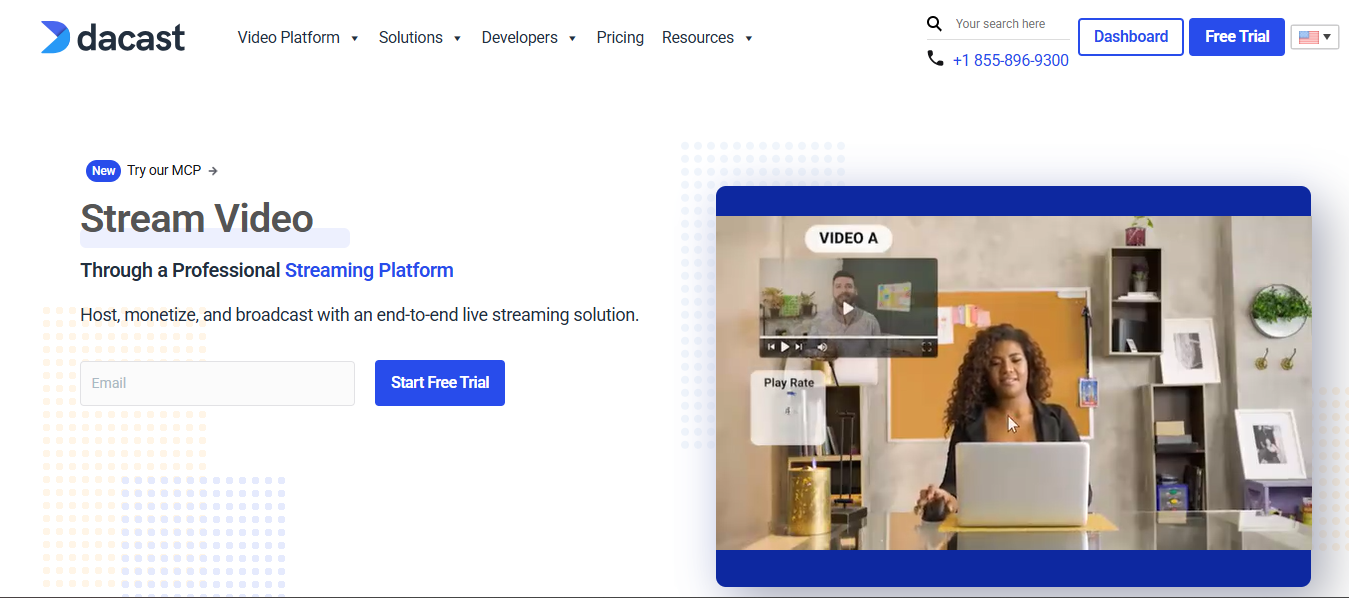
Dacast began primarily as a live streaming platform and over time has added VOD and OTT delivery features. It positions itself as a digital video platform for streaming that bridges:
- Live broadcast streaming
- OTT video delivery
- White-label video monetization
Unlike massive infrastructure players like Brightcove or Kaltura, Dacast is stronger in live streaming + integrated VOD for OTT use cases rather than enterprise-scale OTT ecosystems.
Its sweet spot includes:
- Event streaming enterprises
- Corporate communications
- Live sports and ceremonies
- Religious organizations
- Educational content delivery
- Broadcasters who want simple OTT/VOD components
Dacast is not primarily focused on ultra-modular backend architectures, it is more of a video platform with OTT capabilities baked in.
2. What Exactly You Get When You Buy Dacast
At the enterprise tier, Dacast provides a set of capabilities that enable video delivery without stitching together many systems:
Included in Dacast Enterprise Deployment
Video CMS
- Upload and manage VOD assets
- Playlist creation
- Metadata management
Live Streaming Engine
- Live feed ingest
- Adaptive bitrate streaming
- Simulcast options
- DVR & replay features
Content Delivery
- CDN delivery (built-in)
- HLS / DASH streaming
- Player embed capabilities
Monetization Tools
- Paywall integration
- Subscription billing
- Pay-per-view (TVOD)
- Coupon and discount engines
Security & Access Control
- Token authentication
- IP/domain restrictions
- Password protection
Analytics
- Viewer stats
- Bandwidth reporting
- Watch time metrics
This is a full video delivery stack with OTT monetization, though it is less deep in enterprise workflow automation than some competitors.
3. What You Must Purchase Separately
Even though Dacast includes a lot by default, enterprise buyers should budget for:
- Custom OTT App Development
For iOS, Android, Smart TVs (Roku, Samsung, LG, Apple TV), you’ll need external app development and publishing support. - Advanced Personalization Engines
Dacast’s built-in features focus on delivery and monetization, not advanced AI-driven recommendations. - CRM/Marketing Automation Integrations
You’ll need engineering resources or third-party tools to sync Dacast with CRM or automated customer engagement. - Dedicated Infrastructure for Ultra-Scale
For massive global events, enterprises often negotiate upgraded CDN agreements or peering arrangements. - Enterprise SSO / Identity Management
Business systems integrations beyond basic access control will require custom work. - Advanced Analytics/BI Tools
If your enterprise requires data warehouse level reporting, you’ll need external BI tooling or integrations.
In other words, Dacast handles video delivery and monetization basics, but deeper enterprise systems require external support.
4. Setup Timeline
Dacast is generally faster to launch than modular or architecture-heavy platforms.
Typical enterprise rollout:
- 2–4 weeks — For live streaming + VOD with basic monetization
- 4–8 weeks — For full low-effort OTT deployment with subscription/TVOD workflows + QA
Longer timelines (8–12 weeks) may occur if:
- Custom apps are built
- CRM/payment system integrations
- Live broadcast scheduling systems are integrated
- Custom compliance/governance processes are included
Compared to custom frameworks (Kaltura) or global infrastructure solutions (Brightcove), Dacast is quicker to operationalize.
5. Effort Required from Buyer
Effort Level: Low to Moderate
Minimal internal requirement scenario:
- Product lead for business logic
- Marketing or monetization specialist
- QA tester for workflows
- Project manager coordinating with Dacast support
Moderate effort scenario:
If you incorporate:
- Custom app development
- CRM integrations
- Advanced workflows
- On-premise or hybrid backend
Then internal or external engineering effort increases.
But overall, Dacast requires significantly less internal technical effort than Kaltura or other API-first backend solutions.
6. Pricing Reality
Dacast publishes some of its pricing tiers (unlike some enterprise vendors who keep pricing private).
Typical cost structures include:
Enterprise Plans Starting ~$188–$500+/month (for video & live streaming core)
But for enterprise requirements you should expect:
- $10,000+ annually at minimum
- $30,000–$100,000+ annually for higher bandwidth, advanced monetization and premium support (larger events or global deployments can exceed this)
Pricing depends on:
- Bandwidth tiers
- Storage use
- Live event frequency
- Monetization models
- Support tier (24×7 / SLAs)
Comparatively, Dacast is significantly more affordable than enterprise video stacks like Brightcove, but more expensive than creator-focused SaaS like Vimeo OTT for basic use.
7. Infrastructure Included vs External
Included in Dacast
- Cloud CDN delivery
- Adaptive streaming
- Encoding/transcoding
- Player embed technology
- Live streaming infrastructure
- TVOD/SVOD monetization support
- Analytics dashboards
External or Optional
- Custom OTT mobile/TV apps
- Enterprise CRM & user identity sync
- Large-scale event backend services
- AI personalization engines
- Dedicated CDN peering or negotiated SLAs
Dacast gets you a complete streaming infrastructure, but not full enterprise process automation.
8. Hosting & Server Considerations
Dacast operates a managed cloud hosting model, which means:
- No need for enterprise to spin up servers
- Built-in CDN handles delivery buffering and scaling
- Live event load balancing is managed
Enterprises do not need to provision their own servers for core streaming and delivery.
However:
- Peak loads (large live events) may need negotiated throughput scalability
- Dedicated cloud nodes (in advanced contracts) might be available upon request
- Hybrid deployments (internal + external systems) require architectural planning
For most enterprises, traditional server management is abstracted away.
9. Ongoing Operational Cost Considerations
Operational costs extend beyond the base platform subscription:
- Bandwidth Overages — Especially for high-media consumption content
- App Store Accounts & Certification Renewals
- Custom App Maintenance
- Payment Gateway & Billing Fees
- Ad Operations (if running AVOD)
- Marketing & Customer Support Teams
- Analytics Tools (external BI, if needed)
- Security Compliance Audits
- Premium Support Contracts
Even though Dacast abstracts infrastructure, enterprise operations still incur people, tooling, and compliance costs.
10. Future-Proofing
Dacast’s platform roadmap focuses on:
- Live + VOD + OTT hybrid delivery
- Monetization models
- Analytics updates
- Security & DRM enhancements
However:
- It is not as deeply modular or extensible as Kaltura
- It is not as monetization tech-heavy as JW Player
- It is not a full enterprise video backbone like Brightcove
Future proofing is strong for live OTT + VOD delivery, but enterprises that require:
- Telecom-grade architecture
- Deep API customization
- Massive global scaling
May need augmentation via external systems.
11. Vendor Risk & Stability
Dacast is an established, independent OTT technology provider with a track record in live streaming and VOD.
Vendor strength includes:
- Stable product portfolio
- Enterprise usage across sectors
- Active platform enhancements
- Clear pricing tiers
Compared to early-stage startups:
Vendor risk is low to moderate.
Compared to global infrastructure players like Brightcove or Kaltura:
Vendor scale & global capacity is moderate.
Enterprises should assess:
- SLA terms
- Support responsiveness
- Data export / vendor portability
- Long-term roadmap alignment
12. Ideal Enterprise Use Case
Dacast is best suited for enterprises that need:
- Live streaming + VOD delivery
- Monetization without heavy backend engineering
- Low to moderate internal tech effort
- Fast time-to-launch
- Predictable operational cost
- Managed cloud delivery infrastructure
Ideal sectors include:
- Event Producers (sports, concerts)
- Corporate Communications
- Education & Training Networks
- Religious Organizations
- Regional OTT with live focus
- Small-to-Mid Enterprise OTT
Not ideal if you require:
- Deep backend infrastructure control
- Modular architecture for bespoke workflows
- Telecom-scale global operations
- Ultra-customized applications across devices
Vimeo
1. Core Positioning in the Market
Vimeo positions itself as a creator-friendly, SaaS-based OTT and video hosting platform that bridges:
- Professional video hosting
- Branded OTT subscription platforms
- Creator monetization ecosystems
- Corporate video communications
Unlike Brightcove or Kaltura, Vimeo is not infrastructure-heavy or backend modular.
Unlike JW Player, it is not primarily ad-tech driven.
Unlike Dacast, it is not live-stream-first.
Instead, Vimeo’s positioning is:
“Simple, branded OTT subscription platform with minimal technical overhead.”
Its strongest positioning is in:
- Subscription video businesses
- Creator networks scaling to OTT
- Fitness, education, coaching platforms
- Niche OTT services
- Corporate internal streaming
For large enterprises, Vimeo is often seen as a mid-enterprise OTT SaaS solution, not a custom enterprise infrastructure backbone.
2. What Exactly You Get When You Buy Vimeo OTT
When an enterprise purchases Vimeo OTT, they receive a managed SaaS ecosystem designed for fast OTT monetization.
Core Capabilities Included
Video Hosting & Management
- Secure video upload & encoding
- Adaptive bitrate streaming
- Cloud hosting included
- Video library CMS
White-Label OTT Experience
- Branded OTT website
- iOS & Android apps (in higher tiers)
- Roku & Apple TV (depending on plan)
- Customizable themes
Monetization Engine
- SVOD (subscriptions)
- TVOD (pay-per-view)
- Free trials
- Coupons & discounts
- Payment gateway integrations
Streaming Infrastructure
- Global CDN delivery
- Video player embed tools
- DRM (higher tiers)
Analytics
- Viewer metrics
- Subscriber analytics
- Revenue tracking
- Engagement reports
Marketing Tools
- Email capture
- Basic promotional tools
- Discount campaigns
Unlike Kaltura or Brightcove, Vimeo does not sell modular infrastructure components and it delivers a fully packaged OTT SaaS environment.
3. What You Must Purchase Separately
For enterprise-level operations, Vimeo OTT has limitations that may require external systems.
Often Required Separately
- Advanced CRM & marketing automation
- Enterprise SSO integrations
- AI-based recommendation engines
- Advanced personalization tools
- Large-scale data warehouse integrations
- Custom app design beyond template limits
- Dedicated CDN peering agreements
- Enterprise-grade broadcast live production systems
Additionally:
- High-scale live streaming infrastructure may require upgrades.
- Custom feature requests may not be supported unless on Enterprise plans.
In short: Vimeo gives you the OTT business shell, but not deep enterprise customization flexibility.
4. Setup Timeline
One of Vimeo’s biggest advantages is speed.
Typical deployment:
- 1–3 weeks for branded OTT site
- 4–8 weeks for full OTT app publishing across devices
- Faster if using standard templates
Because Vimeo operates as SaaS:
- No server provisioning required
- No CDN configuration required
- No backend architecture planning required
Compared to Kaltura or Brightcove, Vimeo’s time-to-market is significantly faster.
5. Effort Required from Buyer
Effort Level: Low
Internal team requirements typically include:
- Content manager
- Marketing lead
- Customer support
- Basic technical coordinator
Minimal engineering required unless:
- Custom integrations are needed
- Enterprise CRM sync required
- Custom OTT UI modifications required
Compared to API-driven platforms, Vimeo is much less technically demanding.
However, enterprises requiring:
- Deep automation
- Custom workflows
- Multi-region architecture
Will experience limitations.
6. Pricing Reality
Vimeo OTT pricing depends heavily on:
- Revenue share vs flat fee model
- Subscriber count
- Storage usage
- Live streaming needs
- App development tier
Typical structures include:
- Monthly SaaS fee
- Revenue share percentage (depending on plan)
- App store publishing fees
- Payment gateway processing fees
For enterprise-level OTT businesses:
- Expect $1,000–$5,000+ per month
- High-revenue platforms may face revenue share costs
- Custom enterprise plans negotiated individually
Compared to Brightcove and Kaltura, Vimeo is generally:
- More affordable
- More predictable
- But less customizable
7. Infrastructure Included vs External
Included in Vimeo OTT
- Cloud hosting
- Global CDN
- Video transcoding
- OTT website
- Mobile apps (tier dependent)
- Monetization engine
- Subscription management
- Basic analytics
External or Not Included
- Advanced backend APIs
- Custom multi-tenant architecture
- Enterprise data lakes
- AI personalization layers
- Dedicated infrastructure nodes
- Deep workflow automation
Vimeo abstracts infrastructure complexity entirely.
Enterprises do not manage servers, but they also do not control them.
8. Hosting & Server Considerations
Vimeo uses a fully managed cloud infrastructure model.
Enterprises:
- Do not provision servers
- Do not configure CDN endpoints
- Do not manage scaling manually
Scaling is automated under Vimeo’s infrastructure.
However:
- Ultra-large global traffic spikes may depend on plan tier.
- Custom geographic compliance requirements may require review.
- On-premise hybrid architectures are not typical use cases.
For most subscription OTT businesses, hosting is frictionless.
For telecom-grade or broadcaster-grade networks, it may lack architectural flexibility.
9. Ongoing Operational Cost Considerations
Beyond subscription fees, enterprises must account for:
- Revenue share costs
- App maintenance & store renewal fees
- Payment processing fees
- Customer support teams
- Marketing & subscriber acquisition
- Content licensing
- Compliance & tax management
- Additional storage & bandwidth upgrades
Operational costs are lower than infrastructure-heavy platforms but scale with subscriber growth.
10. Future-Proofing
Vimeo invests heavily in:
- Creator monetization tools
- Subscription commerce
- Corporate video communication tools
- Live + VOD hybrid experiences
However:
It is not designed for:
- Deep custom backend architecture
- Highly modular telecom workflows
- Massive multi-territory broadcast licensing engines
- Highly specialized OTT engineering
Future proofing strength:
- Strong for subscription-driven OTT
- Strong for creator-led businesses
- Moderate for enterprise communications
- Limited for highly customized enterprise ecosystems
11. Vendor Risk & Stability
Vimeo is a publicly known brand with:
- Established global presence
- Large customer base
- Long operational history
- Diversified product lines
Vendor stability is considered low risk.
However:
- OTT is one vertical among many in Vimeo’s portfolio.
- Strategic focus may prioritize the creator economy over enterprise infrastructure.
Compared to startups: Very low vendor risk.
Compared to enterprise-focused video infrastructure giants: Moderate specialization depth.
12. Ideal Enterprise Use Case
Vimeo OTT is ideal for enterprises that:
- Want to launch subscription OTT quickly
- Do not want heavy engineering dependency
- Prefer SaaS simplicity over infrastructure control
- Focus on content monetization, not backend complexity
- Operate niche or vertical OTT platforms
- Need fast global rollout
Ideal industries:
- Fitness & coaching platforms
- Educational content networks
- Creator-driven brands
- Faith-based OTT
- Professional associations
- Mid-sized enterprise internal training
Not ideal for:
- Telecom-scale global broadcasters
- Highly customized OTT architecture
- Large-scale media conglomerates
- Enterprises requiring total backend control
Uscreen
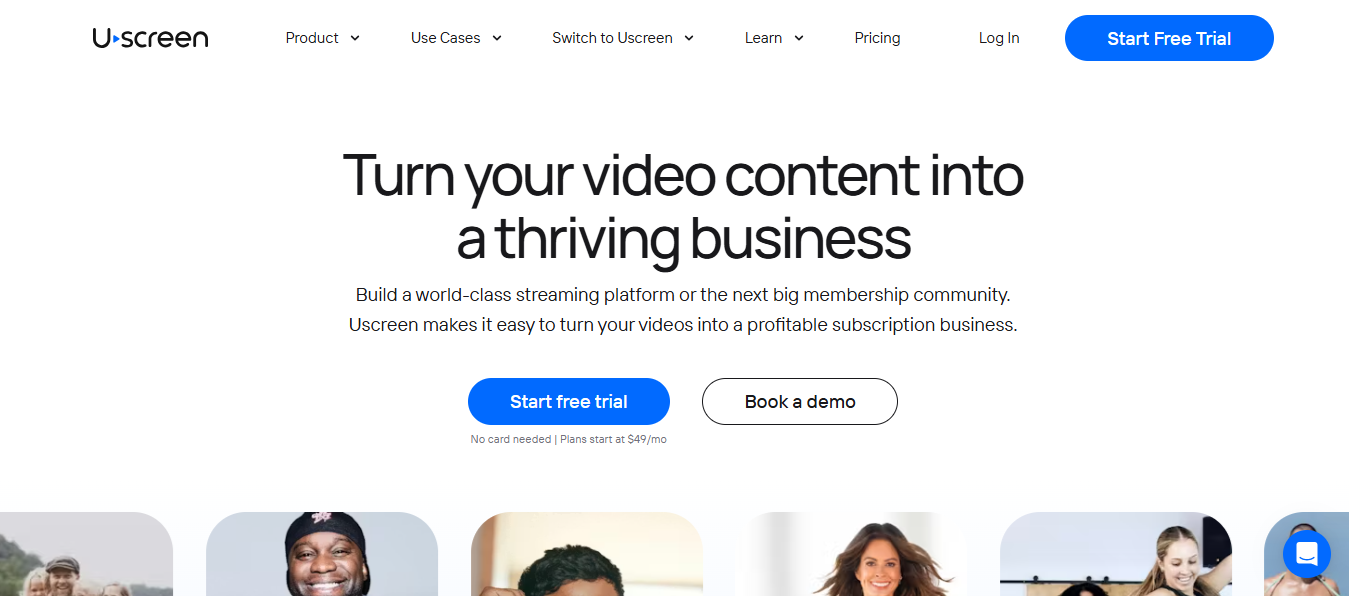
1. Core Positioning in the Market
Uscreen positions itself as a video monetization and OTT SaaS platform primarily focused on creators and membership-driven businesses. Unlike the heavy infrastructure providers (Brightcove, Kaltura), or event-centric platforms (Dacast), Uscreen sits in the monetization-centric OTT piece, with emphasis on:
- Subscription and community-based OTT
- Creator ecosystem and brand expansion
- Monetization via membership, subscriptions and paywalls
- Audience engagement tools
It is not a telecommunications or a broadcast infrastructure platform.
It is best described as:
A SaaS OTT platform for monetizing community-driven video businesses.
Its core audience includes fitness brands, coaches, creators, influencers, niche content networks and small to mid-sized enterprises seeking revenue-focused OTT platforms.
2. What Exactly You Get When You Buy Uscreen
When an enterprise subscribes to Uscreen, they get a suite of OTT monetization and audience engagement tools bundled in a SaaS package.
Included Capabilities
Video Hosting & Delivery
- Cloud storage & hosting
- Adaptive streaming
- Secure content delivery
Monetization Engines
- Subscription billing
- Membership tiers
- Paywall configuration
- One-time purchases (TVOD)
- Coupons & promotional codes
User Engagement Tools
- Community and comment features
- Email capture
- Automated notifications
- Member dashboards
Multi-Device OTT Apps
- Branded iOS & Android apps
- Smart TV app support (tier dependent)
Analytics & Insights
- Revenue tracking
- Engagement metrics
- Subscriber analytics
Security & Access Controls
- Secure access
- Privacy controls
- Payment compliance (PCI)
Uscreen emphasizes turnkey monetization and community engagement more than deep infrastructure control.
3. What You Must Purchase Separately
Uscreen’s value proposition is simplicity, but enterprise use often requires add-ons.
Separate Purchases or Integrations
- Advanced CRM Integration
For enterprise workflows with deep automation (e.g., Salesforce, HubSpot) - Custom OTT App Development
True white-label native app branding may require development hours - Automated Personalization Engines
Uscreen’s built-in tools focus on engagement, but not advanced AI personalization - Enterprise SSO/Identity Management
Corporations integrating with internal identity systems will need custom work - Dedicated CDN or Peering
For high-traffic enterprise use, upgraded CDN arrangements may be necessary - Payment Gateway Fees
Transaction costs from Stripe or other processors - Premium Support SLAs
Enterprise-level response times are typically extra - Custom API Integrations
Uscreen’s APIs facilitate integration but require developer involvement
4. Setup Timeline
Uscreen is known for fast deployments due to its SaaS nature.
- Typical Setup Time: 2–4 weeks
Breakdown:
- Week 1: Kickoff + platform setup
- Week 1–2: Content import + monetization configuration
- Week 2–3: App customization + billing setup
- Week 3–4: QA + launch
Some larger enterprises with:
- Custom apps
- Custom UX/UI
- CRM sync
- Enterprise billing
May extend the timeline to 6–8 weeks.
Yes, much faster than legacy infrastructure providers.
5. Effort Required from Buyer
Effort Level: Low-to-Moderate
Uscreen is designed so internal burden is minimal:
Internal teams typically required:
- Product/Program manager
- Content lead
- Marketing & acquisition team
- QA tester (for app workflows)
- Customer support
Engineering involvement is optional unless:
- Custom integrations
- API workflows
- Custom native app features are needed
For core launch and monetization workflows, you don’t need a full development team.
6. Pricing Reality
Uscreen pricing is subscription-based with revenue options and is more transparent compared to large enterprise providers.
Pricing components typically include:
- Base monthly fee — SaaS access
- Revenue share tiers (variable) — for monetization
- Payment gateway fees — Stripe/PayPal processing
- Premium support tiers — optional
- Native app publishing fees — if applicable
Typical cost ranges for enterprise usage:
- $150–$1,000+ per month base (plan dependent)
- Revenue share component can vary by plan
- App publishing & certification costs apply separately
Compared to enterprise infrastructure platforms, Uscreen is far more affordable, but the trade-off is less infrastructure control and scalability complexity.
7. Infrastructure Included vs External
Included
- Content hosting/storage
- Global CDN delivery
- Adaptive video streaming
- Subscription & paywall services
- Monetization engine
- App distribution support
External or Optional
- CRM & identity tools
- Enterprise SSO
- Dedicated CDN peering
- Third-party analytics
- Custom developer workflows
Uscreen abstracts infrastructure so internal teams do not manage servers or traffic scaling.
This makes it ideal for organizations that prioritize monetization and subscriber growth, not backend engineering.
8. Hosting & Server Considerations
Uscreen abstracts hosting entirely:
- No on-premise server setup
- Cloud hosting scaled by platform provider
- CDN included in SaaS
- Automatic scaling to traffic levels
For enterprises expecting:
- Massively concurrent global traffic
- Hybrid cloud architectures
- Regulatory compliance requiring private infrastructure
Uscreen’s model may be limiting, because all hosting decisions are SaaS provider-orchestrated.
This trade-off is intentional: ease of use vs. deep infrastructure control.
9. Ongoing Operational Cost Considerations
Costs extend beyond base SaaS:
- Payment processor fees
- Revenue share portion of monetization plans
- App store developer accounts
- App store certification renewals
- Marketing & customer acquisition spend
- Support/operations teams
- Analytics tools
- CRM & email marketing tools
Although Uscreen simplifies operations, enterprise budgets should plan for full monetization and growth expenses, not just platform fees.
10. Future-Proofing
Uscreen’s strengths in future relevance:
- Subscription and membership focus
- Built-in monetization flexibility
- Community engagement tools
- Fast global rollout
- App support across major device platforms
However, Uscreen is not focused on deep backend frameworks, API-first extensibility or telecom-grade infrastructure.
Future proofing is strong for:
- Creator-led businesses
- Subscription communities
- Fitness, education, niche OTT brands
Less so for:
- Complex enterprise workflows
- Hybrid compliance infrastructures
- Deep custom API ecosystems
11. Vendor Risk & Stability
Uscreen has:
- Established market presence
- Growing enterprise and creator user base
- SaaS model with continuous updates
- Accessible support channels
Vendor risk is low to moderate compared with startups.
But:
- Uscreen is a monetization platform first, not a video infrastructure vendor
- Enterprise roadmap dependencies are driven by SaaS priorities
Compared to global giants like Brightcove or Kaltura, Uscreen has less infrastructure specialization, but offers lower vendor risk for SaaS stability.
12. Ideal Enterprise Use Case
Uscreen is best for enterprises that want:
- Fast OTT monetization launch
- Subscription and membership revenue models
- Minimal internal engineering effort
- Branded mobile and TV apps
- Community engagement + analytics
- Predictable subscription costs
Typical enterprise segments:
- Content creators & learning platforms
- Fitness & wellness brands
- Professional coaching networks
- Internal enterprise training + subscription units
- Small-to-mid enterprise OTT brands
- Membership-driven video communities
Not ideal for:
- Telecom or broadcaster-grade OTT infrastructure
- Ultra-custom backend workflows
- Deep APIs for hybrid internal ecosystems
- Massive concurrent live global events
- Complex enterprise identity systems
Turn OTT Software Complexity into Revenue with the Right OTT Solution
| OTT Challenge | Revenue Opportunity |
| High infrastructure costs | Redirect funds into content + marketing |
| Lack of DRM | Ability to charge premium pricing |
| Regional CDN issues | Lower churn & higher retention |
| No hybrid monetization | Multiple revenue streams (SVOD/AVOD/TVOD) |
| Weak analytics | Data-driven retention optimization |
| Limited device support | Larger paying audience (CTV conversion) |
1. “Transcoding pipelines become expensive fast”
Lower Infrastructure Cost = Higher Profit Margins
If you avoid building your own encoding stack:
- Save $50,000–$150,000+ in dev costs
- Avoid 20–30% ongoing infra waste
- Launch faster
Instead of burning cash on bitrate ladders, you invest in content & marketing.
Profit Impact: Higher margin per subscriber from Day 1.
2. “DRM is harder than people assume”
Built-in DRM = Content Protection = Revenue Protection
Without DRM:
- Piracy = lost subscriptions
- Studios won’t license content
With DRM ready:
- Secure premium content
- Charge higher subscription fees
- Attract enterprise clients
Protected content = premium pricing power.
3. “CDN performance changes region-to-region”
Multi-CDN = 95% Fewer Complaints = Lower Churn
Buffering = cancellations.
If 5% churn drops to 3%:
On 5,000 subscribers at $10/month:
- 2% saved = 100 retained users
- That’s $1,000/month saved
- $12,000/year retained
Better streaming = direct revenue retention.
4. “Creators want branding flexibility”
White-Label Branding = Higher Perceived Value
When users subscribe to:
- Your brand (not YouTube)
- Your ecosystem
- Your community
You:
- Control pricing
- Control upsells
- Own customer data
Ownership multiplies lifetime value (LTV).
5. “Subscription systems are messy”
Advanced Monetization = More Revenue Streams
Instead of just SVOD:
- Add TVOD (pay-per-view events)
- Add AVOD (ads for free users)
- Add hybrid plans
Example:
1,000 subs × $10 = $10,000/month
- 200 PPV buyers × $20 event = $4,000
- Ads = $2,000
Same audience. 3 revenue layers.
6. “Analytics is a must-have”
Data = Smarter Monetization
If analytics shows:
- 70% drop at episode 3
- High engagement for certain genre
You:
- Fix retention leaks
- Promote top-performing content
- Increase watch time
Even a 10% retention increase can boost LTV by 20–30%.
Data compounds revenue.
7. “Native OTT apps are 10× harder”
Multi-Device Apps = Bigger Paying Audience
Users watching on TV convert better than mobile-only viewers.
CTV users often:
- Watch longer
- Pay more
- Churn less
More screens = more monetizable moments.
Wider distribution = larger revenue ceiling.
8. “Player UX affects retention”
Better UX = Longer Subscriptions
Features like:
- Resume watching
- Recommendations
- Autoplay
Can increase session time by 25–40%.
Longer sessions = stronger habit formation.
Habit = recurring payments.
9. “Multi-CDN reduces complaints”
Regional Optimization = Global Revenue
If you target:
- India
- SEA
- LATAM
Performance is everything.
Smooth streaming in high-growth markets = scalable subscriber growth.
Emerging markets = massive upside.
10. “Building from scratch is expensive”
SaaS OTT = Lower Barrier to Entry
Instead of:
- Hiring 8 engineers
- 12–18 months dev time
- $300k–$1M budget
You:
- Launch in weeks
- Pay predictable SaaS cost
- Focus on revenue generation
Lower risk + faster monetization cycle.
The Big Psychological Flip
What sounds like:
- “Infrastructure complexity”
- “Tech headaches”
- “Cost drain”
- “Engineering nightmare”
Actually becomes:
- Revenue protection
- Churn reduction
- Monetization expansion
- Profit margin optimization
- Faster go-to-market
The Real Opportunity
You don’t make money by building technology.
You make money by:
- Controlling distribution
- Owning subscribers
- Reducing churn
- Layering monetization
- Protecting content
- Scaling globally
If you need deeper customization beyond what SaaS offers, you can also hire developers to build your own OTT platform.
Best Value for Money in OTT Platform Providers
What You Can Compromise and What You Absolutely Cannot
- Launching an OTT business is not about choosing the most expensive platform.
- It’s about choosing the right compromise.
- Every OTT vendor gives you trade-offs.
The smart founder asks:
“What can I sacrifice safely and what must I protect at all costs?”
What You Should NEVER Compromise On
| Must-Have | Why It Matters |
| Adaptive bitrate streaming | Prevents buffering – ensures retention |
| Reliable multi-CDN | Reduces churn from regional issues |
| Monetization flexibility | Increases revenue channels |
| DRM protection (for premium content) | Protects revenue & licenses |
| Analytics ecosystem | Enables data-driven optimization |
| Payment/entitlement workflows | Avoid missed conversions |
These directly affect revenue and retention.
1. Streaming Stability (CDN + Transcoding)
If your OTT video platform buffers, users cancel.
You cannot compromise on:
- Adaptive bitrate streaming
- Reliable CDN
- Mobile + Smart TV performance
If budget is tight → compromise on design, NOT streaming performance.
2️. Payment & Monetization Flexibility
You must have:
- Subscription (SVOD)
- Pay-per-view (TVOD)
- Promo codes / trials
- Regional pricing
Revenue flexibility = profit growth.
If a platform locks you into one monetization model, skip it.
3. DRM & Content Protection (If Premium Content)
If you’re licensing films or premium courses, DRM is non-negotiable.
Without protection:
- Piracy risk
- Studio rejection
- Revenue leakage
4️. Analytics
Without analytics, you’re guessing.
Retention = data-driven.
Never give this up.
What You CAN Compromise On
| Negotiable Feature | When to Compromise |
| Netflix-level UI | Start with functional templates |
| Complete backend ownership | SaaS can solve core needs |
| All devices launched at once | Prioritize web + mobile first |
| Full source code access | SaaS ≫ in-house unless tech core |
| In-house transcoding infrastructure | Built-in solves most use cases |
This is where “best value for money” comes in.
Custom UI Perfection
You don’t need Netflix-level UI on Day 1.
If needed, start with:
- Template-based OTT app software
- Standard layouts
Upgrade later.
Full Source Code Access
Unless you’re a tech-heavy enterprise:
- You don’t need full OTT software development control initially.
- SaaS > heavy customization for 80% of businesses.
Every OTT Device on Day 1
You can start with:
- Web
- Mobile apps
Add Roku, Apple TV, Fire TV later.
In-House Infrastructure
Building your own OTT software stack?
Massive cost.
Unless streaming tech IS your core product, avoid it.
The Real “Best Value for Money” Formula
Value ≠ cheapest platform.
Value = (Revenue Potential + Stability + Monetization Flexibility) ÷ (Setup Cost + Maintenance Complexity)
The best OTT platform provider isn’t the biggest name.
It’s the one that:
- Lets you launch fast
- Keeps churn low
- Gives monetization control
- Doesn’t drain your budget
If you are looking to start a TV channel, then your app can be launched in minutes.
Why Choose Flicknexs
- Maximize Audience Engagement: Deliver a smooth, captivating viewing experience that keeps your audience coming back.
- Increase Revenue Opportunities: Turn your content into multiple income streams, including subscriptions, advertising, and premium access.
- Boost Brand Authority: Offer a professional, reliable platform that builds trust and loyalty with your viewers.
- Accelerate Growth: Scale effortlessly as your audience grows, expanding reach without limits.
- Empower Content Creators: Provide tools and flexibility that attract top creators and diverse content.
- Data-Driven Decisions: Gain actionable insights to optimize content strategy, improve retention, and grow your business.
- Reduce Operational Complexity: Focus on content and growth while Flicknexs handles the technical heavy lifting.
- Future-Ready Platform: Adapt to new trends, formats, and audience behaviors without disruption.
Discover how Flicknexs turns capabilities into results by exploring our full case study.
Conclusion
By 2026, OTT is no longer an emerging channel. It is a core digital distribution infrastructure powering a multi-billion-dollar global media economy. Audience behavior has permanently shifted to internet-delivered content and enterprises that optimize distribution, monetization agility and operational scale will dominate market share.
The critical insight:
Revenue is not created by technology alone. It is created by owning customer relationships, minimizing churn, diversifying monetization models and accelerating time-to-market.
The right OTT platform software is not the most complex or expensive solution.
It is the one that delivers:
- Rapid deployment
- Scalable architecture
- Monetization flexibility (SVOD, AVOD, TVOD, hybrid)
- Revenue predictability
- Reduced technical and operational risk
In strategic terms:
Select the OTT solution that safeguards revenue and accelerates growth, not one that increases technical debt and cost burden.
For media enterprises, digital brands, education platforms and regional broadcasters, OTT in 2026 represents a structural opportunity: to own distribution, own audience data and control long-term revenue economics.




Leave a Reply