
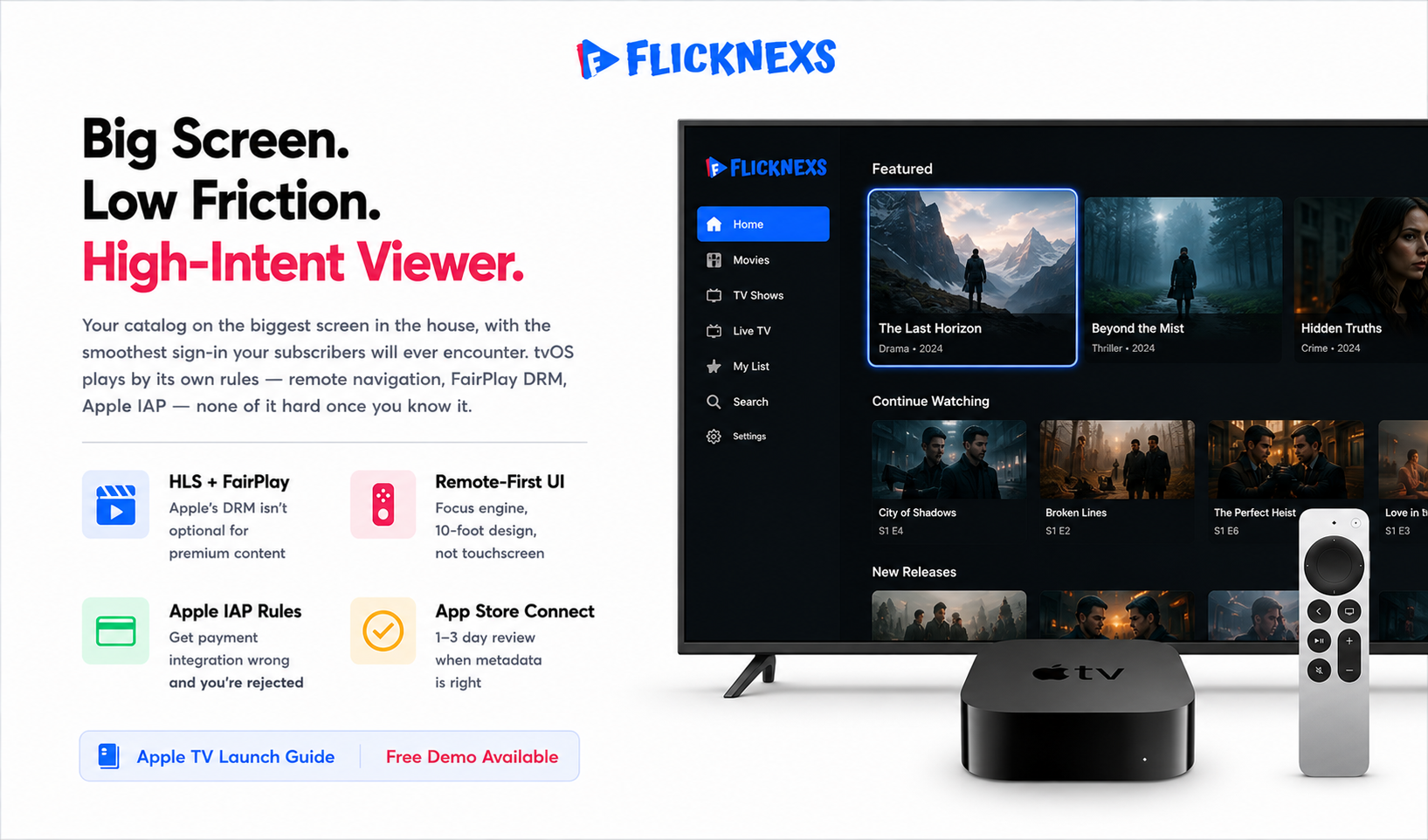
Building an Apple TV app comes down to a few real decisions: you write it native in Swift and SwiftUI or you go through a no-code OTT builder. Either way, you wire it to your video backend and DRM, hook up Apple’s In-App Purchase or your own subscription system, then submit through App Store Connect and wait for Apple to sign off. Budget $99 a year for the Apple Developer Program, design your navigation around a remote instead of a touchscreen and plan on HLS streaming with FairPlay protection, because that part isn’t negotiable. A managed builder can get you live in a few days. A custom native app takes weeks, sometimes months. Apple’s review itself usually takes one to three days, but get the metadata, sign-in or payment rules wrong and that timeline stretches fast.
By the Flicknexs team. We build white-label OTT/VOD/IPTV streaming platforms, so this comes from actually shipping these apps, not from reading Apple’s docs once.
Here’s why the Apple TV app is worth the effort it puts your catalogue on the biggest screen in the house and the sign-in experience is the smoothest your subscribers will ever encounter. Big screen, low friction, high-intent viewer. Good luck finding that combination anywhere else in your stack.
But tvOS plays by its own rules and doesn’t apologize for it. The remote-first, focus-driven navigation behaves like nothing else you’ve built for. The payment rules are strict enough that misreading them gets your app rejected outright. FairPlay DRM isn’t a suggestion for protected content, it’s a requirement. None of this is hard once you know it. All of it will slow you down if you don’t.
This guide walks through Apple TV app development end to end what you actually need, the technical calls that matter, how submission really works and the specific mistakes that delay launch for first-time publishers.
What you need before you start
Before a single line of code or a builder project, line up the prerequisites. Missing one of these is the most common reason a launch slips.
- Apple Developer Program membership. An organization account costs $99/year and requires a D-U-N-S number for companies. Allow several days for verification.
- A working video back end. Your VOD catalog and/or live channels must already be available as HLS (HTTP Live Streaming) streams, ideally adaptive bitrate, with a content API your app can call for menus, metadata and playback URLs.
- DRM strategy. For premium content, Apple’s native DRM is FairPlay Streaming. If you also serve Android, you’ll pair FairPlay with Widevine and PlayReady via a multi-DRM provider.
- Monetization model. SVOD (subscription), TVOD (rent/buy), AVOD (ads) or a hybrid. This decision drives whether you must use Apple In-App Purchase.
- Brand assets. App icon layers (tvOS uses layered “parallax” icons), a top-shelf image, splash screens and store screenshots at Apple’s required sizes.
- Accounts and sign-in. A user authentication system and ideally support for Sign in with Apple.
Native build vs no-code OTT app builder
The first real decision is how the app gets built. There’s no universally correct answer. It depends on your timeline, budget and how custom your experience needs to be.
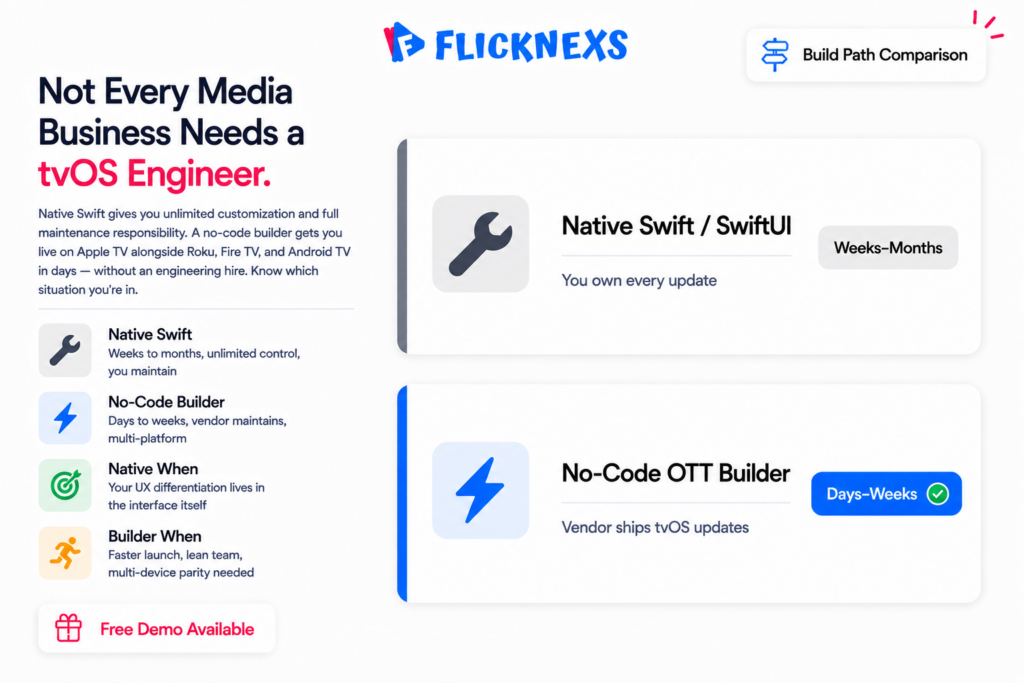
| Factor | Native (Swift/SwiftUI) | No-code OTT builder |
|---|---|---|
| Time to store | Weeks to months | Often days to a couple of weeks |
| Upfront cost | High (developer time) | Lower / subscription-based |
| Customization ceiling | Unlimited | High within the template system |
| Maintenance burden | Yours, ongoing | Largely handled by the vendor |
| tvOS updates | You track and adapt | Vendor ships updates |
| Best for | Unique UX, large engineering teams | Faster launch, lean teams, multi-platform parity |
Not every media business needs to hire a tvOS engineer to get on Apple TV.
If you want to be live on Apple TV and Roku, Fire TV, Android TV, web and mobile alongside it, a managed white-label builder like Flicknexs OTT App Builder does the unglamorous work for you focus engine, HLS playback, DRM, store packaging. You just handle branding and catalog. Think of it like leasing a car instead of building one from scratch. Same road, same destination, far less time under the hood.
Native only makes sense when your differentiation actually lives in the interface itself, something no template can replicate. If that’s not your situation, you’re paying an engineering tax for control you’re not going to use. For a deeper comparison see our guide to a no-code OTT app builder.
Step-by-step: launching your Apple TV app
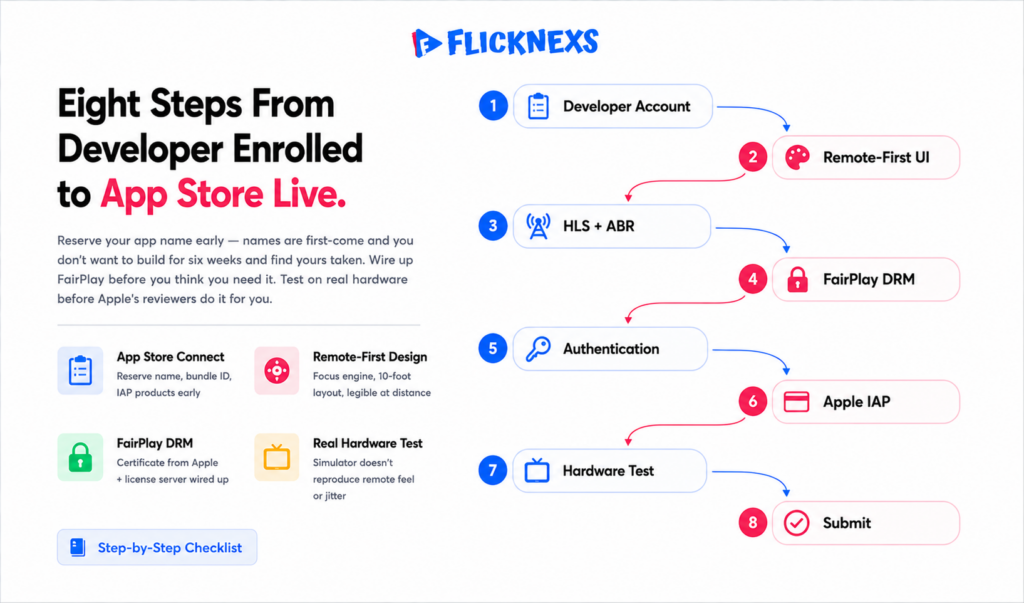
1. Enroll and set up App Store Connect
Enroll in the Apple Developer Program, then create your app record in App Store Connect. Reserve your app name early. Names are first-come and you don’t want to build for six weeks only to find yours taken. Set up your bundle identifier here too and if you’re using In-App Purchase, this is where those products get configured.
2. Design for the remote, not the touch screen
tvOS runs on a focus engine. Users move a highlight from element to element with the remote instead of tapping coordinates on a screen. Lay out rows of artwork that grow when focused, keep your most important content above the fold and make sure text is legible from ten feet away. That “10-foot experience” isn’t a marketing phrase, it’s an actual constraint you design against. Read Apple’s Human Interface Guidelines for tvOS before you lock in your layout.
3. Integrate streaming and playback
Apple TV plays HLS natively. Serve adaptive-bitrate renditions so playback holds up across different home Wi-Fi conditions and use AVPlayer (or your builder’s player) for native controls, scrubbing and AirPlay-style behavior. If you’re running live channels or IPTV, confirm your manifests and latency targets actually hold up on tvOS specifically. Living-room expectations aren’t mobile expectations. Here’s something that bites teams in practice a stream that plays fine on a phone over LTE can stall on a TV behind a congested home router, because that living-room set is competing with every other device on the network. Test the worst-case connection, not your office Wi-Fi.
4. Add DRM (FairPlay)
For paid or licensed content, wire up FairPlay Streaming so your media stays encrypted and license-gated. You’ll need a FairPlay certificate from Apple and a license server, either your own or a multi-DRM vendor’s. If your content is free or ad-supported and the rights don’t require protection, you might get away without DRM. Most premium catalogs won’t have that luxury.
5. Handle authentication and entitlements
Let existing subscribers sign in and decide upfront how new users sign up. A common, App-Store-friendly pattern let users authenticate against accounts created on your website, then check entitlement server-side. Supporting Sign in with Apple is a smart UX call and Apple sometimes requires it if you’re already offering other third-party sign-in options.
6. Wire up monetization correctly
This is where launches most often get rejected. Apple’s rules: if you sell digital subscriptions or content consumed inside the app, you generally must use Apple In-App Purchase (and Apple takes a commission). You cannot add in-app buttons or links that steer users to pay outside the App Store unless you qualify for a specific exception (for example, “reader” apps). The cleanest approaches:
Pick a model that matches both your business and Apple’s guidelines before you build the paywall, not after.
This is where launches get rejected most often. Apple’s rule is blunt if you sell digital subscriptions or content consumed inside the app, you generally have to use Apple In-App Purchase and Apple takes its commission. You can’t add buttons or links that steer users to pay outside the App Store, unless you qualify for a specific exception like the “reader” app category. Three approaches actually work:
- In-App Purchase for subscriptions sold inside the tvOS app.
- Authenticate-only apps where users subscribe on the web and simply log in on Apple TV (no purchase UI in the app).
- AVOD where revenue is from ads, not in-app payments.
Pick the model that fits both your business and Apple’s guidelines before you build the paywall. Not after.
7. Test on real hardware
Simulators don’t reproduce remote feel, real network jitter, or 4K decoding behavior. Test on an actual Apple TV across Wi-Fi conditions, check focus order with the remote, verify resume/continue-watching, and confirm DRM playback end to end.
8. Prepare metadata and submit
Upload your build via Xcode or your builder’s pipeline, complete App Store Connect metadata (description, keywords, age rating, privacy “nutrition label,” screenshots, top-shelf art) and submit for review. Provide a working demo account so reviewers can get past your login. A missing or broken test login is a frequent rejection cause and it’s a painful one because the clock resets while you scramble to fix a five-minute oversight.
What Apple’s reviewers look for
Apple review for tvOS apps generally lands in the 1-3 day range, though it varies. The recurring rejection themes we see:
- Payment rule violations: external purchase links or sign-up flows that bypass In-App Purchase.
- Broken or missing demo credentials: reviewers can’t access gated content.
- Incomplete metadata or privacy disclosures, especially data-collection answers.
- Placeholder content or crashes: empty catalogs, dead links, unhandled playback errors.
- Poor remote navigation: focus traps where users can’t move or exit.
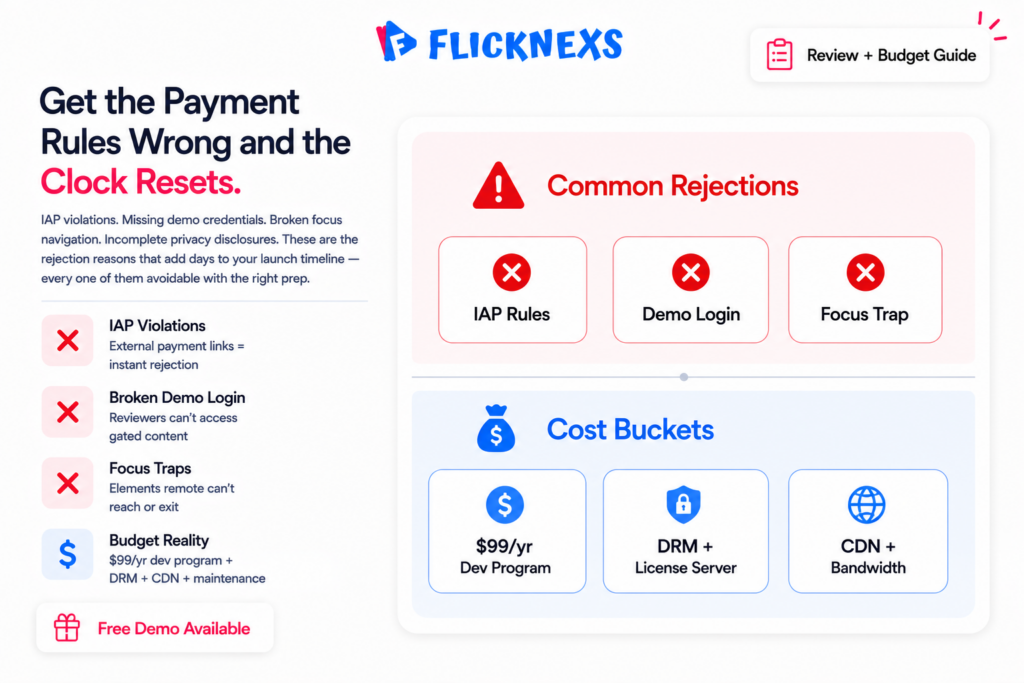
Fix these proactively and your first submission has a far better chance of passing clean.
Budget and timeline expectations
Costs vary a lot by approach here, so treat these as honest ranges, not fixed numbers you can bank on. The Apple Developer Program runs $99 a year, that part’s simple. Beyond that, it splits into two very different paths. A no-code or white-label route is typically a predictable subscription or project fee and it usually gets you to the store fastest. A fully custom native build means developer salaries or agency fees and a much longer runway before launch.
Don’t forget the ongoing cost either. Every major tvOS release and every Apple policy change is maintenance you or your vendor, has to absorb. It doesn’t stop once you’re live. Factor in DRM and license-server costs too, plus CDN and bandwidth for delivery, both of which scale right along with your audience. A small catalog with a few hundred viewers costs almost nothing to run. A hit show with a spike in concurrent viewers will show you exactly how those costs scale.
If you’re planning to expand beyond a single Apple TV app into a full linear channel experience, you can create online tv channel alongside your on-demand catalog.
Ready to launch your own TV channel? Start with Flicknexs →
Frequently asked questions
Related guides
- OTT Apps for Every Device: Roku, Fire TV, Apple TV, Android TV & Smart TVs (hub)
- How to Build and Publish an Amazon Fire TV App for Your OTT Service
- No-Code OTT App Builder: Launch Branded TV & Mobile Apps Without Developers
Ready to build?
If you’re planning your next TV Apps project, Flicknexs handles the video infrastructure end-to-end — so you can ship in weeks, not months.
- get a Flicknexs Apple TV app
- see Flicknexs pricing
More on TV app development
Continue exploring more on this topic across the Flicknexs blog.

