
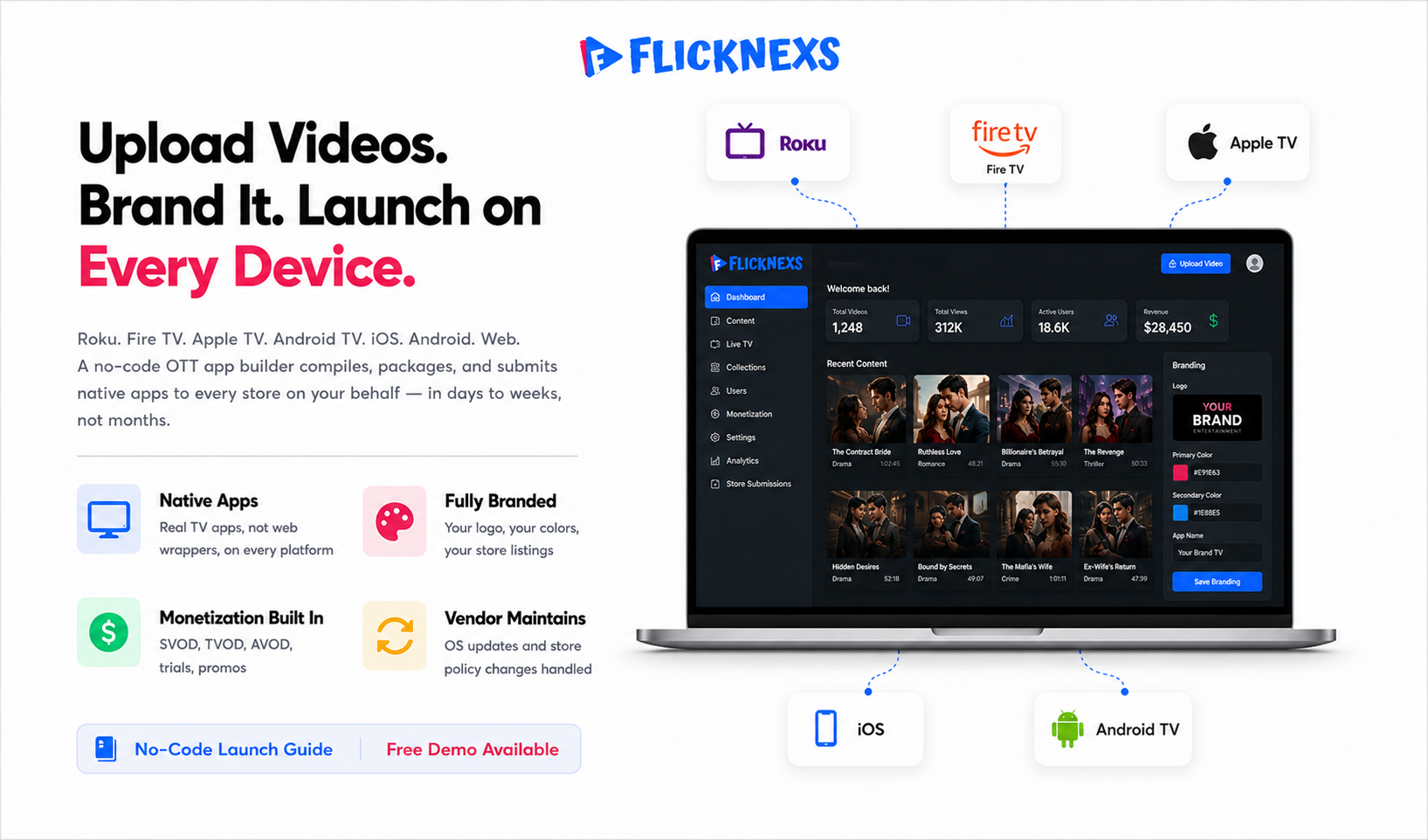
A no-code OTT app builder lets you launch branded streaming apps across TV and mobile, Roku, Fire TV, Apple TV, Android TV, iOS and Android, without writing a line of code or hiring a developer. You upload videos, choose your monetisation model, subscription, transactional or ad-supported, brand the interface with your logo and colours and the platform compiles, packages and submits native apps to each store on your behalf. With our no-code app builder, you can easily create your own OTT platform and launch branded streaming apps across multiple devices instantly.
By the Flicknexs team. We build white-label OTT/VOD/IPTV streaming platforms, so this is written from hands-on streaming-platform experience.
If you run a media business, a fitness brand, a faith organization, an education company, or a niche content catalog, the hard part of going direct-to-consumer was never the idea. It’s the engineering. Building native apps for six device families, wiring up a video pipeline, integrating billing and keeping all of it current as store policies shift is a full engineering department’s worth of work. A no-code OTT app builder collapses that into a configuration exercise. This guide covers what these platforms actually do, where they shine, where they don’t and how to evaluate one without getting burned.
What a no-code OTT app builder actually does
“No-code” gets thrown around so much it starts to sound like marketing fluff. So let’s be concrete about what it actually means. A serious no-code OTT app builder bundles four engineering disciplines into one product so you never have to touch any of them yourself.
The four layers it handles for you
- Video infrastructure: transcoding your source files into adaptive bitrate streams in HLS and DASH, storing them and delivering through a CDN so playback holds up on a phone over cellular and a 4K TV on fibre equally wel
- Native app generation: compiling and packaging apps for each platform’s SDK and submitting builds to the App Store, Google Play, Roku Channel Store, Amazon Appstore and the Android TV and Google TV listing.
- Monetization and billing: Subscriptions, pay-per-view, free trials, coupons and ad insertion all get handled here, along with the in-app-purchase rules Apple and Google force every developer to follow.
- Content management: A dashboard where your non-technical staff uploads videos, builds categories, schedules releases, manages metadata and publishes updates. Those updates hit every device without triggering a new app submission.
The part worth paying attention to is that last point. Most of your day-to-day work, adding content, swapping artwork, running a promotion, happens entirely through the dashboard. None of it touches the store. App updates, meaning new features or OS-mandated changes, are a different story, but routine content operations never require a fresh review cycle.
What “branded” and “white-label” mean here
“White-label” means the app carries your brand not the vendor’s. Viewers download “Your Channel,” see your logo on the splash screen and never know a third party built the thing. A true white-label builder publishes under your developer accounts, or helps you set them up, so you own the store listings and the customer relationship outright.
This matters more than most people realise until they’re in a situation where it does. If you ever switch vendors, you want to keep your apps, your subscribers and your reviews. Lose those and you’re starting from zero regardless of how many downloads you built up. That’s not a hypothetical risk worth ignoring.
No-code vs custom development vs open source
There are three realistic paths to a branded OTT app. The right one depends on your budget, your timeline and how unusual your requirements really are.
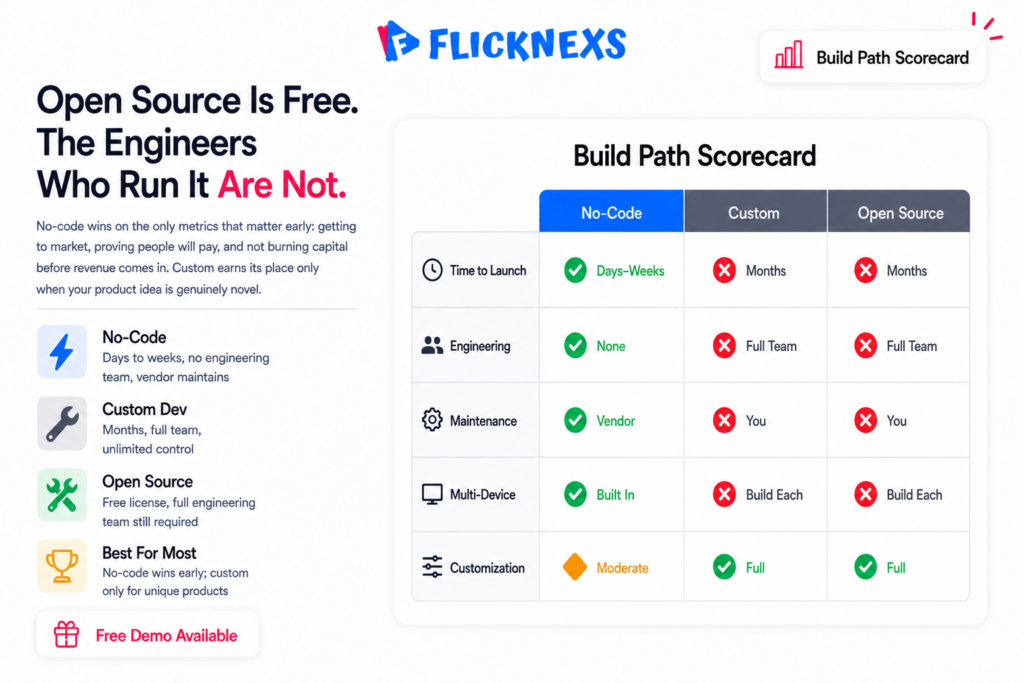
| Factor | No-code OTT builder | Custom development | Open-source / DIY |
|---|---|---|---|
| Time to launch | Days to weeks | Many months | Months (plus hiring) |
| Upfront cost | Low to moderate | High | Low cash, high labor |
| Engineering team needed | None | Full team | Full team |
| Maintenance & OS updates | Vendor handles | You handle | You handle |
| Customization ceiling | Moderate to high | Unlimited | Unlimited |
| Multi-device coverage | Built in | Build each yourself | Build each yourself |
| Best for | Most content businesses | Unique product requirements | Teams with strong engineering and time |
For the large majority of content owners, the no-code route wins on the only metrics that actually matter early: getting to market, proving people will pay and not burning capital before you have revenue coming in. Custom development earns its place when your product idea is genuinely novel, an unusual interaction model, proprietary tech or integrations no existing platform supports. Open source is rarely the bargain it looks like. The licenses are free. The senior engineers who keep a production video stack alive at 2am are not.
Devices a good builder should cover
Audience reach on connected TV is splintered across platforms, so coverage breadth is one of the first things to check. A capable no-code OTT app builder should produce apps for, at minimum:
- Connected TV: Roku, Amazon Fire TV, Apple TV (tvOS), Android TV / Google TV and Samsung/LG smart TVs.
- Mobile: iOS (iPhone and iPad) and Android.
- Web: a responsive browser player so viewers can watch without installing anything.
Each store has its own rules. Apple, for one, enforces strict in-app-purchase requirements and a human review process; you can read the current expectations in Apple’s App Store Review Guidelines. Web performance and playback quality are governed by widely adopted standards and web.dev’s media guidance is a solid neutral reference for what “good” looks like on the web tier. For the underlying streaming protocols, adaptive bitrate delivery via HTTP Live Streaming (HLS) is the de facto baseline most builders use.
If you want a deeper device-by-device breakdown, see our hub guide on OTT apps for every device, plus the focused walk-throughs on building an Amazon Fire TV app and launching an Apple TV app.
Monetization without writing a line of code
The point of going direct-to-consumer is revenue and a good builder bakes in every common model so you can mix and match.
The three core models
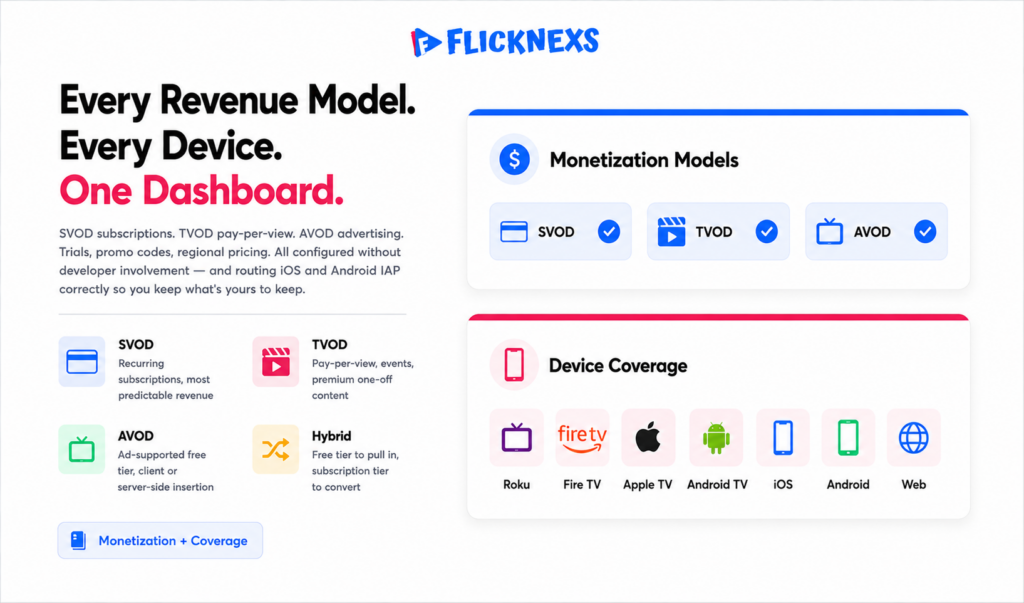
- SVOD (subscription): recurring monthly or annual access. The most predictable revenue and the model most subscribers already expect.
- TVOD (transactional): pay-per-view or rent/buy. Great for events, premieres and premium one-off content.
- AVOD (advertising): free to the viewer, monetized with ads. Works at scale; client-side and server-side ad insertion are both common.
Most operators who do well run a hybrid: say, a free ad-supported tier to pull viewers in and a subscription tier to convert the engaged ones. A capable platform also handles trials, promo codes and regional pricing without developer involvement. One caveat worth burning into memory: in-app purchases on iOS and Android answer to the stores’ own commission and billing rules, while web sign-ups can run through your own payment processor. That gap is real money. A mature builder routes each path correctly so you stay compliant and keep what’s yours to keep. Our broader take lives on the Flicknexs OTT app builder page.
How to evaluate a no-code OTT app builder
Not all “no-code” platforms are equal. Run this checklist when you’re comparing vendors.
Ownership and lock-in
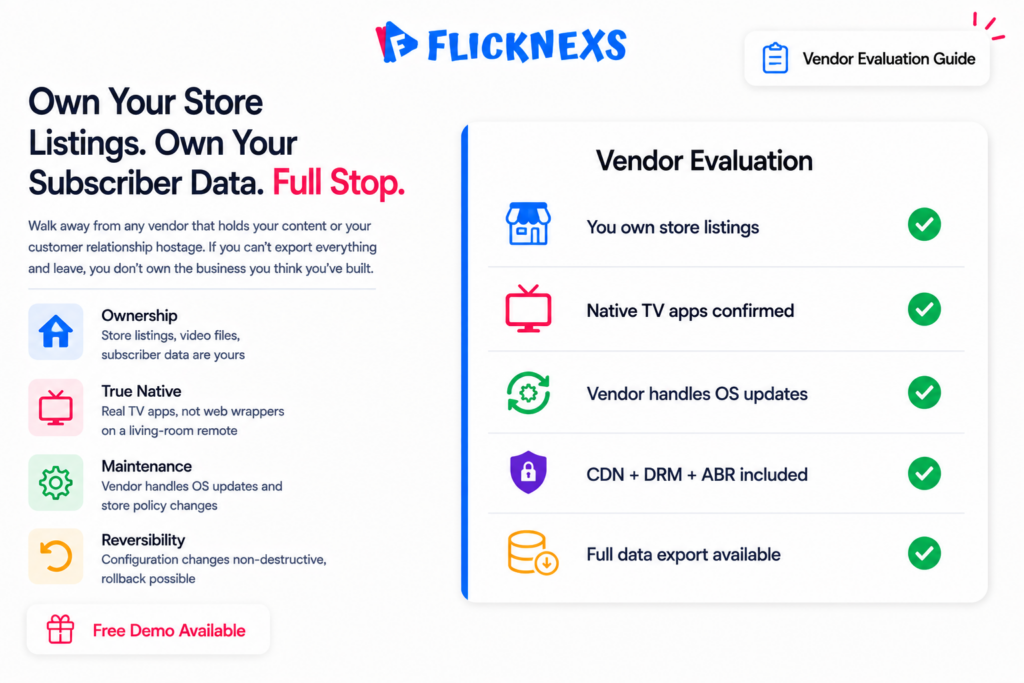
Do you own your store listings, your video files, and your subscriber data? Can you export everything if you leave? Walk away from any vendor that holds your content or your customer relationship hostage.
True multi-device coverage
Confirm the apps are native on TV platforms, not just a web wrapper. TV remotes, focus navigation and 10-foot UI conventions matter a lot for retention and here’s what actually happens with a wrapped web page on a living-room screen: the cursor logic fights the remote, focus jumps to the wrong tile and people give up before they find the play button. It feels wrong even if a viewer can’t say why.
Update and maintenance model
Who handles OS updates, store-policy changes and security patches? On a no-code platform this should be the vendor’s job. Ask specifically what happens when, say, a new tvOS version ships.
Streaming quality and reliability
Ask about adaptive bitrate, CDN delivery, DRM options for premium content, and uptime. These are the parts viewers feel even when they can’t name them.
Reversibility
For revenue-critical apps, you want changes you can roll back. Favor platforms where configuration changes are non-destructive and where you can revert a release if something looks wrong after publishing.
A realistic launch sequence
Here’s roughly how a launch goes once you’ve picked a platform. Treat the timeline as a range, because store review queues are outside anyone’s direct control.
- Prepare assets (day 1–2): logo, brand colors, app icons, splash art and a batch of source videos.
- Upload and organize content: create categories, add metadata, set thumbnails and decide what’s free vs. paid.
- Configure monetization: pick SVOD/TVOD/AVOD, set prices and connect billing.
- Brand the apps: apply your theme across TV, mobile and web from the dashboard. One place, all surfaces.
- Set up developer accounts:Apple, Google, Roku and Amazon accounts registered in your name. The vendor usually walks you through this, but the accounts need to be yours.
- Submit and review: the platform packages and submits builds; store review can take anywhere from a day to a couple of weeks per store.
- Launch and iterate: publish, watch your analytics and refine pricing and merchandising, all from the dashboard, with no resubmission needed for content changes.
One thing the timeline won’t tell you: the store that holds you up is almost never the one you planned for. Teams brace for Apple’s review and then get tripped up by a Roku metadata rejection or a missing privacy field on Google Play. Pad your estimate and don’t announce a date until every app clears.
Ready to build your own OTT platform? Get started with Flicknexs →
Frequently asked questions
The bottom line
A no-code OTT app builder is the fastest, lowest-risk way for a content business to ship branded TV and mobile apps and start earning subscription, transactional, or ad revenue. You give up some deep customization, but you gain speed to market, predictable cost, multi-device reach and someone else handling maintenance for the long haul. For most media brands, that’s exactly the right trade. Evaluate vendors on ownership, true native coverage, the maintenance model, streaming quality and reversibility and you’ll launch on solid ground.
Related guides
- OTT Apps for Every Device: Roku, Fire TV, Apple TV, Android TV & Smart TVs
- How to Build and Publish an Amazon Fire TV App for Your OTT Service
- How to Launch an Apple TV App for Your Streaming Platform
- Flicknexs OTT App Builder
Ready to build?
If you’re planning your next OTT project, Flicknexs handles the video infrastructure end-to-end — so you can ship in weeks, not months.
- get an OTT platform
- explore Flicknexs plans
More OTT platform guides
Continue exploring more on this topic across the Flicknexs blog.

