
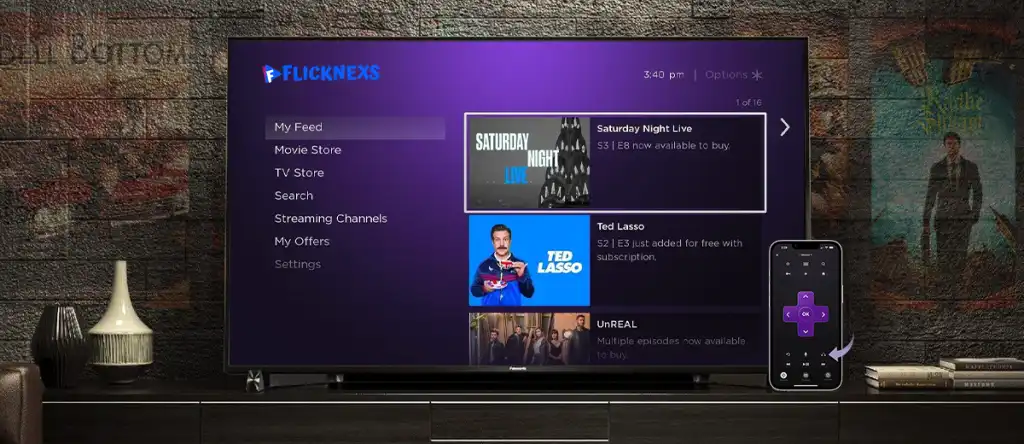
A Roku channel is a streaming application published on Roku devices that delivers video content over the internet, including on-demand videos, live streams, or scheduled programming. In 2026, creators and businesses can start a Roku channel using Roku Direct Publisher or a custom Roku channel app to distribute content, monetize viewers, and reach connected-TV audiences.
This guide explains how a Roku channel works, who should use it, when Roku is the right choice, available creation methods, monetization options, limitations, alternatives, and how to decide the best approach.
TL;DR
- A Roku channel is a TV streaming app for Roku devices
- You can create a Roku channel free using Roku Direct Publisher or build a custom Roku channel
- Monetization includes ads, subscriptions, pay-per-view, or hybrid models
- Roku channels work best for long-form, TV-first video content
What Is a Roku Channel?
After installation from the Roku Channel Store, a Roku channel appears on the Roku home screen like any other TV app. Viewers open the channel to browse videos, watch live streams, or access scheduled programming using an internet connection.
Roku channels are commonly used to distribute long-form video such as shows, events, courses, business content, and community programming designed for television viewing.
A Roku channel operates within the broader OTT market, which includes internet-based video services delivered directly to viewers without traditional broadcast infrastructure.
How Does a Roku Channel Work?
A Roku channel works by hosting video content on a streaming server and delivering it to Roku devices using internet streaming protocols. The channel is submitted to Roku, reviewed, and then published in the Roku Channel Store.
Roku supports two creation methods:
- Roku Direct Publisher
- Custom Roku channel applications
Both methods distribute content through Roku’s ecosystem but differ in control, branding, and monetization flexibility.
Who Should Start a Roku Channel?
A Roku channel is suitable for:
- Content creators publishing long-form video
- Media companies launching niche or regional channels
- Businesses building branded Roku TV apps
- Educational platforms distributing courses
- Religious and community organizations
Roku channels are most effective when content is intended for TV-based viewing rather than short-form mobile consumption.
When Is Roku the Right Choice?
Roku is the right choice when:
- Your audience watches content on connected TVs
- You want a TV-native streaming experience
- You plan to monetize through ads or subscriptions
- You want controlled content distribution without cable infrastructure
Roku may not be suitable for mobile-only or short-form video strategies.
Why Launch a Roku Channel in 2026?
Roku continues to grow its market dominance, especially in North America. Here’s why 2026 is the right time to launch:
- Massive Audience Reach → Roku devices are used in 1 out of 3 smart TVs sold in the U.S.
- Low Barrier to Entry → With Direct Publisher, anyone can create a channel.
- Revenue Potential → Creators can monetize via ads, subscriptions, or pay-per-view.
- OTT Market Growth → The global OTT market is projected to surpass $476 billion by 2027.
- Branding Opportunity → A custom Roku app sets your content apart with full control.
Ways to Start a Roku Channel in 2026
Option 1: Roku Direct Publisher
Roku Direct Publisher is a free tool that allows users to create a Roku channel without coding.
How it works
- Content is uploaded using a hosted feed
- Roku applies a standard channel layout
- Ads are automatically inserted
Benefits
- No development cost
- Fast setup
- Suitable for testing content demand
Limitations
- Limited branding control
- Ads-only monetization
- Fixed navigation and design
This option is commonly used to create a Roku channel free.
Option 2: Custom Roku Channel App
A custom Roku channel is built using Roku app development tools or a Roku channel builder platform.
How it works
- Custom user interface and branding
- Flexible monetization options
- Advanced analytics and content control
Benefits
- Subscription, ad, and hybrid monetization
- Full brand ownership
- Long-term scalability
Limitations
- Higher upfront cost
- Longer setup compared to Direct Publisher
This approach is commonly chosen for Roku channel development and Roku TV app development.
Roku Direct Publisher vs Custom Roku Channel
| Feature | Roku Direct Publisher | Custom Roku Channel |
| Cost | Free | Paid |
| Monetization | Ads only | Ads, subscriptions, pay-per-view |
| Branding | Limited | Full |
| Scalability | Low | High |
Step-by-Step: How to Start a Roku Channel
Step 1: Create a Roku Developer Account
A developer account is required to create, submit, and manage a Roku channel. Navigate to developer.roku.com to access Roku’s developer resources.
Step 2: Choose Your Channel Type
Select Roku Direct Publisher or a custom Roku channel based on branding and monetization goals.
Step 3: Prepare Your Content
Roku supports MP4 and HLS formats. Content must include clear titles, descriptions, and thumbnails.
Step 4: Monetize Your Roku Channel
Roku monetization options include advertising, subscriptions, pay-per-view, or hybrid models.
Step 5: Submit and Publish
Roku reviews channels before listing them in the Channel Store. Approval typically takes a few days to two weeks.
What Are the Key Features of Roku Direct Publisher?
Roku Direct Publisher provides a simplified way to build a Roku channel.
Key features include:
- No coding required
- Support for on-demand and live content
- Built-in ad monetization
- Standardized channel layout
- Basic performance analytics
These features make Direct Publisher suitable for early-stage Roku channel creation.
Monetization Models Explained
- AVOD (Advertising Video on Demand)
Free content supported by ads. - SVOD (Subscription Video on Demand)
Viewers pay a recurring fee for access. - TVOD (Transactional Video on Demand)
Users pay for individual videos or events. - Hybrid Monetization
Combines free ad-supported content with paid tiers.
Monetize with the most suitable pricing plan
Decision Guide: Should You Start a Roku Channel?
- Your audience consumes content on TVs
- You want monetization control
- You publish long-form or live video
Do not start a Roku channel if:
- Your strategy depends on viral short videos
- Your audience is primarily mobile-first
The decision depends on audience behavior and content format.
Why Choose Flicknexs for Your Roku Channel?
Roku Direct Publisher is suitable for basic launches, but it has limitations in branding, monetization flexibility, and analytics.
Flicknexs is a white-label OTT platform that enables creators and businesses to build fully customized Roku channels without direct coding.
Flicknexs supports:
- Branded Roku channels with custom design
- SVOD, AVOD, TVOD, and hybrid monetization
- Advanced analytics for viewer engagement and revenue
- Multi-device distribution across Roku, Fire TV, Apple TV, Android TV, web, and mobile
- End-to-end support from content upload to publishing
Flicknexs is suitable when a Roku channel is intended to operate as a long-term streaming business rather than a basic content experiment.
Explore the full case study to see Flicknexs’ capabilities at work
How Can You Rank Your Roku Channel Higher in the Store?
Roku Channel Store visibility depends on engagement and metadata quality.
Ranking factors include:
- Clear channel titles and descriptions
- Accurate content categorization
- High-quality thumbnails
- Regular content updates
- Positive viewer ratings and reviews
Higher engagement generally improves visibility over time.
Alternatives to Roku Channels
Alternatives include:
- Web-based video platforms
- Mobile streaming apps
- Social media video platforms
Roku differs by offering a TV-native experience focused on long-form viewing.
Maintenance and Updates
Roku channels require regular content updates to maintain engagement and visibility. Performance data should be reviewed periodically to refine programming and monetization strategies.
Conclusion
Starting a Roku channel in 2026 involves choosing the right creation method, preparing compliant content, and selecting an appropriate monetization model. Roku channels are best suited for creators and organizations delivering long-form, TV-focused video to connected-TV audiences.
A Roku channel succeeds when it aligns with viewer habits and provides consistent value.




Leave a Reply to Jarom Joseph Cancel reply