
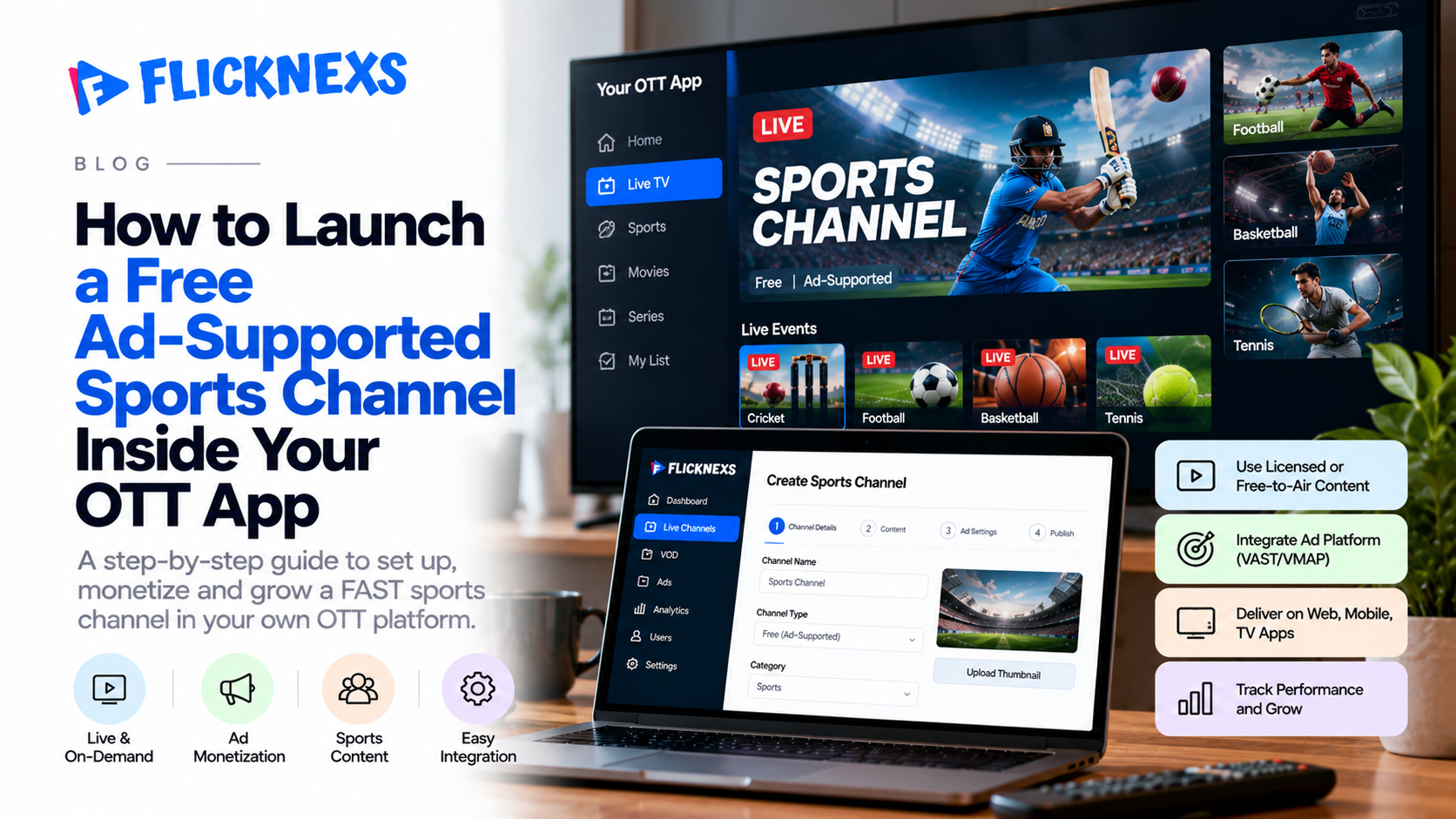
Quick answer: To launch a free ad-supported sports channel inside an existing OTT app, add it as a tab in your current app rather than a new app, fill it with content you hold ad-supported rights to (highlights, shows, delayed replays, selected live games), insert ads with SSAI (server-side ad insertion), require a free account for premium-adjacent content, and place a paid-upgrade prompt on every full match.
A free ad-supported sports channel lets an OTT operator put selected sports content in front of non-paying viewers, earn advertising revenue on that viewing, and steer the most engaged fans toward a subscription or pay-per-view purchase. On 9 October 2026, Canal+ did exactly this when it switched on Sport+, a free sports tab inside its existing app. This guide breaks down what Canal+ built, then turns it into a step-by-step plan you can run on your own OTT app without the Canal+ budget. It is written for operators who already have a live streaming service and want a free tier that grows the paid business rather than cannibalizing it.
Key Takeaways
- Build a tab, not a new app. Canal+ put Sport+ inside the Canal+ app it already runs, so free viewers land one tap away from the paid catalog.
- Rights decide the free tier, not marketing. Map every asset to an ad-supported rights window before you decide what is free.
- Ad revenue alone rarely carries a sports free tier. Model it as advertising plus conversion value, and track both.
- The free account is the real conversion event. A registered free viewer can be retargeted, measured and upgraded; an anonymous viewer cannot.
- Put the paywall on the full match, not on the highlight. Free short-form drives discovery; complete games and multi-game views drive payment.
Why Are OTT Operators Adding Free Sports Tiers Now?
Sports supply on free ad-supported streaming is expanding faster than the number of channels carrying it. In its Q3 2026 Data Hub analysis, Gracenote (the content-metadata business owned by Nielsen) counted 264 FAST channels classified as sports, up 13.8% year over year, while unique sports program titles grew 31.2% and individual games and events grew 37.5% (TV Technology). Over the same period, the total FAST channel count worldwide reached 2,172, a 17.5% rise (NewscastStudio).
Live events are the engine. Amagi (a cloud playout and FAST monetization vendor) reported in its 15th Global FAST Report that sports made up 84% of the live events it managed in Q1 2025, and that 47% of surveyed U.S. viewers said they would try a paid service if it offered them a free live event (Señal News).
That last figure is the business case in one line. A free live game is not charity; it is a trial offer. The question for an existing OTT operator is no longer whether free sports viewing is real, but how to capture it inside the app you already run.
In short: free sports supply and live-event demand are both growing, and survey data suggests free live events can push viewers toward paid trials.
What Did Canal+ Build With Sport+? (A 7-Point Teardown)
Canal+ (France’s largest pay-TV group) launched Sport+ on 9 October 2026 in mainland France, open to subscribers and non-subscribers alike (Telesatellite). Canal+ is a much bigger operator than most readers of this blog, but nearly every design decision it made is reproducible at smaller scale. Here is what it did, and what each decision teaches.
| # | Canal+ Sport+ decision | Why it matters | How a smaller operator copies it |
| 1 | Sport+ is a tab in the existing Canal+ app, not a separate download (Clubic) | Free viewers sit one tap from the paid catalog; no second app to market | Add a “Free Sports” item to your existing app navigation |
| 2 | Built mobile-first for phones and tablets | Sports news habits happen on phones between games | Design the free tab for vertical screens first, TV second |
| 3 | Three sections: vertical Shorts, a Calendar with scores and standings, and Live & Replay filterable by competition | Each section serves a different visit reason: snack, check, watch | Ship the same three jobs even if your catalog is small |
| 4 | Multi-Live view and an anti-spoil mode | Features fans value that are cheap to build relative to rights | Add spoiler-safe toggles and a scores screen before buying more content |
| 5 | A free account is required for some programs (Europe 1) | Converts anonymous traffic into a known, marketable user | Gate premium-adjacent clips behind free sign-up, not payment |
| 6 | Full matches in the calendar carry a “Subscribe” banner | The paywall is placed exactly where intent peaks | Put upgrade prompts on full-match tiles and live events |
| 7 | Third-party free channels (Red Bull TV, After Foot TV) sit inside the tab | Fills airtime without new rights spend | Partner with rights holders who already distribute free |
Content-wise, Sport+ draws on nine competitions Canal+ holds rights to, spanning European club football, the Premier League, French women’s football, French rugby, Formula 1 and MotoGP (Clubic). Canal+ describes the short vertical videos as an entry point toward its paid content, which is the clearest statement of the free tier’s purpose you will find.
Show Image [DESIGN TO CREATE: original diagram, house banner style]
The lesson: Canal+ did not give away its premium product. It gave away the habit (daily highlights, scores and a few games) and kept full live coverage behind the paywall.
Note: Flicknexs has no affiliation with Canal+. Canal+ is referenced here as a public market example only.
What Exactly Is a Free Ad-Supported Sports Channel?
A free ad-supported sports channel is a streaming destination that viewers watch without paying, where the operator earns revenue from advertising and sponsorship instead of fees. It can be a scheduled linear stream, an on-demand library, or a mix of both.
Four models sit under this umbrella, and most operators combine two or more:
| Model | How it works | Typical sports content | Best when |
| FAST (free ad-supported streaming TV) | Scheduled 24/7 linear channel with ad breaks | Magazine shows, classic games, delayed replays | You have enough hours to fill a schedule |
| AVOD (advertising-based video on demand) | Viewers pick individual videos; ads play before or during | Highlights, interviews, documentaries | Your library is clip-heavy and topical |
| Freemium sports app | Some content free, the rest behind payment | Free highlights, paid live games | You already sell subscriptions |
| Hybrid free + PPV (pay-per-view) | Free programming funnels into single-event purchases | Free previews and weigh-ins, paid main event | Your premium content is event-driven (combat sports, tournaments) |
For a deeper look at the linear format, read our practical guide to FAST channels. For the event-purchase side, see our breakdown of TVOD platforms.
In short: a free sports channel is defined by who pays (advertisers, not viewers), not by format; FAST, AVOD, freemium and free-plus-PPV can all coexist in one app.
The Rights Window Ladder: What Can Go Free?
Most free-tier plans start with “what content do we want to give away?” That is the wrong first question. The right one is “what am I allowed to show, to whom, with ads, and how long after the game?”
We use a simple framework we call the rights window ladder. Every sports asset sits on one of five rungs, ordered by commercial value. The higher the rung, the stronger the case for keeping it paid.
| Rung | Window | Example assets | Default tier | Rights to confirm |
| 5 | Live, full event | Complete live match | Paid (subscription or PPV) | Live streaming, territory, platform, ad insertion |
| 4 | Near-live | Goals and key moments within minutes | Free with account | Clip length limits, embargo times |
| 3 | Same-day | Full highlights package, post-game show | Free (ad-supported) | Highlight rights, music and graphics clearance |
| 2 | Delayed | Full replay days later | Free or paid, by sport | Delay period, AVOD/FAST rights |
| 1 | Archive and originals | Classic games, documentaries, your own analysis shows | Free (ad-supported) | Archive licensing, talent releases |
Show Image [DESIGN TO CREATE: original diagram, house banner style]
The delayed rung is underused. C15 Studio (a U.S. sports FAST channel operator) runs a Formula 1 FAST channel that shows races on a five-day delay from the paid services that carry them live (StreamTV Insider). The delay protects the paid window while still filling a free schedule with complete events.
How to use the ladder:
- List every asset you hold or plan to license.
- Place each one on a rung based on the rights you actually have, not the rights you assume.
- Make rungs 1–3 the backbone of the free channel.
- Use rung 4 as the free-account incentive.
- Keep rung 5 paid, and use one or two free rung-5 games per season as deliberate trial offers.
Keep a rights register (a spreadsheet is fine) recording permitted use, territory, platforms, ad-supported permission, and expiry date for each asset. If an asset has no ad-supported clearance, it cannot sit on the free tier, however good it would look there.
In short: decide your free tier by rights window, not by preference; archive, same-day and delayed content form the free backbone, near-live clips earn sign-ups, and full live games stay paid.
How Do You Launch a Free Sports Channel in an Existing OTT App?
Here is the nine-step sequence we recommend. Steps 1–3 are business decisions; steps 4–9 are build and launch.
Step 1: Pick one sports niche you can own
A narrow channel is easier to fill, easier to sell to advertisers and easier to promote than a general sports channel. Good starting points include a single regional league, one sport in one language, a club or federation, combat sports with event-driven PPV, or grassroots and women’s sport where rights are more accessible. Write down the audience, languages, territories and publishing cadence before you touch the app.
Step 2: Build the rights register
Apply the rights window ladder above. Confirm, in writing, the rights for live events, replays, highlights, interviews, music and graphics, each territory, ad-supported distribution, and each platform (mobile, web, connected TV). If live rights are out of budget, launch on rungs 1–3 and add live games later.
Step 3: Choose your free-to-paid model
| If your paid product is… | Free tier should be… | Upgrade trigger |
| A monthly subscription | Highlights, shows, scores, delayed replays | Full live match tile |
| Single-event PPV | Previews, weigh-ins, undercard, recap shows | Main-event countdown |
| A membership or club pass | Public news and clips | Members-only access and extras |
| Nothing yet | Ad-supported channel only | Add paid tier once audience is proven |
Step 4: Add the channel as a tab, not a new app
Follow the Canal+ pattern. A workable navigation looks like this: Home · Free Sports · Live Now · Calendar · Premium · Account. Inside Free Sports, mirror the three jobs Sport+ serves: a vertical Shorts feed, a Calendar with scores and standings, and a Live & Replay shelf filterable by competition. Label free and paid content clearly on every tile so viewers never hit a paywall by surprise.
Step 5: Set up the streaming workflow
For a linear FAST-style channel, the workflow is: ingest rights-cleared assets → encode into adaptive bitrate renditions → build a schedule or playlist → configure linear playout → deliver through your CDN (content delivery network) → test playback on every target device → monitor uptime and stream quality.
For an on-demand free shelf, you upload, tag by competition and team, set access rules (free, free-with-account, paid), and configure ad insertion.
If you later want the channel on third-party FAST platforms as well, read our guide to getting your FAST channel on Roku, Samsung TV Plus, Tubi and Prime Video. Each distributor has its own feed, metadata and ad requirements.
Step 6: Integrate advertising
You have two main insertion methods:
- SSAI (server-side ad insertion): ads are stitched into the stream on the server, so playback is smoother and harder for ad blockers to strip. This is the usual choice for linear and live sports.
- CSAI (client-side ad insertion): the player requests and plays ads on the device. It is simpler to set up for on-demand clips but more exposed to ad blocking and buffering between content and ad.
Add sponsorship as a second revenue line. A “presented by” highlights show or a sponsored scores screen often sells more easily to a local advertiser than programmatic inventory. Before launch, confirm that your platform and ad stack support your chosen formats, targeting rules, reporting and devices. Do not assume either SSAI or CSAI is available by default.
Keep ad load humane. Sports viewers tolerate breaks that follow natural stoppages; they abandon streams that cut into play.
Step 7: Make it vertical and mobile-first
Canal+ led Sport+ with a vertical Shorts feed for a reason: short clips are how fans catch up between games. Produce 9:16 cuts of goals, key moments, reactions and interviews; burn in captions for sound-off viewing; and end every clip with a tap-through to the full program or the live game. Keep a landscape player for full matches. Confirm your rights cover re-editing into vertical formats, because some licenses restrict it.
Step 8: Make the free account the first conversion
Require a free account for rung-4 content (near-live clips), Multi-Live views, or match alerts. The account gives you an email or device ID for notifications and retargeting, a cleaner audience for advertisers, and a measurable funnel. Keep sign-up to one screen.
Step 9: Test the full journey before launch
Run the complete path end to end: open the app, find the free tab, watch a clip with an ad, create an account, open a full-match tile, hit the upgrade prompt, complete checkout, and confirm the paid stream plays. Then test edge cases: territory blocks, expired rights, ad failures mid-stream, and login on a second device.
In short: pick a niche, clear rights, choose the free-to-paid model, add a tab, build the workflow, insert ads with SSAI where possible, go vertical, make the free account the first conversion, and test the full purchase path.
How Much Can a Free Sports Channel Earn? (Yield Math)
There is no honest universal number for ad revenue per viewer. CPMs vary by country, sport, device, season and demand partner. What you can do is model your own economics with a simple formula and your own inputs.
Ad revenue per viewer-hour = ad impressions per hour × fill rate × CPM ÷ 1,000
- Ad impressions per hour: how many ad slots each viewer sees in an hour.
- Fill rate: the share of those slots your demand partners actually fill.
- CPM: revenue per thousand filled impressions, from your ad partner.
Worked example (illustrative inputs only, not benchmarks):
| Input | Example value |
| Ad impressions per viewer-hour | 6 |
| Fill rate | 0.60 (example input) |
| CPM | 10 (in your currency) |
| Revenue per viewer-hour | 6 × 0.60 × 10 ÷ 1,000 = 0.036 |
| Monthly viewer-hours | 50,000 |
| Monthly ad revenue | 1,800 |
Now set that against the cost side: delivery (CDN egress per viewer-hour), playout, ad-tech fees, editing staff, and any licensing paid for free-tier content. Many small operators find the ad line alone does not cover costs. That is why the second half of the model matters:
Conversion value = monthly free registered viewers × free-to-paid conversion rate × average first-year customer value
A free tier is worth running when ad revenue + conversion value exceeds the full cost of the free tier. Run both numbers from your own data in the first 60 days, then decide whether to expand content or adjust the gate.
In short: calculate ad yield per viewer-hour from your own fill rate and CPM, add the value of free viewers who convert to paid, and compare the total with what the free tier costs to run.
Where Should the Paywall Sit? (Gate Placement Matrix)
The single most important design decision is where free ends. Too generous, and nobody pays. Too stingy, and nobody returns. Use this matrix as a starting point and adjust by sport.
| Content | Anonymous viewer | Free account | Paid |
| Vertical shorts and highlights | ✔ | ✔ | ✔ |
| Scores, calendar, standings | ✔ | ✔ | ✔ |
| Post-game and magazine shows | ✔ | ✔ | ✔ |
| Near-live key moments | — | ✔ | ✔ |
| Match alerts and anti-spoil mode | — | ✔ | ✔ |
| Delayed full replays | — | ✔ (selected) | ✔ (all) |
| Selected live games (trial offers) | — | ✔ | ✔ |
| All live games, Multi-Live, full replays | — | — | ✔ |
| Single premium events | — | — | PPV |
Write upgrade prompts that match what the viewer is doing. Someone watching a match preview should see “Watch this match live with Premium,” not a generic plan page. Avoid interrupting every session with sales messages; trigger them on full-match tiles, at the end of highlight clips, and when a live game is about to start.
In short: keep habit content open to everyone, use near-live clips and alerts to earn free sign-ups, and charge for complete live coverage and premium events.
How Do You Measure Whether It Works?
Set a baseline before launch and review weekly for the first eight weeks. Track three layers.
Audience
| Metric | What it tells you |
| Unique free viewers | Size of the free audience |
| Viewing hours per viewer | Depth of engagement |
| 7-day return rate | Whether the tab is becoming a habit |
| Shorts completion rate | Whether clips hold attention |
Monetization
| Metric | What it tells you |
| Ad impressions, fill rate, revenue per viewer-hour | Health of the ad line |
| Free account sign-up rate | Strength of the first conversion |
| Upgrade-prompt click-through rate | Relevance of paywall placement |
| Checkout starts and completed purchases | Real payment intent |
| Paid retention after 30 and 90 days | Quality of converted customers |
Operations
| Metric | What it tells you |
| Stream uptime and playback errors | Reliability |
| Ad delivery failures | Ad stack health |
| Rights-expiry compliance | Legal exposure |
Instrument every upgrade button with an analytics event (for example a data-event attribute or a Google Tag Manager trigger) before launch. If you cannot count clicks and purchases from the free tab, you cannot prove the tier pays for itself.
In short: measure audience habit, monetization (ads plus conversion) and operational reliability separately, and tag every upgrade button before launch.
Common Mistakes to Avoid
- Launching a separate free app. You split your audience and double your marketing cost. Use a tab.
- Giving away rung-5 content by default. A full live game every week trains viewers never to pay.
- Treating “free” as “no account.” Anonymous viewers are hard to convert and hard to sell to advertisers.
- Assuming rights cover everything. Highlight, vertical-edit and ad-supported rights are often separate clauses.
- Over-loading ads. Breaks that cut into live play drive abandonment.
- Skipping event tracking. Without tagged CTAs, the free tier’s value is invisible to finance.
How Flicknexs Fits In
Flicknexs provides a white-label OTT platform that businesses use to launch and run their own branded streaming services. For an operator adding a free sports channel, the relevant question is how the platform handles channel and catalog management, access rules for free, free-with-account and paid content, subscriptions and pay-per-view, and advertising integration.
Validate each requirement against your use case before you build: linear playout, SSAI or CSAI support, supported devices, vertical video delivery, and checkout flows. [AUTHOR TO ADD: first-hand note from a Flicknexs deployment (e.g., how a sports or event customer configured free vs paid access) plus two original screenshots of the Flicknexs admin showing access-rule and channel setup, with descriptive alt text. Do not publish without real assets.]
Planning to add a free sports channel to your OTT app? Map your rights to the ladder above, sketch your gate placement, then explore the Flicknexs sports OTT platform, start a free Flicknexs trial, or see how to launch your own OTT platform with Flicknexs. Comparing vendors first? Our white-label OTT platform providers comparison covers the main options.
Frequently Asked Questions
Q: What is a free ad-supported sports channel?
A free ad-supported sports channel is a streaming channel viewers watch at no cost, funded by advertising and sponsorship. It can run as a scheduled linear channel, an on-demand library of clips and shows, or both. In short, the advertiser pays instead of the viewer.
Q: Can I add a free sports channel to my existing OTT app?
Yes. Adding it as a tab inside your current app is usually the better route, as Canal+ did with Sport+. You need platform support for access rules, ad insertion and, for linear channels, playout, plus ad-supported rights for every asset you show.
Q: How do free sports channels make money?
They earn from ad impressions, sponsorships and branded segments, and from free viewers who later buy a subscription or a pay-per-view event. Most operators need both lines to cover costs.
Q: What is the difference between FAST and AVOD for sports?
FAST is a scheduled linear channel with ad breaks, like traditional TV. AVOD lets viewers choose individual videos with ads attached. Sports operators often run FAST for shows and replays and AVOD for highlights.
Q: Do I need live sports rights to launch?
No. You can launch on archive content, original analysis shows, licensed highlights and delayed replays, then add live games when budget allows. Live rights are the most expensive rung, so many operators keep them for the paid tier.
Q: Should free sports viewers have to create an account?
For premium-adjacent content, yes. A free account lets you send match alerts, measure behavior and target upgrade offers. Keep everyday highlights open so new viewers can sample the channel without friction.
Q: Is SSAI or CSAI better for sports streaming?
SSAI is generally better for live and linear sports because ads are stitched into the stream server-side, which reduces buffering between content and ads and resists ad blockers. CSAI can be simpler for short on-demand clips.
Q: How long does it take to launch a free sports channel?
There is no universal timeline. It depends on rights clearance, how ready your platform’s playout and ad integrations are, app updates and device testing. Rights clearance is usually the longest dependency, so start there.
Final Verdict
If you already run an OTT service, a free ad-supported sports channel is a low-risk way to build daily habit and feed your paid tier, provided you treat it as a funnel, not a giveaway.
- Subscription operators: copy the Canal+ pattern: a free tab with shorts, scores and shows, a free account for near-live clips, and full live games behind the paywall.
- PPV and event operators: make the free channel the build-up (previews, weigh-ins, undercards) and sell the main event.
- Operators without live rights: launch on archive, originals and delayed replays, prove the audience, then bid for live rights with real viewing data.
Start with the rights register, model your yield with your own numbers, tag every upgrade button, and review the funnel weekly.

