
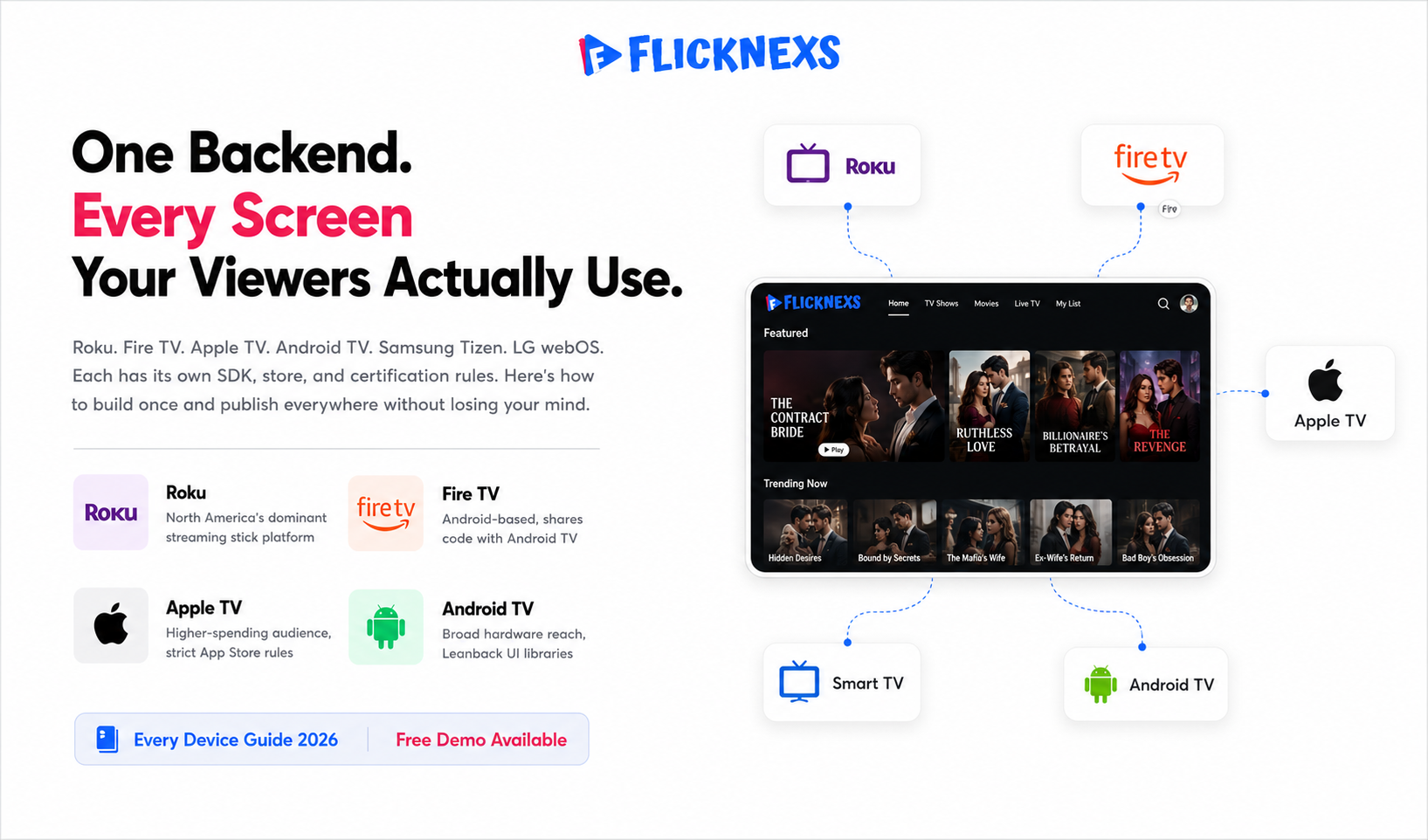
OTT apps for TV devices are native streaming applications you publish to Roku, Amazon Fire TV, Apple TV, Android TV and smart-TV operating systems like Samsung Tizen, LG webOS and Vizio so viewers can watch on the big screen. Each platform has its own SDK, store submission process, certification rules and remote-control UX conventions. To offer your content on various devices, consider create your own OTT platform and publish your app through popular TV device platforms’ stores.
By the Flicknexs team. We build white-label OTT/VOD/IPTV streaming platforms, so this is written from hands-on streaming-platform experience.
Your audience stopped sitting in one place a long time ago. Someone starts a show on their phone at lunch, picks it up on a Fire TV Stick after dinner and wraps it up on a Samsung smart TV Saturday morning. That’s just normal viewing behaviour now and if your apps aren’t there for all three handoffs you’re quietly losing people you already had.
Being on every major living-room device is one thing. Feeling native on each one is a different problem entirely. A Roku app built by someone who’s never actually used a Roku remote, or an Apple TV experience that clearly started life as a phone app, will push viewers off your platform faster than a thin content catalogue ever would.
This guide covers how the ecosystems actually differ from each other, what publishing on each one genuinely involves and the mistake that reliably costs operators the most money treating each platform like its own isolated project instead of one product that happens to run in several places.
Why “every device” is a strategy, not a checklist
The temptation is to rank platforms and build the top one first. The problem is there’s no universal top one. Roku and Fire TV dominate in North America. Android TV and Fire TV are common across price-sensitive markets in Asia, Latin America and Africa. Apple TV skews toward higher-spending households. Samsung Tizen, LG webOS and Vizio capture viewers who never plug in a streaming stick at all, they just use whatever came built into the TV. Which platforms matter depends entirely on where your audience actually lives and what’s sitting in their living room.
So the right framing isn’t priority, it’s coverage. The question isn’t “which device should I launch on first?” It’s “how do I build this so that adding the next device doesn’t cost me a full rebuild?” Get that architecture right and every new platform is incremental revenue. Get it wrong and each one becomes its own codebase, its own release cycle and its own source of bugs that nobody connects to each other until something breaks in production.
Every well-built OTT app pulls from the same backend regardless of which device it’s running on. A content management system for your catalogue and metadata, an adaptive bitrate video pipeline in HLS or DASH, DRM if you’re licensing premium content, user authentication and entitlement, a monetisation engine covering subscriptions, transactions or ads and analytics. The device app itself is mostly a presentation layer sitting on top of that shared core, a remote-friendly UI and a certified video player, nothing more. Once you understand that split, controlling cost across platforms becomes a much more tractable problem.
The shared core every device app needs
Regardless of platform, every well-built OTT app draws on the same backend services: a content management system for your catalog and metadata, an adaptive-bitrate video pipeline (typically HLS and/or DASH), a digital-rights-management layer if you license premium content, user authentication and entitlement, a monetization engine (subscription, transactional or ad-supported)and analytics. The device “app” is mostly a presentation layer, a remote-friendly UI plus a certified video player, sitting on top of that shared core. Understanding this split is the key to controlling cost.
The device ecosystems, platform by platform
Roku
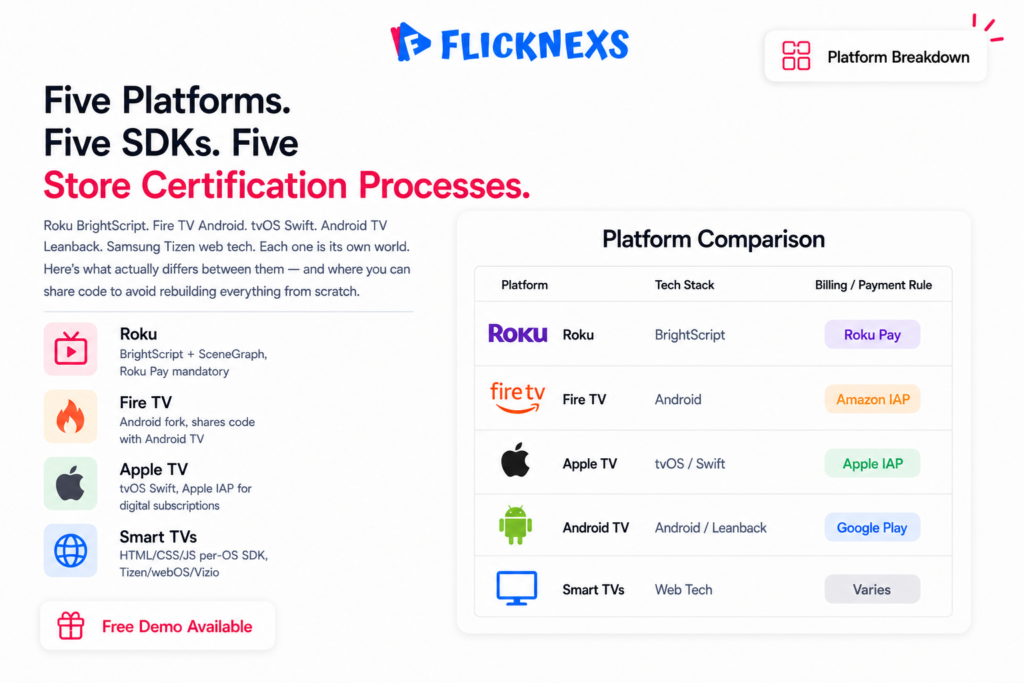
Roku apps are built in BrightScript using the SceneGraph UI system and Roku’s certification is famously strict, especially around performance on low-memory hardware and compliance with its billing rules. In-channel purchases have to go through Roku Pay, full stop. The upside is massive installed-base reach in North America and a remote-first UX that’s genuinely predictable once you’ve learned it. Budget for a real certification cycle rather than expecting instant approval. That first rejection usually comes down to memory: your channel runs perfectly on your development machine and stutters on a three-year-old low-end Roku and you find out only after submission.
Amazon Fire TV
Fire TV runs a fork of Android, so apps are typically Android builds adapted for the 10-foot living-room experience and submitted through the Amazon Appstore. Because it shares Android roots with Android TV, the two platforms can share a substantial amount of code, which makes them a natural pair to build together. We cover the full process in our dedicated guide on building and publishing an Amazon Fire TV app for your OTT service.
Apple TV (tvOS)
Apple TV apps are built for tvOS, usually in Swift, submitted through App Store Connect under Apple’s review guidelines. Apple enforces its Human Interface Guidelines tightly and requires in-app purchases to go through Apple’s own system for most digital subscriptions, commission and all. The audience tends to spend more than on other platforms, so it often pays for itself despite the stricter requirements. Our step-by-step walkthrough is in the guide on launching an Apple TV app for your streaming platform.
Android TV / Google TV
Android TV apps are Android applications built with the Leanback libraries for the 10-foot UI and published through Google Play. Because Fire TV is Android-based, an Android TV codebase is often the foundation a Fire TV build gets derived from. Android TV also gives you reach across a wide range of TV hardware and set-top boxes from manufacturers you’d never deal with individually.
Smart TVs: Samsung Tizen, LG webOS and Vizio
Native smart-TV apps are their own world entirely. Samsung runs Tizen, LG runs webOS, Vizio has its own platform. All largely web-technology-based, HTML, CSS, JavaScript, but each has its own SDK, emulator, packaging format and store certification process. The benefit is reaching viewers who use the TV’s built-in apps and never plug anything into the HDMI port. The cost is that each smart-TV OS is effectively a separate platform with its own quirks and its own submission process, which is why smart-TV coverage usually comes after the streaming-stick and set-top platforms are already stable.
Comparison: how the major TV platforms differ
| Platform | Primary tech | Store / submission | Billing rule of thumb | Code overlap |
|---|---|---|---|---|
| Roku | BrightScript + SceneGraph | Roku Channel Store | Roku Pay for in-channel purchases | Low (unique stack) |
| Amazon Fire TV | Android-based (or web) | Amazon Appstore | Amazon in-app purchase | High with Android TV |
| Apple TV | tvOS / Swift | App Store Connect | Apple in-app purchase for digital goods | Low (Apple-specific) |
| Android TV / Google TV | Android + Leanback | Google Play | Google Play Billing | High with Fire TV |
| Smart TVs (Tizen / webOS / Vizio) | Web tech per-OS SDK | Per-manufacturer store | Varies by platform | Moderate across smart-TV OSes |
Billing rules deserve a specific warning. Each store has its own policy on whether and how you can charge for digital subscriptions and those policies change. Treat the “billing rule of thumb” column as a starting point for your own due diligence, not a final answer. Always confirm against the platform’s current developer documentation before you architect payments.
What publishing actually involves
Beyond writing the app, every platform imposes a similar sequence of operational work that first-time publishers routinely underestimate:
- Developer account setup Each store needs its own registered, often paid, developer or partner account, sometimes with business verification.
- Store assets Icons, feature graphics, screenshots at exact required resolutions, descriptions, age ratings and privacy disclosures.
- Certification testing Performance on minimum-spec hardware, deep-link and resume behavior, accessibility and store-policy compliance. Roku and Apple are particularly rigorous.
- Video and DRM validation Confirming your HLS/DASH streams and DRM play correctly within each platform’s certified player.
- Ongoing maintenance. SDK deprecations, OS updates, and policy changes mean apps need periodic re-builds and re-submission to stay live.
That last point is the silent budget killer. An app is not a one-time build. It is a relationship with five different stores, each of which can change the rules and require a fresh submission. Here is what actually happens: a platform deprecates an SDK on its own schedule, your app keeps working until the day it doesn’t and now you’re cutting a re-submission under pressure for a device that earns you a slice of total revenue. That is the strongest argument for centralizing the work.
Build approaches the real decision
Native, per platform
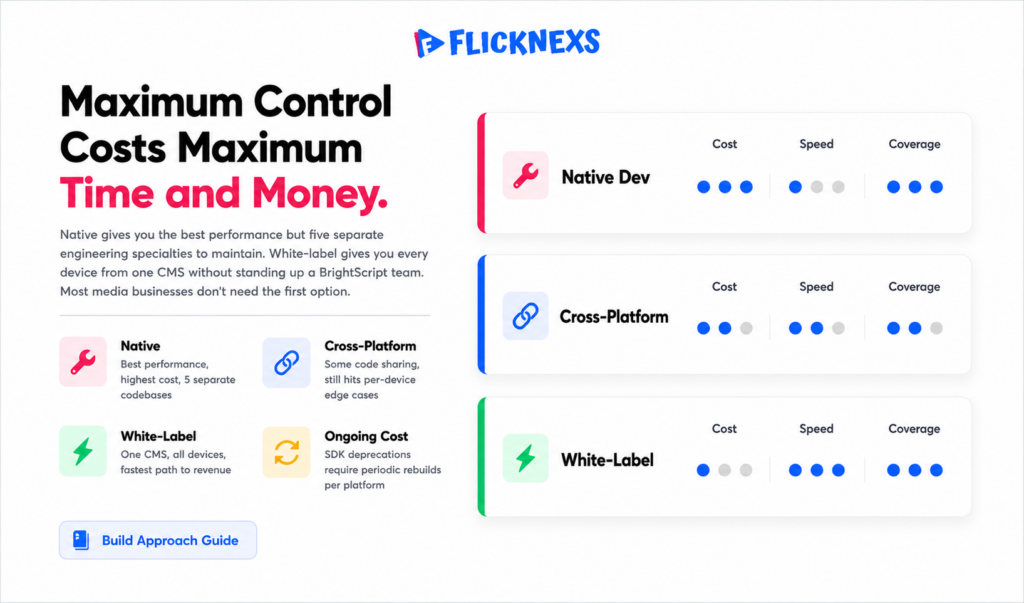
Maximum control and best-possible performance, at the highest cost. You maintain separate teams or specialists for BrightScript, Swift/tvOS, Android/Leanback, and each smart-TV SDK. Suitable for very large operators with deep engineering benches and platform-specific requirements.
Cross-platform frameworks
Frameworks aim to share UI code across platforms. They can reduce duplication, but TV remotes, focus engines and certified video playback differ enough per platform that you still hit per-device edge cases and not every TV OS is well supported. Useful, but rarely the whole answer for living-room apps.
White-label OTT app builder
A purpose-built OTT platform generates and maintains the device apps for you from one content management system, with the shared video, DRM and monetization core already wired in. You manage your catalog and branding once; the platform handles the per-store builds and keeps them current. For most media businesses this is the fastest route to genuine every-device coverage without standing up five engineering specialties. See how it works on our OTT app builder and read the deeper explainer on a no-code OTT app builder for launching branded TV and mobile apps without developers.
For background on how device platforms and web standards underpin all of this, Google’s web.dev is a solid reference on performance and media playback fundamentals and Wikipedia’s overview of over-the-top media services is a useful neutral primer on the OTT landscape.
How to sequence your device rollout
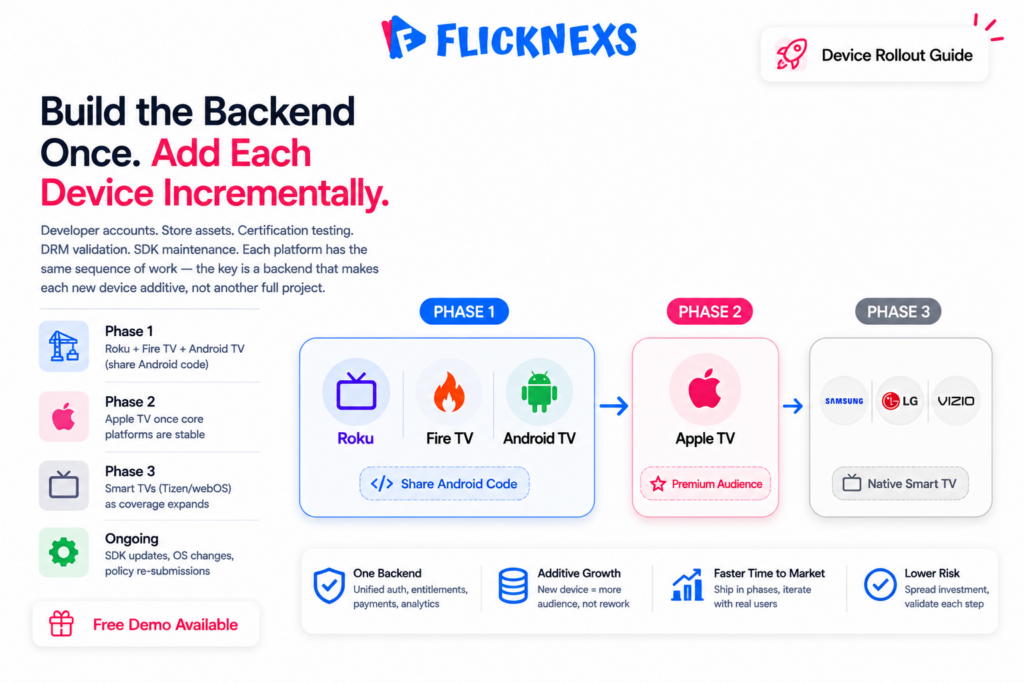
Here is a pragmatic order for most operators. Confirm where your audience actually watches first (your existing web/mobile analytics are the best signal). Then launch the streaming-stick and set-top platforms that dominate your market, usually some combination of Roku, Fire TV and Android TV, followed by Apple TV if your audience skews premium and finally native smart-TV apps for Tizen, webOS, and Vizio once the core is stable. Pair Android TV and Fire TV in the same sprint to exploit their shared codebase. Above all, build on a backend that treats new devices as additive, so the sixth platform is a configuration, not a rewrite.
Ready to build your own OTT platform? Get started with Flicknexs →
Frequently asked questions
Related guides
- OTT Apps for Every Device (hub)
- How to Build and Publish an Amazon Fire TV App for Your OTT Service
- How to Launch an Apple TV App for Your Streaming Platform
- No-Code OTT App Builder: Launch Branded TV & Mobile Apps Without Developers
Ready to build?
If you’re planning your next OTT project, Flicknexs handles the video infrastructure end-to-end — so you can ship in weeks, not months.
- launch an OTT service
- check plan pricing
More OTT platform guides
Continue exploring more on this topic across the Flicknexs blog.

