
Live streaming has become a popular medium for sharing content with a global audience in real-time.
Whether you’re a content creator, entertainer, or business owner, having a reliable live streaming encoders is crucial for delivering high-quality and smooth live streams.
In this article, we will explore the importance of choosing the right live streaming encoders and discuss the top 5 encoders available in the market.
What is a Live Streaming Encoders?
A live streaming encoders is a device or software that converts audio-visual signals into digital format, compresses them, and transmits them over the internet for live streaming purposes.
It acts as the bridge between your camera or audio source and the platform where you intend to stream your content.
Essentially, a live streaming encoders ensures that your content is encoded efficiently and delivered seamlessly to your audience.
How to Choose the Best Streaming Encoders
Compatibility: Ensure that the Streaming encoder you choose is compatible with your existing setup, including your camera, audio equipment, and streaming platform.
Streaming Quality: Look for Streaming encoders that support high-quality video and audio encoding, preferably with options for different resolutions and bitrates to cater to varying audience preferences and internet speeds.
Ease of Use: opt for Streaming encoders that offer a user-friendly interface and intuitive controls, allowing you to easily set up and manage your live streams without the need for extensive technical knowledge.
Reliability and Stability: It is crucial to choose an Streaming encoder that provides a stable and reliable streaming experience to avoid interruptions or buffering issues during your live streams.
Additional Features: Consider Streaming encoders that offer additional features like multi-camera support, graphics overlays, and integration with popular streaming platforms to enhance the overall production value of your live streams.
Top 5 Live Streaming Encoders
Flicknexs
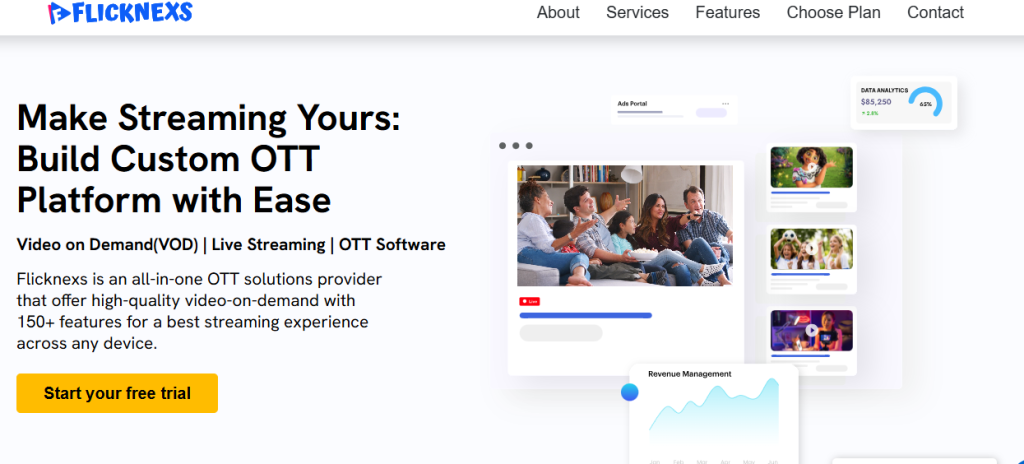
Flicknexs is a robust live streaming encoder that offers an array of advanced features for seamless live streaming experiences. Here are the pros and cons of using Flicknexs.
Pros of Flicknexs
- Excellent compatibility with various cameras and audio equipment.
- Provides high-quality video encoding with support for multiple resolutions and bitrates.
- User-friendly interface and easy setup process.
- Offers additional features like multi-camera support and graphics overlays.
Cons of Flicknexs
- Relatively higher price point compared to other encoders.
- Limited customer support options.
Webnexs
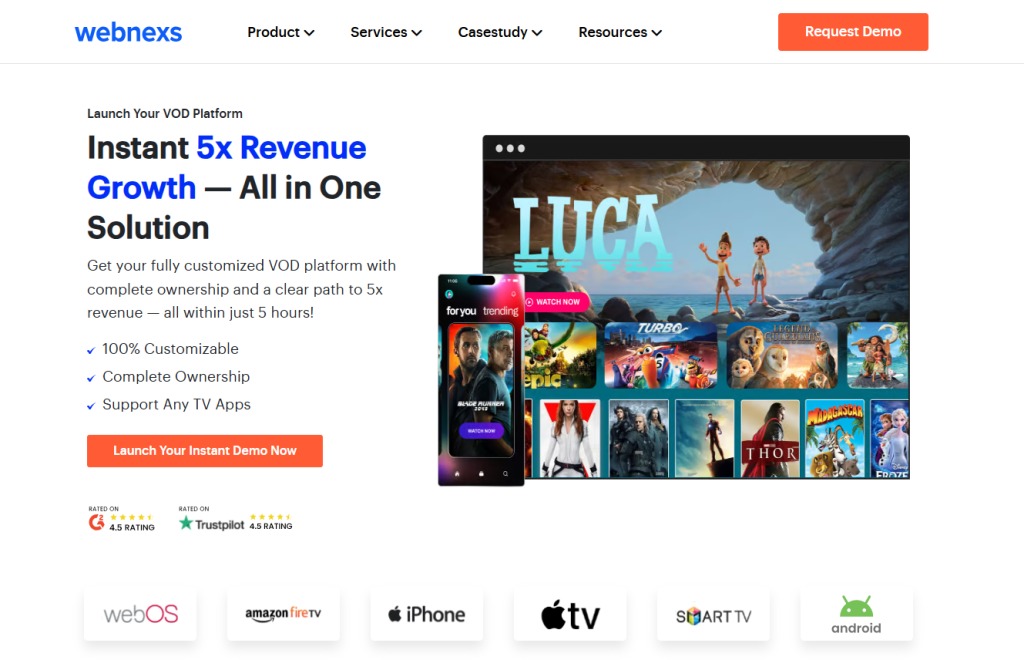
Webnexs is another popular live streaming encoders known for its versatility and reliability. Let’s explore the pros and cons of using Webnexs.
Pros of Webnexs
- Wide compatibility range with different cameras and audio sources.
- Offers high-quality video encoding with customizable settings.
- Intuitive interface and easy-to-use controls.
- Provides extensive customer support and regular software updates.
Cons of Webnexs
- Limited options for additional features compared to some competitors.
- Interfaces could be more visually appealing.
OBS Studio
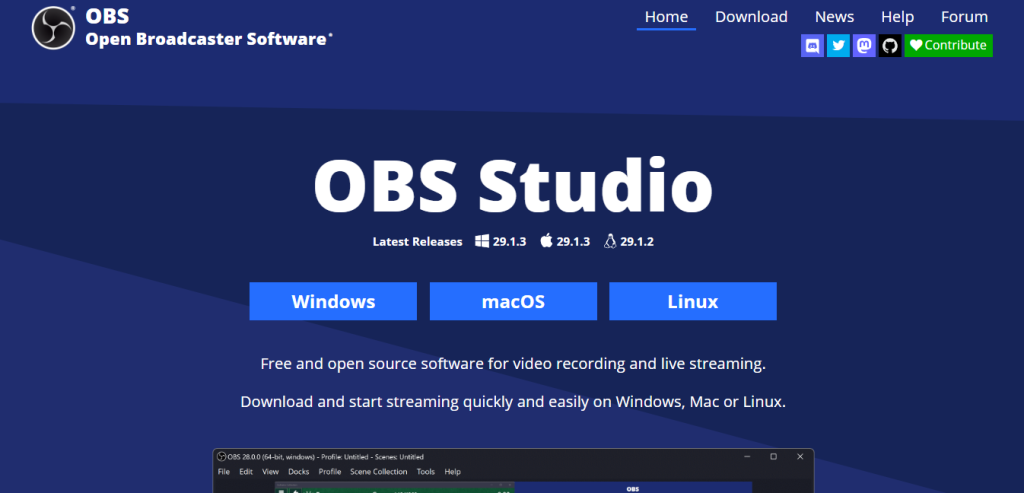
OBS Studio is a free and open-source live streaming encoders that has gained immense popularity among content creators. Consider the following pros and Cons of OBS Studio.
Pros of OBS Studio
- Free to use, making it an ideal option for beginners and budget-conscious streamers.
- Provides customizable streaming settings for both video and audio.
- Supports a wide range of platforms and plugins for enhanced functionality.
- Offers an active and helpful online community for support and troubleshooting.
Cons of OBS Studio
- Requires some technical knowledge for initial setup.
- Limited support options for advanced features.
vMix
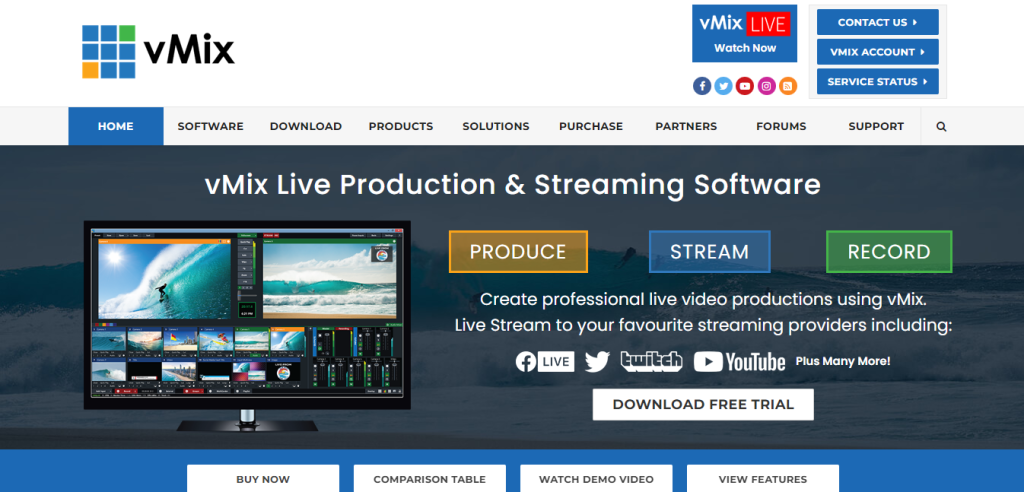
vMix is a powerful live streaming encoders known for its versatility and professional-grade features. Let’s explore the pros and cons of using vMix.
Pros of vMix
- Offers multi-camera support, allowing for professional live production setups.
- Provides high-quality video encoding with customizable settings.
- Intuitive interface and easy-to-use controls.
- Extensive options for additional features and integration with external devices.
Cons of vMix
- Relatively higher price point, especially for the more advanced versions.
- Requires a robust computer system to handle resource-intensive streaming.
Wirecast
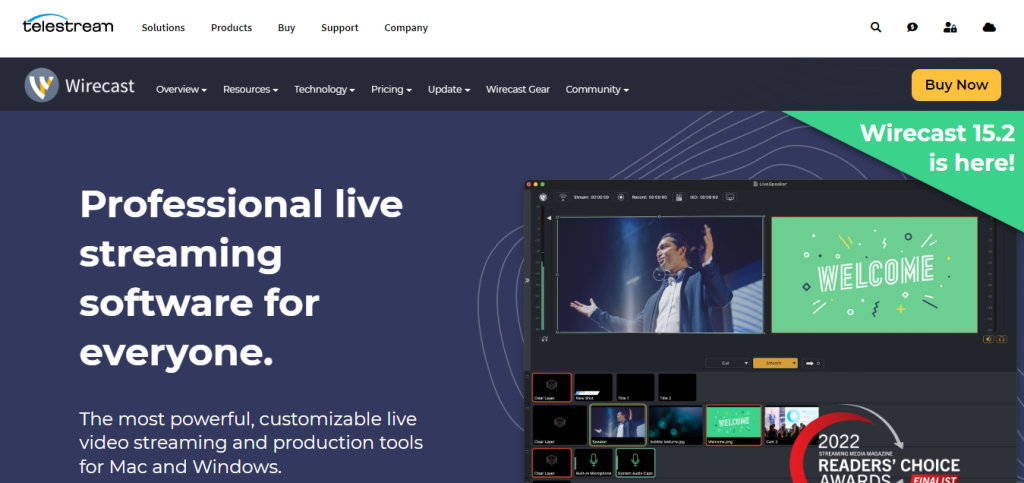
Wirecast is a feature-rich live streaming encoders widely used by professionals in various industries. Here are the pros and cons of using Wirecast.
Pros of Wirecast
- Offers advanced production features like multi-camera support, graphics overlays, and virtual sets.
- Flexible compatibility with different cameras, audio sources, and streaming platforms.
- Provides excellent video quality and customizable encoding settings.
- Extensive customer support and regular software updates.
Cons of Wirecast
- Higher price point compared to other encoders in the market.
- Steeper learning curve for beginners.
Conclusion
Choosing the right live streaming encoders is crucial for delivering high-quality and smooth live streams to your audience.
Consider factors like compatibility, streaming quality, ease of use, reliability, and additional features while making your decision.
Whether you opt for Flicknexs, Webnexs, OBS Studio, vMix or Wirecast, each of these encoders offers unique capabilities to suit different needs and budgets.
Conduct thorough research, experiment with trials if available, and select the encoder that best aligns with your streaming goals and requirements. Happy streaming!
Frequently Asked Question
What is a live streaming encoder?
A live streaming encoder is a device or software that converts audio-visual signals into digital format, compresses them, and transmits them over the internet to a streaming platform in real time.
What should I look for when choosing a live streaming encoder?
Key factors include compatibility with your existing camera and audio setup, support for high-quality resolutions and bitrates, ease of use, reliability under load, and extra features like multi-camera support or graphics overlays.
Is OBS Studio good enough for professional live streaming?
OBS Studio is free and highly capable for beginners and budget-conscious streamers, but it requires some technical setup knowledge and has limited advanced support compared to paid options like vMix or Wirecast.
What’s the difference between Flicknexs and Webnexs encoders?
Flicknexs focuses on high-quality encoding with multi-camera support and graphics overlays but has a higher price and limited support, while Webnexs offers wider compatibility, customizable settings, and stronger customer support at the cost of fewer advanced features.
Do I need an expensive encoder to start live streaming?
No. Free options like OBS Studio work well for beginners, while paid encoders like vMix or Wirecast are better suited for professional, multi-camera productions with advanced production needs.
Why does my live stream keep buffering even with a good encoder?
Buffering usually stems from internet bandwidth limitations, insufficient computer processing power for resource-intensive encoders, or network congestion — not just the encoder itself, so check your connection and hardware specs too.
Can I use multiple cameras with a live streaming encoder?
Yes, encoders like vMix, Wirecast, and Flicknexs support multi-camera setups, letting you switch between angles for a more professional production during live streams.
Ready to build?
If you’re planning your next Playout / Live project, Flicknexs handles the video infrastructure end-to-end — so you can ship in weeks, not months.
- run live streaming with Flicknexs
- check plan pricing
More on live streaming
Continue exploring more on this topic across the Flicknexs blog.
- The definitive guide: OTT Playout Platform: The Complete Guide to Launching Your Own TV Channel IN 2026
- How to Build a Successful Live Streaming Platform: A Step-by-Step Guide
- Live Streaming: Best Guide in 2023
- RTMP Live Streaming: Everything You Need to Know
Ready to build?
If you’re planning your next Playout / Live project, Flicknexs handles the video infrastructure end-to-end — so you can ship in weeks, not months.
- run live streaming with Flicknexs
- check plan pricing
More on live streaming
Continue exploring more on this topic across the Flicknexs blog.
- The definitive guide: OTT Playout Platform: The Complete Guide to Launching Your Own TV Channel IN 2026
- How to Build a Successful Live Streaming Platform: A Step-by-Step Guide
- Live Streaming: Best Guide in 2023
- RTMP Live Streaming: Everything You Need to Know
Ready to build?
If you’re planning your next Playout / Live project, Flicknexs handles the video infrastructure end-to-end — so you can ship in weeks, not months.
- run live streaming with Flicknexs
- check plan pricing
More on live streaming
Continue exploring more on this topic across the Flicknexs blog.
- The definitive guide: OTT Playout Platform: The Complete Guide to Launching Your Own TV Channel IN 2026
- How to Build a Successful Live Streaming Platform: A Step-by-Step Guide
- Live Streaming: Best Guide in 2023
- RTMP Live Streaming: Everything You Need to Know
Ready to build?
If you’re planning your next Playout / Live project, Flicknexs handles the video infrastructure end-to-end — so you can ship in weeks, not months.
- run live streaming with Flicknexs
- check plan pricing
More on live streaming
Continue exploring more on this topic across the Flicknexs blog.
- The definitive guide: OTT Playout Platform: The Complete Guide to Launching Your Own TV Channel IN 2026
- How to Build a Successful Live Streaming Platform: A Step-by-Step Guide
- Live Streaming: Best Guide in 2023
- RTMP Live Streaming: Everything You Need to Know
Ready to build?
If you’re planning your next Playout / Live project, Flicknexs handles the video infrastructure end-to-end — so you can ship in weeks, not months.
- run live streaming with Flicknexs
- check plan pricing
More on live streaming
Continue exploring more on this topic across the Flicknexs blog.
- The definitive guide: OTT Playout Platform: The Complete Guide to Launching Your Own TV Channel IN 2026
- How to Build a Successful Live Streaming Platform: A Step-by-Step Guide
- Live Streaming: Best Guide in 2023
- RTMP Live Streaming: Everything You Need to Know
Ready to build?
If you’re planning your next Playout / Live project, Flicknexs handles the video infrastructure end-to-end — so you can ship in weeks, not months.
- run live streaming with Flicknexs
- check plan pricing
More on live streaming
Continue exploring more on this topic across the Flicknexs blog.
- The definitive guide: OTT Playout Platform: The Complete Guide to Launching Your Own TV Channel IN 2026
- How to Build a Successful Live Streaming Platform: A Step-by-Step Guide
- Live Streaming: Best Guide in 2023
- RTMP Live Streaming: Everything You Need to Know
Ready to build?
If you’re planning your next Playout / Live project, Flicknexs handles the video infrastructure end-to-end — so you can ship in weeks, not months.
- run live streaming with Flicknexs
- check plan pricing
More on live streaming
Continue exploring more on this topic across the Flicknexs blog.
- The definitive guide: OTT Playout Platform: The Complete Guide to Launching Your Own TV Channel IN 2026
- How to Build a Successful Live Streaming Platform: A Step-by-Step Guide
- Live Streaming: Best Guide in 2023
- RTMP Live Streaming: Everything You Need to Know
Ready to build?
If you’re planning your next Playout / Live project, Flicknexs handles the video infrastructure end-to-end — so you can ship in weeks, not months.
- run live streaming with Flicknexs
- check plan pricing
More on live streaming
Continue exploring more on this topic across the Flicknexs blog.
- The definitive guide: OTT Playout Platform: The Complete Guide to Launching Your Own TV Channel IN 2026
- How to Build a Successful Live Streaming Platform: A Step-by-Step Guide
- Live Streaming: Best Guide in 2023
- RTMP Live Streaming: Everything You Need to Know
Ready to build?
If you’re planning your next Playout / Live project, Flicknexs handles the video infrastructure end-to-end — so you can ship in weeks, not months.
- run live streaming with Flicknexs
- check plan pricing
More on live streaming
Continue exploring more on this topic across the Flicknexs blog.
- The definitive guide: OTT Playout Platform: The Complete Guide to Launching Your Own TV Channel IN 2026
- How to Build a Successful Live Streaming Platform: A Step-by-Step Guide
- Live Streaming: Best Guide in 2023
- RTMP Live Streaming: Everything You Need to Know
Ready to build?
If you’re planning your next Playout / Live project, Flicknexs handles the video infrastructure end-to-end — so you can ship in weeks, not months.
- run live streaming with Flicknexs
- check plan pricing
More on live streaming
Continue exploring more on this topic across the Flicknexs blog.
- The definitive guide: OTT Playout Platform: The Complete Guide to Launching Your Own TV Channel IN 2026
- How to Build a Successful Live Streaming Platform: A Step-by-Step Guide
- Live Streaming: Best Guide in 2023
- RTMP Live Streaming: Everything You Need to Know
Ready to build?
If you’re planning your next Playout / Live project, Flicknexs handles the video infrastructure end-to-end — so you can ship in weeks, not months.
- run live streaming with Flicknexs
- check plan pricing
More on live streaming
Continue exploring more on this topic across the Flicknexs blog.
- The definitive guide: OTT Playout Platform: The Complete Guide to Launching Your Own TV Channel IN 2026
- How to Build a Successful Live Streaming Platform: A Step-by-Step Guide
- Live Streaming: Best Guide in 2023
- RTMP Live Streaming: Everything You Need to Know
Ready to build?
If you’re planning your next Playout / Live project, Flicknexs handles the video infrastructure end-to-end — so you can ship in weeks, not months.
- run live streaming with Flicknexs
- check plan pricing
More on live streaming
Continue exploring more on this topic across the Flicknexs blog.
- The definitive guide: OTT Playout Platform: The Complete Guide to Launching Your Own TV Channel IN 2026
- How to Build a Successful Live Streaming Platform: A Step-by-Step Guide
- Live Streaming: Best Guide in 2023
- RTMP Live Streaming: Everything You Need to Know
Ready to build?
If you’re planning your next Playout / Live project, Flicknexs handles the video infrastructure end-to-end — so you can ship in weeks, not months.
- run live streaming with Flicknexs
- check plan pricing
More on live streaming
Continue exploring more on this topic across the Flicknexs blog.
- The definitive guide: OTT Playout Platform: The Complete Guide to Launching Your Own TV Channel IN 2026
- How to Build a Successful Live Streaming Platform: A Step-by-Step Guide
- Live Streaming: Best Guide in 2023
- RTMP Live Streaming: Everything You Need to Know
Ready to build?
If you’re planning your next Playout / Live project, Flicknexs handles the video infrastructure end-to-end — so you can ship in weeks, not months.
- run live streaming with Flicknexs
- check plan pricing
More on live streaming
Continue exploring more on this topic across the Flicknexs blog.
- The definitive guide: OTT Playout Platform: The Complete Guide to Launching Your Own TV Channel IN 2026
- How to Build a Successful Live Streaming Platform: A Step-by-Step Guide
- Live Streaming: Best Guide in 2023
- RTMP Live Streaming: Everything You Need to Know
Ready to build?
If you’re planning your next Playout / Live project, Flicknexs handles the video infrastructure end-to-end — so you can ship in weeks, not months.
- run live streaming with Flicknexs
- check plan pricing
More on live streaming
Continue exploring more on this topic across the Flicknexs blog.
- The definitive guide: OTT Playout Platform: The Complete Guide to Launching Your Own TV Channel IN 2026
- How to Build a Successful Live Streaming Platform: A Step-by-Step Guide
- Live Streaming: Best Guide in 2023
- RTMP Live Streaming: Everything You Need to Know
Ready to build?
If you’re planning your next Playout / Live project, Flicknexs handles the video infrastructure end-to-end — so you can ship in weeks, not months.
- run live streaming with Flicknexs
- check plan pricing
More on live streaming
Continue exploring more on this topic across the Flicknexs blog.
- The definitive guide: OTT Playout Platform: The Complete Guide to Launching Your Own TV Channel IN 2026
- How to Build a Successful Live Streaming Platform: A Step-by-Step Guide
- Live Streaming: Best Guide in 2023
- RTMP Live Streaming: Everything You Need to Know
Ready to build?
If you’re planning your next Playout / Live project, Flicknexs handles the video infrastructure end-to-end — so you can ship in weeks, not months.
- run live streaming with Flicknexs
- check plan pricing
More on live streaming
Continue exploring more on this topic across the Flicknexs blog.
- The definitive guide: OTT Playout Platform: The Complete Guide to Launching Your Own TV Channel IN 2026
- How to Build a Successful Live Streaming Platform: A Step-by-Step Guide
- Live Streaming: Best Guide in 2023
- RTMP Live Streaming: Everything You Need to Know
Ready to build?
If you’re planning your next Playout / Live project, Flicknexs handles the video infrastructure end-to-end — so you can ship in weeks, not months.
- run live streaming with Flicknexs
- check plan pricing
More on live streaming
Continue exploring more on this topic across the Flicknexs blog.
- The definitive guide: OTT Playout Platform: The Complete Guide to Launching Your Own TV Channel IN 2026
- How to Build a Successful Live Streaming Platform: A Step-by-Step Guide
- Live Streaming: Best Guide in 2023
- RTMP Live Streaming: Everything You Need to Know
Ready to build?
If you’re planning your next Playout / Live project, Flicknexs handles the video infrastructure end-to-end — so you can ship in weeks, not months.
- run live streaming with Flicknexs
- check plan pricing
More on live streaming
Continue exploring more on this topic across the Flicknexs blog.
- The definitive guide: OTT Playout Platform: The Complete Guide to Launching Your Own TV Channel IN 2026
- How to Build a Successful Live Streaming Platform: A Step-by-Step Guide
- Live Streaming: Best Guide in 2023
- RTMP Live Streaming: Everything You Need to Know
Ready to build?
If you’re planning your next Playout / Live project, Flicknexs handles the video infrastructure end-to-end — so you can ship in weeks, not months.
- run live streaming with Flicknexs
- check plan pricing
More on live streaming
Continue exploring more on this topic across the Flicknexs blog.
- The definitive guide: OTT Playout Platform: The Complete Guide to Launching Your Own TV Channel IN 2026
- How to Build a Successful Live Streaming Platform: A Step-by-Step Guide
- Live Streaming: Best Guide in 2023
- RTMP Live Streaming: Everything You Need to Know
Ready to build?
If you’re planning your next Playout / Live project, Flicknexs handles the video infrastructure end-to-end — so you can ship in weeks, not months.
- run live streaming with Flicknexs
- check plan pricing
More on live streaming
Continue exploring more on this topic across the Flicknexs blog.
- The definitive guide: OTT Playout Platform: The Complete Guide to Launching Your Own TV Channel IN 2026
- How to Build a Successful Live Streaming Platform: A Step-by-Step Guide
- Live Streaming: Best Guide in 2023
- RTMP Live Streaming: Everything You Need to Know
Ready to build?
If you’re planning your next Playout / Live project, Flicknexs handles the video infrastructure end-to-end — so you can ship in weeks, not months.
- run live streaming with Flicknexs
- check plan pricing
More on live streaming
Continue exploring more on this topic across the Flicknexs blog.
- The definitive guide: OTT Playout Platform: The Complete Guide to Launching Your Own TV Channel IN 2026
- How to Build a Successful Live Streaming Platform: A Step-by-Step Guide
- Live Streaming: Best Guide in 2023
- RTMP Live Streaming: Everything You Need to Know
Ready to build?
If you’re planning your next Playout / Live project, Flicknexs handles the video infrastructure end-to-end — so you can ship in weeks, not months.
- run live streaming with Flicknexs
- check plan pricing
More on live streaming
Continue exploring more on this topic across the Flicknexs blog.
- The definitive guide: OTT Playout Platform: The Complete Guide to Launching Your Own TV Channel IN 2026
- How to Build a Successful Live Streaming Platform: A Step-by-Step Guide
- Live Streaming: Best Guide in 2023
- RTMP Live Streaming: Everything You Need to Know
Ready to build?
If you’re planning your next Playout / Live project, Flicknexs handles the video infrastructure end-to-end — so you can ship in weeks, not months.
- run live streaming with Flicknexs
- check plan pricing
More on live streaming
Continue exploring more on this topic across the Flicknexs blog.
- The definitive guide: OTT Playout Platform: The Complete Guide to Launching Your Own TV Channel IN 2026
- How to Build a Successful Live Streaming Platform: A Step-by-Step Guide
- Live Streaming: Best Guide in 2023
- RTMP Live Streaming: Everything You Need to Know
Ready to build?
If you’re planning your next Playout / Live project, Flicknexs handles the video infrastructure end-to-end — so you can ship in weeks, not months.
- run live streaming with Flicknexs
- check plan pricing
More on live streaming
Continue exploring more on this topic across the Flicknexs blog.
- The definitive guide: OTT Playout Platform: The Complete Guide to Launching Your Own TV Channel IN 2026
- How to Build a Successful Live Streaming Platform: A Step-by-Step Guide
- Live Streaming: Best Guide in 2023
- RTMP Live Streaming: Everything You Need to Know
Ready to build?
If you’re planning your next Playout / Live project, Flicknexs handles the video infrastructure end-to-end — so you can ship in weeks, not months.
- run live streaming with Flicknexs
- check plan pricing
More on live streaming
Continue exploring more on this topic across the Flicknexs blog.
- The definitive guide: OTT Playout Platform: The Complete Guide to Launching Your Own TV Channel IN 2026
- How to Build a Successful Live Streaming Platform: A Step-by-Step Guide
- Live Streaming: Best Guide in 2023
- RTMP Live Streaming: Everything You Need to Know
Ready to build?
If you’re planning your next Playout / Live project, Flicknexs handles the video infrastructure end-to-end — so you can ship in weeks, not months.
- run live streaming with Flicknexs
- check plan pricing
More on live streaming
Continue exploring more on this topic across the Flicknexs blog.
- The definitive guide: OTT Playout Platform: The Complete Guide to Launching Your Own TV Channel IN 2026
- How to Build a Successful Live Streaming Platform: A Step-by-Step Guide
- Live Streaming: Best Guide in 2023
- RTMP Live Streaming: Everything You Need to Know
Ready to build?
If you’re planning your next Playout / Live project, Flicknexs handles the video infrastructure end-to-end — so you can ship in weeks, not months.
- run live streaming with Flicknexs
- check plan pricing
More on live streaming
Continue exploring more on this topic across the Flicknexs blog.
- The definitive guide: OTT Playout Platform: The Complete Guide to Launching Your Own TV Channel IN 2026
- How to Build a Successful Live Streaming Platform: A Step-by-Step Guide
- Live Streaming: Best Guide in 2023
- RTMP Live Streaming: Everything You Need to Know
Ready to build?
If you’re planning your next Playout / Live project, Flicknexs handles the video infrastructure end-to-end — so you can ship in weeks, not months.
- run live streaming with Flicknexs
- check plan pricing
More on live streaming
Continue exploring more on this topic across the Flicknexs blog.
- The definitive guide: OTT Playout Platform: The Complete Guide to Launching Your Own TV Channel IN 2026
- How to Build a Successful Live Streaming Platform: A Step-by-Step Guide
- Live Streaming: Best Guide in 2023
- RTMP Live Streaming: Everything You Need to Know
Ready to build?
If you’re planning your next Playout / Live project, Flicknexs handles the video infrastructure end-to-end — so you can ship in weeks, not months.
- run live streaming with Flicknexs
- check plan pricing
More on live streaming
Continue exploring more on this topic across the Flicknexs blog.
- The definitive guide: OTT Playout Platform: The Complete Guide to Launching Your Own TV Channel IN 2026
- How to Build a Successful Live Streaming Platform: A Step-by-Step Guide
- Live Streaming: Best Guide in 2023
- RTMP Live Streaming: Everything You Need to Know
Ready to build?
If you’re planning your next Playout / Live project, Flicknexs handles the video infrastructure end-to-end — so you can ship in weeks, not months.
- run live streaming with Flicknexs
- check plan pricing
More on live streaming
Continue exploring more on this topic across the Flicknexs blog.
- The definitive guide: OTT Playout Platform: The Complete Guide to Launching Your Own TV Channel IN 2026
- How to Build a Successful Live Streaming Platform: A Step-by-Step Guide
- Live Streaming: Best Guide in 2023
- RTMP Live Streaming: Everything You Need to Know
Ready to build?
If you’re planning your next Playout / Live project, Flicknexs handles the video infrastructure end-to-end — so you can ship in weeks, not months.
- run live streaming with Flicknexs
- check plan pricing
More on live streaming
Continue exploring more on this topic across the Flicknexs blog.
- The definitive guide: OTT Playout Platform: The Complete Guide to Launching Your Own TV Channel IN 2026
- How to Build a Successful Live Streaming Platform: A Step-by-Step Guide
- Live Streaming: Best Guide in 2023
- RTMP Live Streaming: Everything You Need to Know
Ready to build?
If you’re planning your next Playout / Live project, Flicknexs handles the video infrastructure end-to-end — so you can ship in weeks, not months.
- run live streaming with Flicknexs
- check plan pricing
More on live streaming
Continue exploring more on this topic across the Flicknexs blog.
- The definitive guide: OTT Playout Platform: The Complete Guide to Launching Your Own TV Channel IN 2026
- How to Build a Successful Live Streaming Platform: A Step-by-Step Guide
- Live Streaming: Best Guide in 2023
- RTMP Live Streaming: Everything You Need to Know
Ready to build?
If you’re planning your next Playout / Live project, Flicknexs handles the video infrastructure end-to-end — so you can ship in weeks, not months.
- run live streaming with Flicknexs
- check plan pricing
More on live streaming
Continue exploring more on this topic across the Flicknexs blog.
- The definitive guide: OTT Playout Platform: The Complete Guide to Launching Your Own TV Channel IN 2026
- How to Build a Successful Live Streaming Platform: A Step-by-Step Guide
- Live Streaming: Best Guide in 2023
- RTMP Live Streaming: Everything You Need to Know
Ready to build?
If you’re planning your next Playout / Live project, Flicknexs handles the video infrastructure end-to-end — so you can ship in weeks, not months.
- run live streaming with Flicknexs
- check plan pricing
More on live streaming
Continue exploring more on this topic across the Flicknexs blog.
- The definitive guide: OTT Playout Platform: The Complete Guide to Launching Your Own TV Channel IN 2026
- How to Build a Successful Live Streaming Platform: A Step-by-Step Guide
- Live Streaming: Best Guide in 2023
- RTMP Live Streaming: Everything You Need to Know
Ready to build?
If you’re planning your next Playout / Live project, Flicknexs handles the video infrastructure end-to-end — so you can ship in weeks, not months.
- run live streaming with Flicknexs
- check plan pricing
More on live streaming
Continue exploring more on this topic across the Flicknexs blog.
- The definitive guide: OTT Playout Platform: The Complete Guide to Launching Your Own TV Channel IN 2026
- How to Build a Successful Live Streaming Platform: A Step-by-Step Guide
- Live Streaming: Best Guide in 2023
- RTMP Live Streaming: Everything You Need to Know
Ready to build?
If you’re planning your next Playout / Live project, Flicknexs handles the video infrastructure end-to-end — so you can ship in weeks, not months.
- run live streaming with Flicknexs
- check plan pricing
More on live streaming
Continue exploring more on this topic across the Flicknexs blog.
- The definitive guide: OTT Playout Platform: The Complete Guide to Launching Your Own TV Channel IN 2026
- How to Build a Successful Live Streaming Platform: A Step-by-Step Guide
- Live Streaming: Best Guide in 2023
- RTMP Live Streaming: Everything You Need to Know
Ready to build?
If you’re planning your next Playout / Live project, Flicknexs handles the video infrastructure end-to-end — so you can ship in weeks, not months.
- run live streaming with Flicknexs
- check plan pricing
More on live streaming
Continue exploring more on this topic across the Flicknexs blog.
- The definitive guide: OTT Playout Platform: The Complete Guide to Launching Your Own TV Channel IN 2026
- How to Build a Successful Live Streaming Platform: A Step-by-Step Guide
- Live Streaming: Best Guide in 2023
- RTMP Live Streaming: Everything You Need to Know
Ready to build?
If you’re planning your next Playout / Live project, Flicknexs handles the video infrastructure end-to-end — so you can ship in weeks, not months.
- run live streaming with Flicknexs
- check plan pricing
More on live streaming
Continue exploring more on this topic across the Flicknexs blog.
- The definitive guide: OTT Playout Platform: The Complete Guide to Launching Your Own TV Channel IN 2026
- How to Build a Successful Live Streaming Platform: A Step-by-Step Guide
- Live Streaming: Best Guide in 2023
- RTMP Live Streaming: Everything You Need to Know
Ready to build?
If you’re planning your next Playout / Live project, Flicknexs handles the video infrastructure end-to-end — so you can ship in weeks, not months.
- run live streaming with Flicknexs
- check plan pricing
More on live streaming
Continue exploring more on this topic across the Flicknexs blog.
- The definitive guide: OTT Playout Platform: The Complete Guide to Launching Your Own TV Channel IN 2026
- How to Build a Successful Live Streaming Platform: A Step-by-Step Guide
- Live Streaming: Best Guide in 2023
- RTMP Live Streaming: Everything You Need to Know
Ready to build?
If you’re planning your next Playout / Live project, Flicknexs handles the video infrastructure end-to-end — so you can ship in weeks, not months.
- run live streaming with Flicknexs
- check plan pricing
More on live streaming
Continue exploring more on this topic across the Flicknexs blog.
- The definitive guide: OTT Playout Platform: The Complete Guide to Launching Your Own TV Channel IN 2026
- How to Build a Successful Live Streaming Platform: A Step-by-Step Guide
- Live Streaming: Best Guide in 2023
- RTMP Live Streaming: Everything You Need to Know
Ready to build?
If you’re planning your next Playout / Live project, Flicknexs handles the video infrastructure end-to-end — so you can ship in weeks, not months.
- run live streaming with Flicknexs
- check plan pricing
More on live streaming
Continue exploring more on this topic across the Flicknexs blog.
- The definitive guide: OTT Playout Platform: The Complete Guide to Launching Your Own TV Channel IN 2026
- How to Build a Successful Live Streaming Platform: A Step-by-Step Guide
- Live Streaming: Best Guide in 2023
- RTMP Live Streaming: Everything You Need to Know
Ready to build?
If you’re planning your next Playout / Live project, Flicknexs handles the video infrastructure end-to-end — so you can ship in weeks, not months.
- run live streaming with Flicknexs
- check plan pricing
More on live streaming
Continue exploring more on this topic across the Flicknexs blog.
- The definitive guide: OTT Playout Platform: The Complete Guide to Launching Your Own TV Channel IN 2026
- How to Build a Successful Live Streaming Platform: A Step-by-Step Guide
- Live Streaming: Best Guide in 2023
- RTMP Live Streaming: Everything You Need to Know
Ready to build?
If you’re planning your next Playout / Live project, Flicknexs handles the video infrastructure end-to-end — so you can ship in weeks, not months.
- run live streaming with Flicknexs
- check plan pricing
More on live streaming
Continue exploring more on this topic across the Flicknexs blog.
- The definitive guide: OTT Playout Platform: The Complete Guide to Launching Your Own TV Channel IN 2026
- How to Build a Successful Live Streaming Platform: A Step-by-Step Guide
- Live Streaming: Best Guide in 2023
- RTMP Live Streaming: Everything You Need to Know
Ready to build?
If you’re planning your next Playout / Live project, Flicknexs handles the video infrastructure end-to-end — so you can ship in weeks, not months.
- run live streaming with Flicknexs
- check plan pricing
More on live streaming
Continue exploring more on this topic across the Flicknexs blog.
- The definitive guide: OTT Playout Platform: The Complete Guide to Launching Your Own TV Channel IN 2026
- How to Build a Successful Live Streaming Platform: A Step-by-Step Guide
- Live Streaming: Best Guide in 2023
- RTMP Live Streaming: Everything You Need to Know
Ready to build?
If you’re planning your next Playout / Live project, Flicknexs handles the video infrastructure end-to-end — so you can ship in weeks, not months.
More on live streaming
Continue exploring more on this topic across the Flicknexs blog.

