
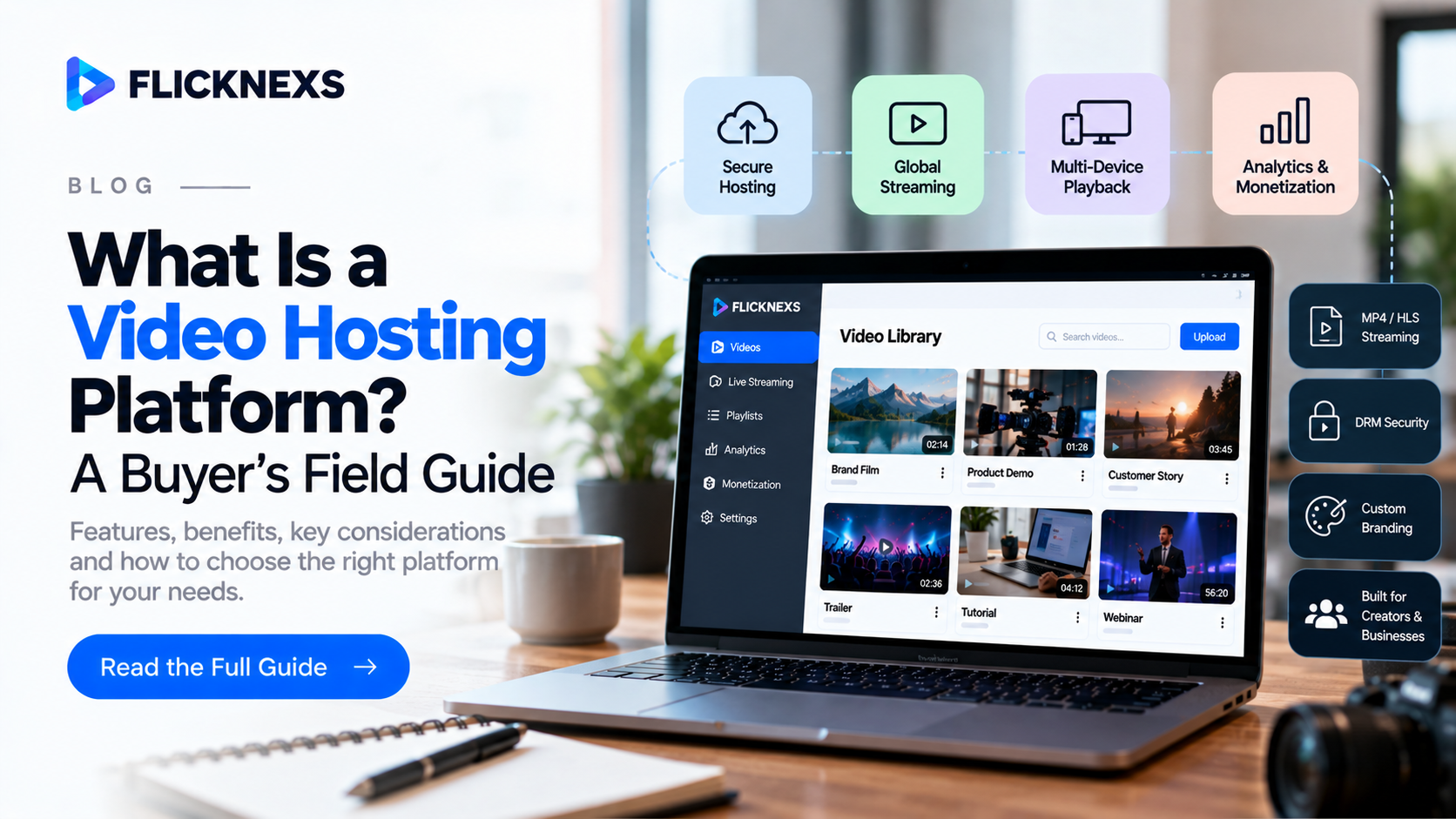
A video hosting platform is software that stores your video files, converts them into streamable formats, and delivers them to viewers on any device. The real question for a business is not what it does, but how much of the viewing experience you own once your videos live there.
Most guides answer the first question with a feature list. This one gives you three tools to answer the second: a four-level Control Ladder to place any vendor, a formula to estimate what delivery will actually cost you, and an Exit Test to run before you sign.
Quick answer: A video hosting platform handles upload, encoding, storage, secure delivery and playback of video over the internet. Business platforms add branded players, access controls, analytics, APIs and monetization. Choose one by deciding how much control you need over brand, audience data and revenue, then checking bandwidth cost and how easily you can leave.
Launching your own video platform? Flicknexs gives you white-label video hosting, streaming and branded apps under your own name.
Build Your Video Hosting Platform →
Key takeaways
- A video hosting platform stores, encodes and streams video; business platforms add control over brand, access and data.
- The Control Ladder has four levels, from social sharing to a fully branded OTT (over-the-top) service.
- Bandwidth, not storage, usually drives cost: about 1.35 GB per viewer-hour at 3 Mbps (worked out in the cost section below).
- Run the 10-question Exit Test before signing any contract.
The Control Ladder: four levels of video hosting
Every option on the market sits on one of four rungs. Each rung up gives you more control over brand, viewer data and revenue, and asks more of your team.
| Level | What you get | What you control | Who it fits |
|---|---|---|---|
| 1. Social video sharing | Free upload to a public network | Almost nothing: the network owns the player, recommendations and audience | Reach and discovery for marketing clips |
| 2. Embed-and-play hosting | Ad-free player you embed on your site | Player look, privacy settings, basic analytics | Marketing sites, product demos, help centers |
| 3. Business video platform (OVP) | Library management, access rules, APIs, detailed analytics | Who watches, what they see, where data goes | Training, internal comms, course libraries |
| 4. Branded video service (OTT) | Your own web, mobile and TV apps with logins and payments | The full experience: brand, audience relationship, pricing, revenue | Media companies, educators, creators selling content |
The common mistake is buying for the rung you are on today. If you plan to charge for video within 18 months, evaluate Level 4 vendors now, because migrating a library and its viewers later is the most expensive move in this whole decision.
Key takeaway: Pick the ladder level you will need in 18 months, not the one you need today. In short, the level you choose decides who owns your audience.
Read more: what is VOD (video on demand) · OTT platform explained · Flicknexs white-label video hosting
What to check at each level of the Control Ladder
Each rung has its own failure points. Use these checks to test a vendor at the level you are buying, not the level its homepage claims.
Level 1: social video sharing
Social networks are free because your audience pays with attention. That is a fair trade for reach, but a poor home for anything you plan to sell or protect. Before you rely on one, check three things: whether you can turn off competitor recommendations at the end of your video, whether you can download your own analytics, and what happens to your videos if your account is flagged. Treat Level 1 as a distribution channel that points back to your own video hosting platform, never as the platform itself.
Level 2: embed-and-play hosting
This rung is for teams that want clean, ad-free video on their own website. The deciding checks are player weight and page speed, because a heavy player script can slow the pages you embed it on. Ask how the player loads (lazy loading, thumbnail first), whether it supports video SEO markup, and whether captions and chapters are included. Also confirm the plan’s bandwidth allowance, since a single popular product video can exceed it.
Level 3: business video platform
At this rung you are buying control over who watches and where the data goes. Test single sign-on (SSO) with your actual identity provider, not a demo account. Ask for the API documentation and check that it covers upload, metadata and analytics, not only playback. Load 100 test videos and see how long it takes your team to find, tag and update them. Library management that feels fine with ten videos often breaks down at a thousand.
Level 4: branded video service
This is where you run a business on top of video, so the checks shift from features to ownership. Confirm who publishes the iOS, Android and TV apps and under whose developer account. Confirm which payment gateway processes subscriptions and whether the customer relationship sits with you. Check how quickly the vendor ships app updates when Apple or Google change their store rules, because a delayed update can pull your app from sale. Finally, ask to see a live client app on a real TV, not a slide.
Key takeaway: Every level has one make-or-break test. In short, Level 2 is page speed, Level 3 is SSO and APIs, and Level 4 is who owns the apps and the payments.
What happens to a video after you upload it?
A single upload becomes many files. Knowing the five steps tells you where quality, cost and security are decided.
- Ingest. The platform receives your master file (often MP4 or MOV) and checks it.
- Transcode into a rendition ladder. The master is re-encoded into several resolutions and bitrates, for example 240p up to 1080p or 4K. This is why stored size is larger than what you uploaded.
- Package for streaming. Renditions are cut into short segments and listed in a manifest using a standard protocol: HLS (HTTP Live Streaming), documented in IETF RFC 8216, or MPEG-DASH (Dynamic Adaptive Streaming over HTTP), promoted by the DASH Industry Forum. The player switches rendition every few seconds as the viewer’s connection changes. That is adaptive bitrate streaming (ABR).
- Protect. Depending on content value: signed URLs, domain restriction, token-based login, or studio-grade DRM (digital rights management) such as Google Widevine and Apple FairPlay.
- Deliver and measure. Segments are cached on a CDN (content delivery network) close to viewers, and the player reports views, watch time and buffering back to analytics.
Ask every vendor which of these five steps they run themselves and which they pass to a third party. That answer explains most of their pricing.
Key takeaway: Encoding, packaging and CDN delivery decide playback quality. In short, ask each vendor who runs every step, because that is what you are paying for.
How secure is video hosting? Match protection to content value
Security is not one switch. Each layer adds cost and some friction for viewers, so the right level depends on what a leaked video would cost you.
| Content type | Minimum protection | Add when needed |
|---|---|---|
| Public marketing videos | None beyond normal hosting | Domain restriction to stop hotlinking |
| Customer help and product docs | Domain restriction | Login for account-only content |
| Internal training | SSO login, private library | Watermarking with viewer email |
| Paid courses and memberships | Login, signed URLs with short expiry | Concurrent-stream limits |
| Premium films, sports, licensed content | Multi-DRM (Widevine + FairPlay), signed URLs | Forensic watermarking, geo-blocking |
Three terms come up in every security conversation. A signed URL is a video link that expires after a set time, so a copied link stops working. Domain restriction means the player only plays on websites you approve. DRM encrypts the video so only licensed players on approved devices can decrypt it. According to Apple’s FairPlay Streaming documentation, FairPlay protects HLS content on Apple devices, while Widevine covers Android, Chrome and many smart TVs, which is why premium services usually need both.
No protection is absolute. Someone can always point a camera at a screen. The goal is to make casual copying hard and large-scale piracy traceable, not to make leaks impossible.
Key takeaway: Protect premium and licensed content with multi-DRM; protect everything else with logins, signed URLs and domain rules. In short, spend on security in proportion to what a leak would cost.
What is the difference between live streaming and on-demand video hosting?
Most video hosting platforms start with on-demand video (VOD): files that viewers play whenever they choose. Live streaming adds a different set of requirements, and not every platform handles both well.
With live video, the platform must encode and package the stream in real time, as it arrives from your camera or encoder. That raises three questions VOD never asks. First, latency: how many seconds behind real life does the viewer see the event? Standard HLS often runs well behind real time, which is fine for a webinar but frustrating for live sports or auctions. Second, reliability: what happens if your encoder drops for ten seconds? Good platforms support a backup stream. Third, live-to-VOD: does the recording appear in your library automatically when the event ends, with the same access rules?
If live events are part of your plan, test them before signing. Run a 30-minute stream from your real location, on your real internet connection, and watch it on a phone on mobile data. That single test tells you more than any feature sheet.
Key takeaway: On-demand hosting is the baseline; live streaming adds latency, failover and live-to-VOD requirements. In short, test a real live event before you commit.
How much does video hosting cost? Do the bandwidth math first
For most growing libraries, delivery (bandwidth) outgrows storage as the biggest cost line. You can estimate it in two minutes before talking to any vendor.
Monthly GB delivered = viewer-hours per month × (average bitrate in Mbps × 3600) ÷ (8 × 1000)
Worked example (illustrative numbers, not a quote): 5,000 subscribers each watch 4 hours a month, so 20,000 viewer-hours. At an average delivered bitrate of 3 Mbps (adaptive streaming averages below your top 1080p rendition; according to Apple’s HLS Authoring Specification, recommended 1080p H.264 variants sit around 6–8 Mbps, with lower renditions well under that), one viewer-hour is 3 × 3600 ÷ 8 ÷ 1000 = 1.35 GB. Monthly delivery is 20,000 × 1.35 = 27,000 GB, or about 27 TB.
Now multiply 27 TB by each vendor’s overage rate, or check whether their plan includes it. Two vendors with the same monthly fee can differ by thousands of dollars once you pass the included bandwidth.
Other cost lines to ask about:
- Storage, counted on all renditions, not just your uploaded masters
- Encoding minutes, sometimes billed per minute of source video
- DRM license fees, often per license request
- Seats for team members and admins
- App builds for iOS, Android and TV, if you are on Level 4
- Revenue share on subscriptions or pay-per-view sales
The best question is not “which platform is cheapest?” It is “what will we pay at three times our current audience?”
Delivery volume at three audience sizes
Using the same formula, 4 viewing hours per viewer per month and a 3 Mbps average, here is how delivery scales. These are illustrative volumes, not prices; plug in each vendor’s rate.
| Monthly viewers | Viewer-hours per month | Delivery per month |
|---|---|---|
| 1,000 | 4,000 | 5.4 TB |
| 10,000 | 40,000 | 54 TB |
| 50,000 | 200,000 | 270 TB |
Delivery grows in a straight line with viewing time. Storage grows only when you add content. That is why a plan that looks cheap at launch can become the most expensive option once a library finds its audience.
Key takeaway: Estimate delivery in TB at today’s audience and at three times that audience before comparing plans. In short, bandwidth, not storage, usually decides the bill.
Want this math done for your audience? Share your library size and expected viewers, and we will estimate your delivery volume and cost.
Get a video hosting cost estimate →
Should you build your own video infrastructure or use a platform?
Some engineering teams consider assembling their own stack from cloud storage, an encoding service, a CDN and an open-source player. It is possible, and it gives maximum control. It also turns your team into the owner of every part that can break.
A self-built stack means your team handles transcoding presets for new devices, CDN configuration, player bugs on each smart TV brand, DRM license servers, analytics pipelines, payment integration and app store submissions. Each of these is a small project. Together they become a permanent product team that is not working on your content or customers.
Building makes sense when video is your core technology and you have engineers who want to own it, for example a company selling a video API. Using a platform makes sense when video is how you deliver value but not what you sell as technology: training providers, publishers, churches, fitness brands, educators and media companies. For most of these businesses, a Level 4 platform with white-label apps reaches launch faster and moves engineering effort to the parts customers actually see.
A useful test: list the ten components above and, for each, name the person on your team who will fix it at 2 a.m. on launch night. If you cannot name someone for most of them, use a platform.
Key takeaway: Build only if video technology is your product. In short, if video is how you deliver value, a platform frees your team to work on content and customers.
Which video hosting features matter for your use case?
A feature list treats every capability as equal. In practice, each use case has two or three that decide the purchase. Score vendors on those first.
| Use case | Must-have | Nice-to-have | Often overpaid for |
|---|---|---|---|
| Marketing videos on your site | Fast-loading branded player, SEO-friendly embeds | Viewer heatmaps | DRM |
| Employee training and onboarding | SSO login, private library, completion tracking | Quizzes, LMS integration | Monetization |
| Online courses | Per-user access, captions, progress tracking | Mobile apps | 4K renditions |
| Media and publishing | Large-library search and metadata, ad insertion | Multi-language subtitles | Custom player skins |
| Subscription or pay-per-view streaming | Payments, user accounts, DRM, TV apps | Recommendations | Social sharing tools |
| Live events and webinars | Live-to-VOD recording, low latency | Chat and Q&A | Long-term archive storage |
Captions belong in the must-have column for almost every case. They support viewers in noisy or silent settings and help you meet W3C accessibility guidance for captions.
Key takeaway: Score vendors on the two or three must-haves for your use case before anything else. In short, ignore features you will never use.
What should you ask before signing? The 10-question Exit Test
The right time to plan leaving a platform is before you join it. A vendor that answers these clearly is confident you will stay for the product, not the lock-in.
- Can we bulk-export original master files, not just compressed renditions?
- Is metadata (titles, descriptions, tags, chapters, captions) exportable in CSV or JSON?
- Can we export viewer and subscriber lists, including emails and plan status?
- Do payment subscriptions transfer, or must every subscriber sign up again?
- Do embed codes break the day we leave, and is there a redirect option?
- Are analytics history and watch data exportable?
- Is there an export fee or bandwidth charge for leaving?
- Who owns the app store listings for our branded apps: us or the vendor?
- What notice period and data-retention window apply after cancellation?
- Is there a documented API we could use to automate migration?
Questions 4 and 8 matter most on Level 4. If the vendor owns your app listings or payment relationships, your subscribers effectively belong to them.
Key takeaway: A vendor that answers all ten Exit Test questions in writing is safe to join. In short, plan your exit before you sign.
How do you migrate to a new video hosting platform? A 7-step playbook
If you already host video somewhere and want to move, the risk is not the files. It is broken embeds, lost subscribers and a drop in search traffic. This sequence keeps all three intact.
- Inventory everything. Export a list of every video with its ID, title, URL, embed locations, captions and view counts. Most teams find videos embedded in places nobody remembers.
- Export masters, not renditions. Re-encoding an already compressed file loses quality. Ask your current vendor for the original uploads.
- Map old IDs to new IDs. Keep a spreadsheet with both, so every embed and link can be updated or redirected automatically.
- Migrate in batches by traffic. Move your top 20 most-watched videos first and test playback on every device your audience uses.
- Plan subscriber continuity. For paid services, agree with both vendors how payment tokens or subscriptions move, and email subscribers before anything changes.
- Update embeds and video sitemaps. Replace embed codes page by page, and submit an updated video sitemap so search engines find the new player URLs.
- Run both platforms in parallel for one billing cycle. Cancel the old account only after analytics on the new platform match your expected traffic.
Key takeaway: Migrate by traffic, keep an old-to-new ID map, and overlap both platforms for one cycle. In short, protect embeds and subscribers first.
How do you compare video hosting vendors? A 30-minute scorecard
After demos, teams often remember the best presenter rather than the best product. Score each vendor right after the call, using weights that match your Control Ladder level.
| Criterion | Weight (Level 2–3) | Weight (Level 4) | Score 1–5 |
|---|---|---|---|
| Playback quality on your real devices | 25% | 20% | |
| Total cost at 3× audience | 20% | 15% | |
| Exit Test answers in writing | 15% | 15% | |
| Security matched to your content | 15% | 15% | |
| Library management and APIs | 15% | 10% | |
| Apps, payments and ownership | 10% | 25% |
Multiply each score by its weight and add the results. A gap of less than 0.3 between two vendors is a tie; break it with a reference call to a current client at your size.
Key takeaway: Weight criteria by your ladder level and score right after each demo. In short, decide on evidence, not on the best presentation.
Five mistakes businesses make when choosing a video hosting platform
Most bad platform decisions come from the same few shortcuts. Each one is avoidable with a single check during evaluation.
- Comparing monthly fees instead of total cost. A low entry price often hides a small bandwidth allowance. Run the delivery formula at three times your current audience before you compare any two plans.
- Testing on the vendor’s demo content. A demo library is encoded and tuned to look perfect. Upload five of your own videos, including your longest and your darkest, and watch them on a mid-range phone over mobile data.
- Ignoring the people who will run it. Your editors and admins will use the content library every day. Ask them to upload, tag and publish a video during the trial. If they struggle with ten videos, they will struggle more with a thousand.
- Treating apps as an add-on. On Level 4, the mobile and TV apps are where most viewing happens. Check app quality, update speed and store ownership as carefully as you check the web player.
- Skipping the reference call. A vendor’s best case study is not the same as a typical client. Ask for a client at your size and in your industry, and ask that client what broke in the first ninety days and how fast it was fixed.
None of these checks takes more than an hour. Together they remove most of the risk of choosing the wrong platform.
Key takeaway: Test with your own videos, your own team and your own audience size. In short, a trial that mirrors real use beats any feature comparison.
Video hosting platform vs OVP vs VCMS vs OTT platform: what is the difference?
Vendors use these labels loosely. Map each to the Control Ladder and the confusion goes away.
| Term | Core job | Ladder level |
|---|---|---|
| Video hosting platform (VHP) | Store, encode and deliver video | 2–3 |
| Video content management system (VCMS) | Organize, tag, schedule and publish a library | 3 |
| Online video platform (OVP) | Hosting + management + analytics + APIs in one product | 3 |
| OTT platform | Everything above + user accounts, payments and branded apps on mobile and TV | 4 |
So when a vendor calls itself any of these, ask one question: which rung of the ladder does the product actually reach without custom development?
Key takeaway: Ignore the label and ask which Control Ladder level the product reaches. In short, an OTT platform includes video hosting, but video hosting is not always an OTT platform.
Where does Flicknexs fit on the ladder?
Flicknexs provides a white-label video hosting platform and OTT platform for businesses that want to reach Level 4 without building infrastructure from scratch. It covers hosting, encoding, content management, access control, subscriptions and pay-per-view, and branded apps for web, mobile and TV under your own name.
Bring your Control Ladder rung, your bandwidth estimate and the Exit Test to a demo. We will answer all three on the call.
Ready to launch your own branded video service? Bring your ladder level, bandwidth estimate and Exit Test questions to a live demo.
Build Your Video Hosting Platform →
Final verdict: which video hosting platform is right for you?
The right video hosting platform is the one that matches the Control Ladder level you will need next year, at a delivery cost you have calculated, from a vendor that passes the Exit Test.
- If you only publish marketing and help videos: a Level 2 embed-and-play host is enough. Prioritize player speed and SEO-friendly embeds.
- If you train employees or run courses: choose a Level 3 business video platform with SSO, private libraries and completion tracking.
- If you plan to sell video or build an audience under your own brand: go straight to Level 4. Confirm you own the apps, the payment relationship and the subscriber list.
- If video technology itself is your product: consider building, but staff it as a permanent team.
Whichever level you choose, decide with three numbers in hand: your ladder level, your delivery volume at three times today’s audience, and your vendor’s Exit Test score.
Key takeaway: Match the platform to next year’s ladder level, verify cost at 3× audience, and sign only after the Exit Test. In short, control, cost and exit decide the choice.
Frequently Asked Questions
What is a video hosting platform used for?
A video hosting platform stores, encodes and delivers video for websites, training portals, course libraries and streaming services. In short, it gives a business control over the player, access and analytics.
Is YouTube a video hosting platform?
YouTube hosts and streams video, but it is a Level 1 sharing network that controls the player, recommendations and audience relationship. In short, businesses that need brand and data control use a dedicated platform.
What is the difference between video hosting and video streaming?
Hosting is storing and managing the files; streaming is delivering them in segments as the viewer watches. In short, most business platforms do both.
How much bandwidth does one hour of video use?
About 1.35 GB at an average 3 Mbps, based on the formula above. In short, multiply your monthly viewer-hours by 1.35 GB to estimate delivery volume.
What is secure video hosting?
Secure video hosting limits who can watch through private links, domain restriction, login-based access, signed URLs and DRM. In short, match the protection layer to the value of the content.
Can I sell videos on a video hosting platform?
Only on Level 3–4 platforms with built-in payments. In short, confirm support for subscriptions, pay-per-view and coupons before signing.
Can I move my videos to another platform later?
Yes, if the vendor allows bulk export of masters, metadata and subscriber data. In short, run the 10-question Exit Test before you commit.
Do I need an OTT platform or just video hosting?
If you only embed videos on your site, video hosting is enough. In short, if you want your own apps, user logins and paid access, you need an OTT platform.
Can a video hosting platform stream live events?
Many can, but live streaming adds real-time encoding, latency and failover requirements. In short, test a real 30-minute live stream before you choose.
Should I build my own video hosting infrastructure?
Only if video technology is the product you sell. In short, most businesses launch faster and spend less engineering time on a platform.

